
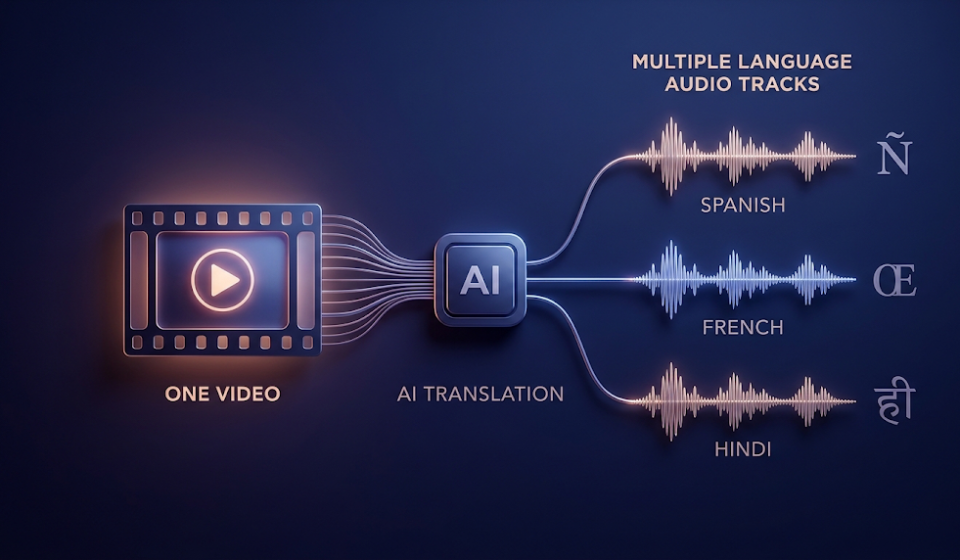

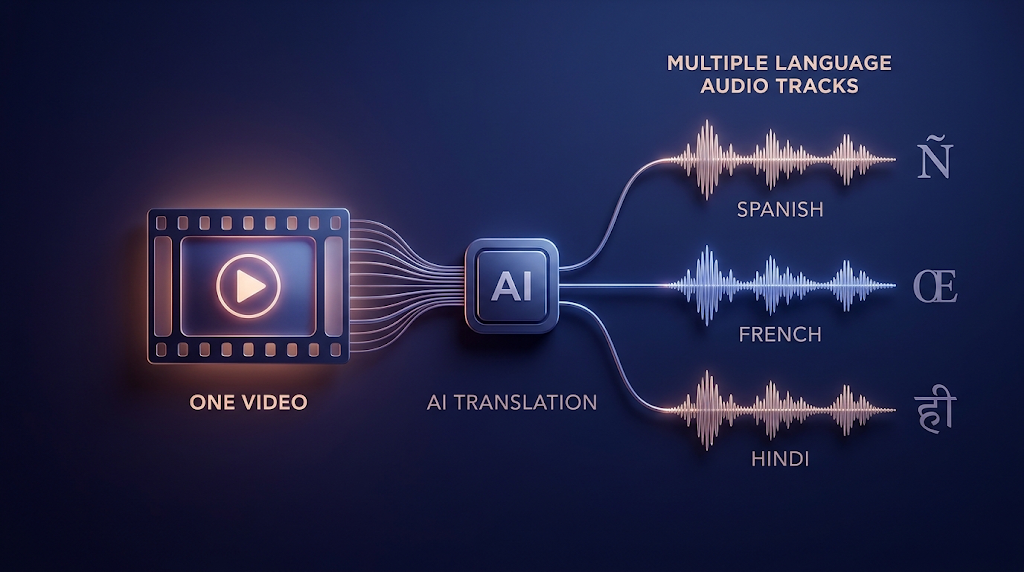
 What if your video could speak Spanish, French, or Hindi without you recording a single new word? YouTube now makes dubbed audio for many videos by itself. But the feature has strict rules, and most guides skip them. This guide is built from YouTube’s own help page and blog, which we read on October 12, 2026. You will learn which language pairs really work, why some videos get no dub, and what to do when a dub sounds wrong.
What Is YouTube Auto Dubbing
YouTube auto dubbing is a feature that makes translated audio for your video with artificial intelligence. YouTube listens to your original speech and writes a translation. Then it makes a new voice track in another language and attaches it to the same video. Viewers can switch between the original sound and the dubbed sound in the player.
This is different from subtitles, which only show words on the screen. A dub replaces the sound itself, so people can watch without reading. YouTube says videos with these tracks are marked as “auto-dubbed” in the video description. If you only need text on screen, a free AI subtitle generator is the simpler tool.
🗺️ Which Language Pairs Really Work
This is the part most guides get wrong. Auto dubbing does not translate every language into every other language. YouTube’s help page lists exactly which original languages can be dubbed into which. For most languages, the only choice is English.
English is the exception. A video recorded in English can be dubbed into 20 languages. These include Spanish, French, German, Portuguese, Italian, Japanese, Korean, Hindi, Arabic, and Russian. Other languages, such as French, German, and Japanese, can go into English only.
|
Original Language |
Dub Languages Available |
|---|---|
|
English |
20 languages, including Spanish, French, German, Portuguese, Italian, Japanese, Korean, Hindi, Arabic, and Russian |
|
Spanish |
Arabic, English, Portuguese |
|
Portuguese |
English, Spanish |
|
Hindi |
Bengali, English |
|
Korean |
English or Indonesian |
|
French, German, Italian, Russian |
English |
|
Japanese, Chinese |
English |
YouTube adds languages slowly. Open the Languages page in YouTube Studio to see the exact list for each of your videos.
So a Spanish speaker can reach Portuguese listeners and Arabic listeners, but not French ones. A French creator can reach English listeners only. This is why you should check the table before you plan a big dubbing project.
💡 Quick Tip: If you want the widest reach, record in English. It is the only original language with a long list of dub choices.
🚦 Why Your Video May Not Get a Dub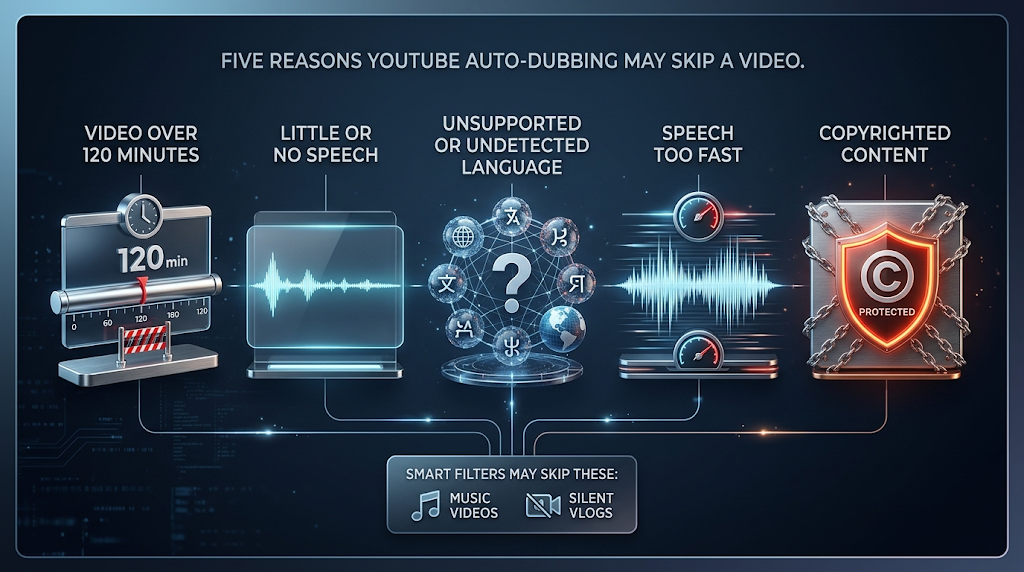
YouTube names five reasons a video can be skipped. First, the video is longer than 120 minutes. Second, it has no speech, only music, or very little talking. Third, the language is not supported, or YouTube cannot tell what language you speak.
Fourth, the speech is too fast. YouTube says a dub made from very fast speech would sound sped up and unlistenable. Fifth, the video contains copyrighted content. In February 2026, YouTube also said it added smart filters that spot videos that should not be dubbed, such as music videos and silent vlogs.
If your video is skipped, check the easy things first. Is your speech clear and at a normal speed? Is the video language set correctly? If you plan to add background music, keep it low so the voice stays easy to hear.
🛠️ How to Turn On Auto Dubbing and Check Your Dubs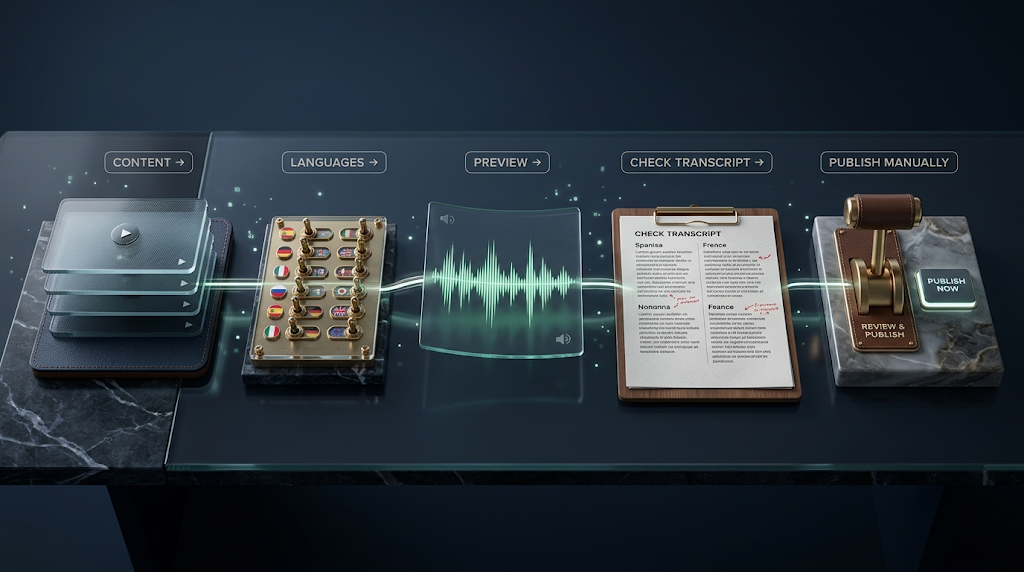
Auto dubbing is on by default for eligible channels. If it is off for you, YouTube says you can turn it on in Advanced settings. In the YouTube Studio app, tap your profile picture, then Settings. Under Content, tap Automatic dubbing, and turn it on.
You can also choose “Publish manually.” This lets you review each dub before viewers can hear it, which is a smart choice for important videos. YouTube says managing dubs, such as previewing, publishing, or deleting them, works only in YouTube Studio on a computer. Open Content, pick your video, and click Languages. 
To check a dub, click a language, then use the Preview menu under the video and press play. You can also open the dub’s transcript and read the translated text. Listen to at least the first minute, because mistakes often show up early.
🔧 How to Fix a Bad Auto Dub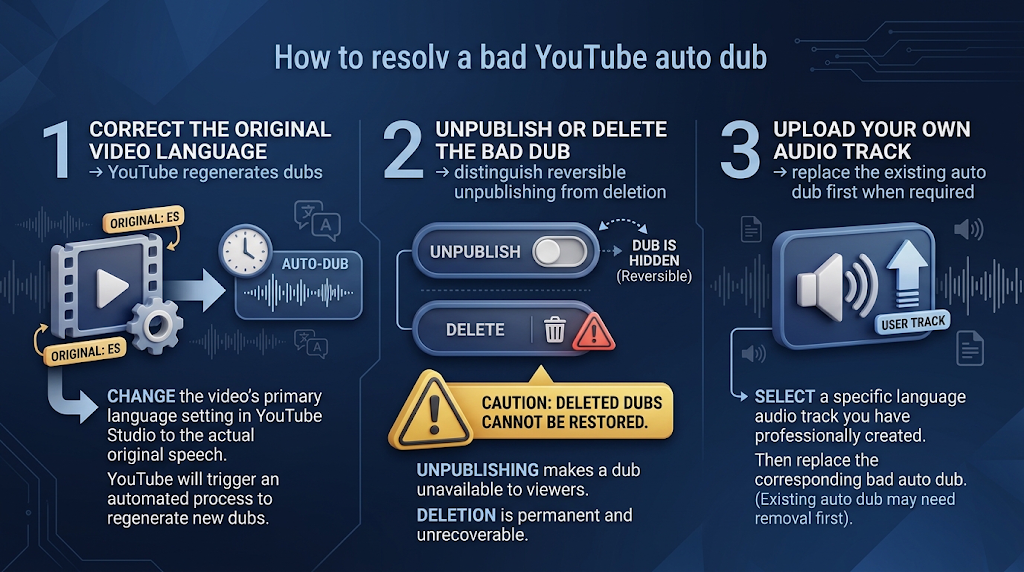
YouTube is clear on one point: you cannot edit an automatic dub. That surprises many creators. You still have three options.
The first option is to fix the video language. If your original language is set wrong, the dub may be translated wrongly. YouTube says that when you correct the language, the dubs are made again on their own. The second option is to unpublish or delete the dub in the Languages page. A deleted dub cannot be brought back, so choose “Unpublish” if you may want it later.
The third option is to upload your own dub. YouTube’s multi-language audio help page says you can add audio tracks you recorded or bought from a vendor. If an auto dub already exists for that language, you must delete it first. This feature is open to creators with Advanced features, and the file must be about the same length as your video.
📈 What Dubbing Can Do for Your Views
YouTube’s February 2026 blog post says auto dubbing is now open to everyone, with a library of 27 languages. In December 2025, more than 6 million people each day watched at least 10 minutes of auto-dubbed content. YouTube also says auto dubs do not hurt the discovery of your original video and may help people find it in other languages.
Those are YouTube’s own claims, not a promise for your channel. Your own results depend on your topic and your audience. A clear tutorial with one speaker is easier to translate than a fast comedy skit. YouTube’s help page also says dubs can contain mistakes with names, jokes, and technical words.
For uploaded tracks, YouTube shares one number worth knowing. It says creators who added multi-language audio saw over 25 percent of their watch time come from viewers who speak another language. That number is about audio tracks the creators uploaded, so it does not prove the same result for auto dubs.
🎙️ Expressive Speech and Lip Sync
Some dubs sound more natural than others. YouTube calls the better kind expressive speech, which copies the pitch and tone of the original voice. It is marked with a star in YouTube’s language table. YouTube says it covers eight languages: English, French, German, Hindi, Indonesian, Italian, Portuguese, and Spanish. Even then, YouTube says the feature is not always used.
Lip sync is a newer test. It changes the speaker’s mouth movement to match the dubbed words. YouTube calls it experimental, and says only select channels have early access. If you do not see the lip sync box in your Advanced settings, your channel does not have it yet.
💰 Free Options vs Paid Tools
|
Option |
Cost |
What You Get |
Best For |
|---|---|---|---|
|
YouTube auto dubbing |
No charge listed on YouTube’s help page |
Dubs in supported languages, attached to your video |
Most creators starting out |
|
YouTube multi-language audio |
Feature of YouTube Studio (Advanced features needed) |
Upload your own dubbed audio track |
Creators who record or buy a dub |
|
9 free minutes, no credit card, per its page |
Voice cloning and lip sync tools |
Short clips outside YouTube |
|
|
Free plan with 10,000 credits a month (personal use only); paid from $6 |
Natural voices for a script you write |
Full control of the words |
Prices change often. Confirm each one on the tool’s own page.
For most creators, YouTube’s own tool is the best first step because it needs no extra account. Paid tools make sense when you need a language YouTube does not offer, or when you want to edit every line. If you go that way, our guide to free AI voice generators can help you pick a voice.
🔒 Staying Safe: Quality, Rights, and Honest Labels
A dub is made by a computer, so check it before you trust it. YouTube warns that dubs can have errors from accents, background noise, and hard words. It also says matching the dub voice to the original voice can be difficult. If your video gives health, money, or legal advice, review the dub with a native speaker before you publish.
Only dub videos you own or have the right to use. YouTube says a video with copyrighted content may not be eligible. If you use a paid tool that clones a voice, get written permission from every speaker. Never copy another person’s voice to make them say something they did not say.
Be honest with viewers too. YouTube already marks auto dubs, so there is no need to hide it. If you upload your own dub, say so in the description and thank the people who helped you. 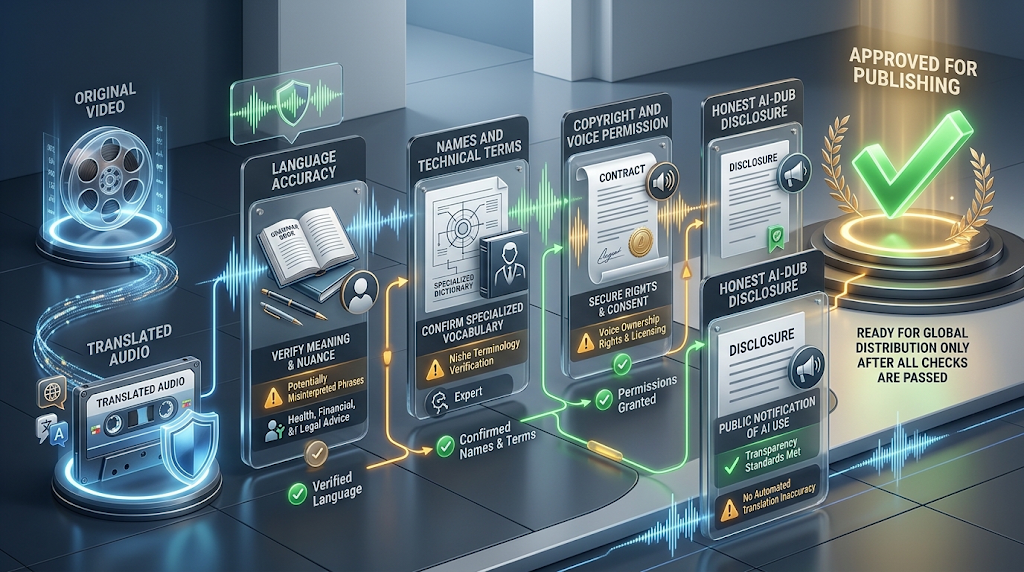
⚠️ Common Mistakes to Avoid
The biggest mistake is setting the wrong video language at upload. YouTube says this can cause a wrong translation. Always check the language box before you press publish. The second mistake is expecting every language pair. As the table shows, many languages can only go to English.
Another mistake is checking dubs on a phone only. YouTube says previewing and publishing dubs works only on a computer, so use YouTube Studio on a desktop. The last mistake is letting the dub go live without a listen. Turn on “Publish manually” for your first few videos, and review each dub before viewers can hear it.
👥 Who Should Use This
Teachers can reach students who speak another language without recording twice. Small shops can turn a how-to video into one that many more people can follow. Creators who already get comments in other languages are the best fit, since YouTube says those channels are good candidates for multi-language audio.
You can also use your video in other ways. A transcript can become a blog post, and a short clip can become an ad. Our AI video generator guide covers making new clips, and our AI narration for PowerPoint guide shows how to add a voice to slides.
📅 How We Checked These Details
We read YouTube’s official help pages on automatic dubbing and multi-language audio on October 12, 2026. We also read YouTube’s February 4, 2026 blog post. We did not dub our own channel’s videos for this guide, so we cannot tell you how good the dubs sound for your topic. YouTube says it is still adding languages, so the list may change.
❓ Frequently Asked Questions
Is YouTube auto dubbing free? YouTube’s help page lists no charge for it, and it is on by default for eligible channels.
Can I edit an auto-dubbed audio track? No, YouTube says automatic dubs cannot be edited. You can delete one and upload your own.
Why does my video have no auto dub? It may be over 120 minutes, have little speech, or have speech that is too fast or not detected.
Which languages can I dub my English video into? YouTube lists 20, including Spanish, French, German, Portuguese, Italian, Japanese, Korean, and Hindi.
Can I dub a Spanish video into French? Not with auto dubbing. YouTube lists Arabic, English, and Portuguese for Spanish videos.
Can I review a dub before viewers hear it? Yes. Choose “Publish manually” in your dubbing settings and check each dub first.
Will auto dubbing hurt my original video? YouTube says it has no negative effect on your original video’s discovery.
Does auto dubbing change the speaker’s lips? Only in an experimental lip sync test open to select channels.
How do I fix a mistranslated dub? Set the correct original language, and YouTube makes the dubs again on its own.
🎓 Conclusion
YouTube auto dubbing can turn one video into many language versions at no listed cost. It works best for clear speech in English, since English has the longest list of dub choices. Check your language pair, set the right video language, and review each dub in YouTube Studio on a computer. For anything the tool cannot do, you can upload your own dubbed audio track.
Reviewed by the BrainxoAI Editorial Team, which researches and compares free AI tools for creators, teachers, and small business owners who publish video.


