
 A free AI subtitle generator listens to your video and automatically writes timed, synced captions, without you typing a single word by hand. This matters more than ever, since around 85 percent of mobile viewers watch video with the sound off, which means a video without subtitles is a video most people simply scroll past. Many tools advertise “99% accuracy,” but the real industry benchmark, called Word Error Rate, tells a more honest story depending on your audio quality. In this guide, we will compare the tools that deliver clean, watermark-free subtitles for free, how accuracy actually works, and how to pick the right tool for you. 🎬
🔍 What Is a Free AI Subtitle Generator? 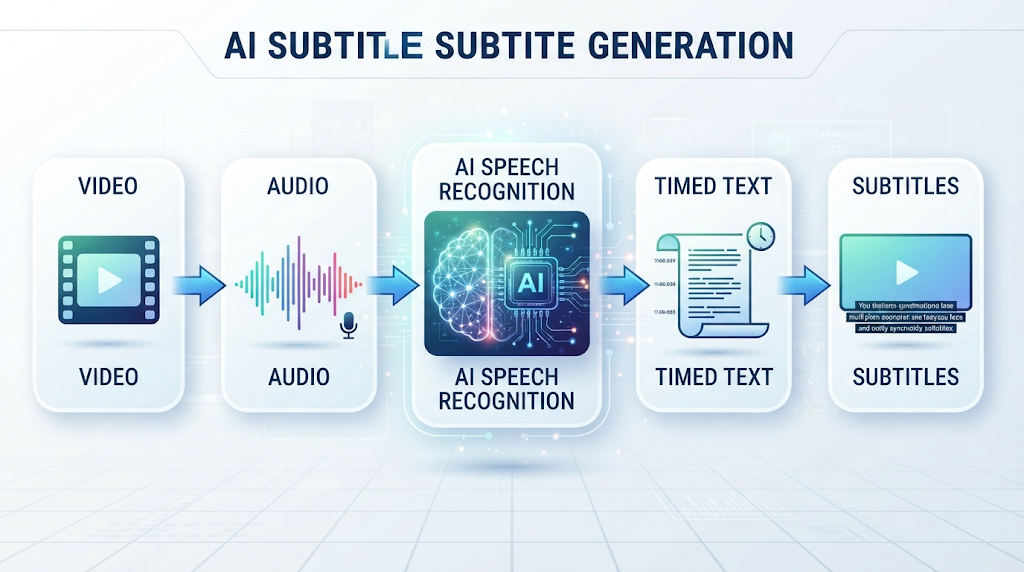
A free AI subtitle generator is a tool that uses artificial intelligence to convert spoken audio in your video into timed, readable text. You upload a video, and the tool returns synced captions in a downloadable format within minutes.
Most tools also support translation, turning your original subtitles into dozens of other languages automatically. The core promise is simple: no manual typing, no manual timing, and a finished caption file ready to export.
⚡ Why “No Watermark” and Real Accuracy Both Matter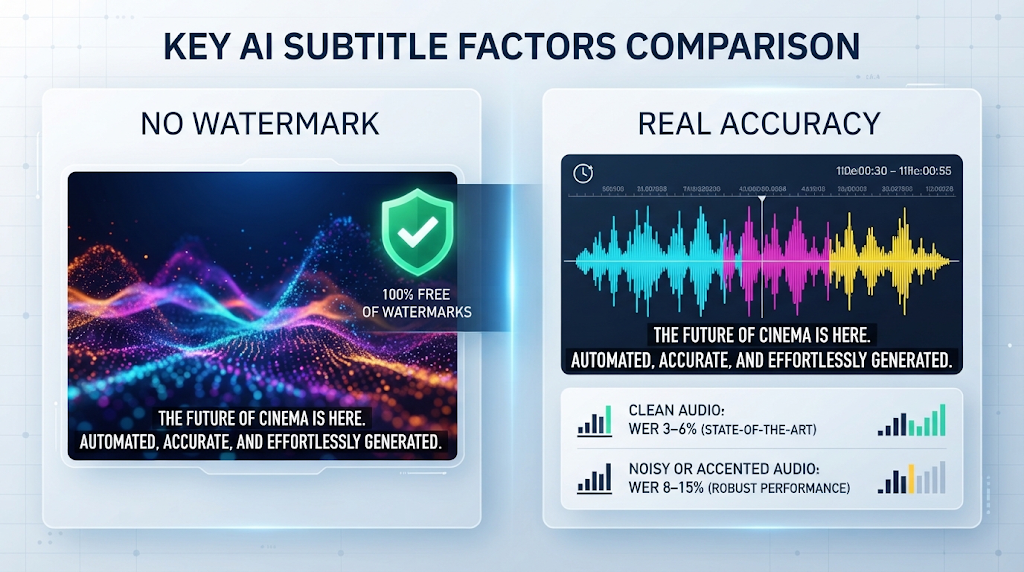
A watermark stamped across your captions or video makes the output unusable for anything beyond a quick preview, which defeats the entire purpose of using the tool. Many free plans still add one, so checking this before you start a real project saves real frustration later.
Accuracy matters just as much, since a caption file full of mistakes can create more editing work than writing subtitles by hand would have. Understanding the real numbers behind a tool’s accuracy claim helps you set realistic expectations before you rely on it.
💡 Quick Tip: A tool marketed as “99% accurate” almost always means clean, studio-quality audio. Background noise, accents, and overlapping speech can lower that number significantly.
⚙️ How Does a Free AI Subtitle Generator Work? 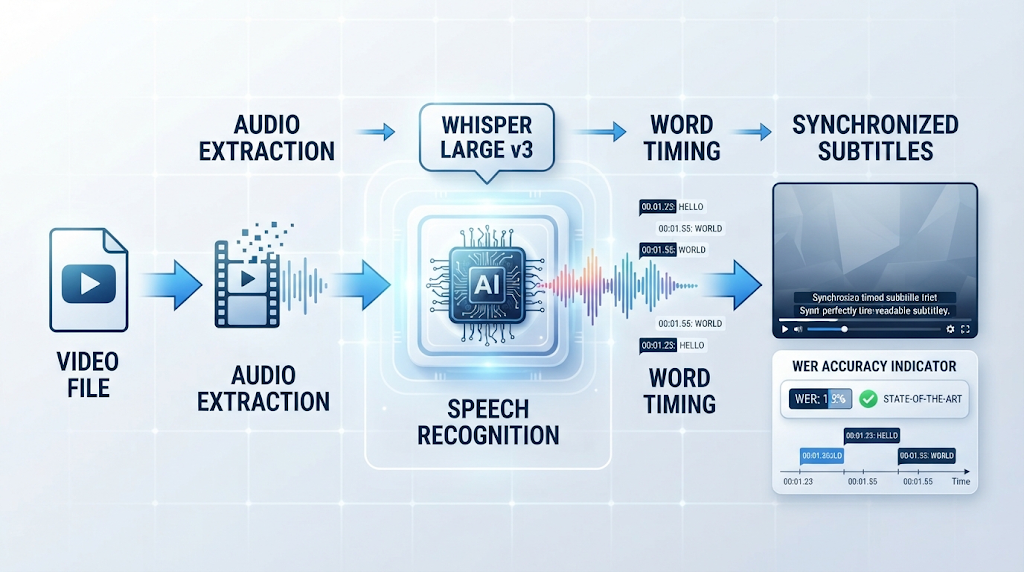
The tool extracts the audio from your video and uses natural language processing based speech recognition to convert it into text. Most 2026 tools are built on models like Whisper Large v3 or similar, which then time-sync each word to match the original audio.
Accuracy is measured using something called Word Error Rate, or WER, which counts how many words the AI got wrong compared to a human transcript. On clean studio audio, leading models score between 3 and 6 percent WER, while noisy or heavily accented speech can push that number up to 8 to 15 percent.
For comparison, professional human transcriptionists typically achieve 1 to 2 percent WER, which is why AI subtitles still benefit from a quick human review for important content.
🏆 Best Free AI Subtitle Generator Tools to Try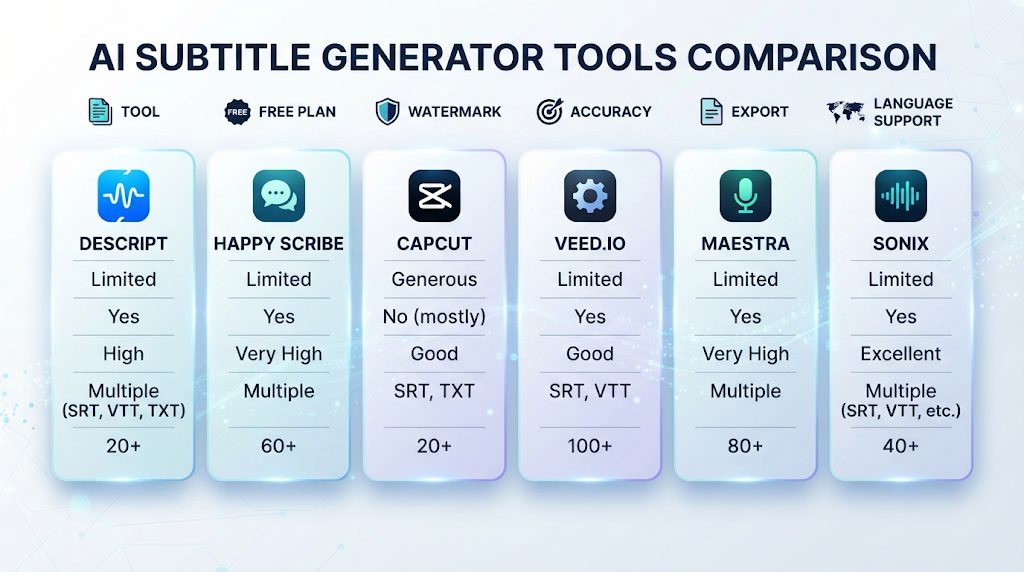
Here is an honest comparison, focused specifically on watermark policy and real free-plan limits.
|
Tool |
Free Plan |
Watermark |
Claimed Accuracy |
|---|---|---|---|
|
Descript |
Free plan includes subtitles |
No |
Whisper-based, high accuracy |
|
Happy Scribe |
Generous free trial |
No |
85–99 percent |
|
CapCut |
Free with export limits |
No, on most exports |
High accuracy for social clips |
|
VEED.IO |
Limited free minutes |
Yes, on free tier |
Up to 99.9 percent |
|
Maestra |
Free trial available |
No, across all plans |
High accuracy, human review option |
|
Sonix |
Free trial available |
No |
Up to 99 percent claimed |
Free-tier limits and watermark rules change often, so always confirm the current policy on the tool’s own website before starting a real project.
Descript and Happy Scribe stand out here for combining a genuinely usable free plan with no watermark. VEED.IO leads on raw accuracy and language count, but its free tier is more limited and does add a watermark, so it works best as a trial before upgrading.
📝 How to Use a Free AI Subtitle Generator (Step by Step) 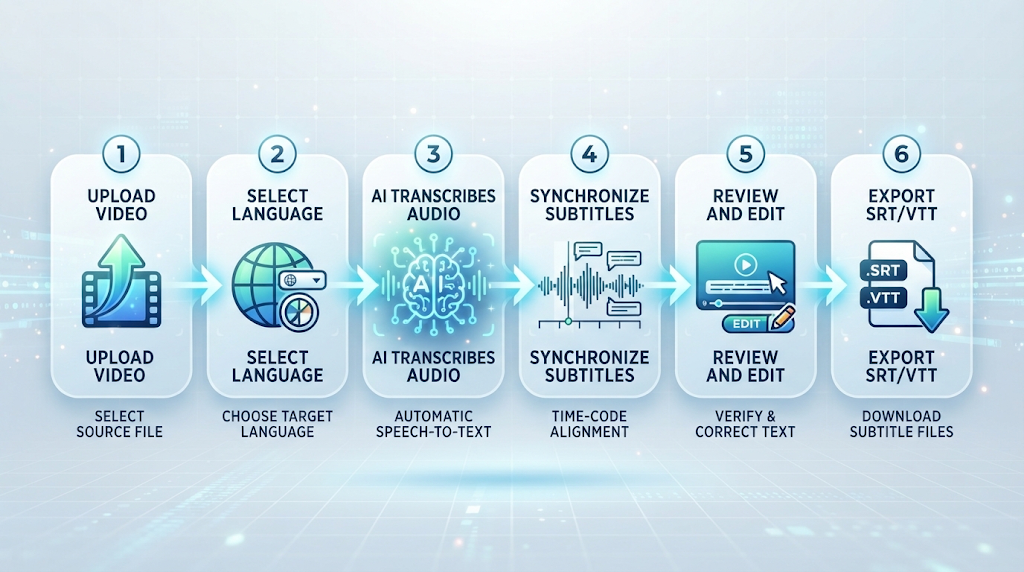
Pick a tool from the list above and upload your video file. Choose your source language, and select a target language too if you need translated subtitles.
Wait for the tool to process the audio, which usually takes just a few minutes even for longer videos. Review the generated subtitles carefully, fixing any misheard words or mistimed lines before exporting your final file.
🎯 Key Features Worth Looking For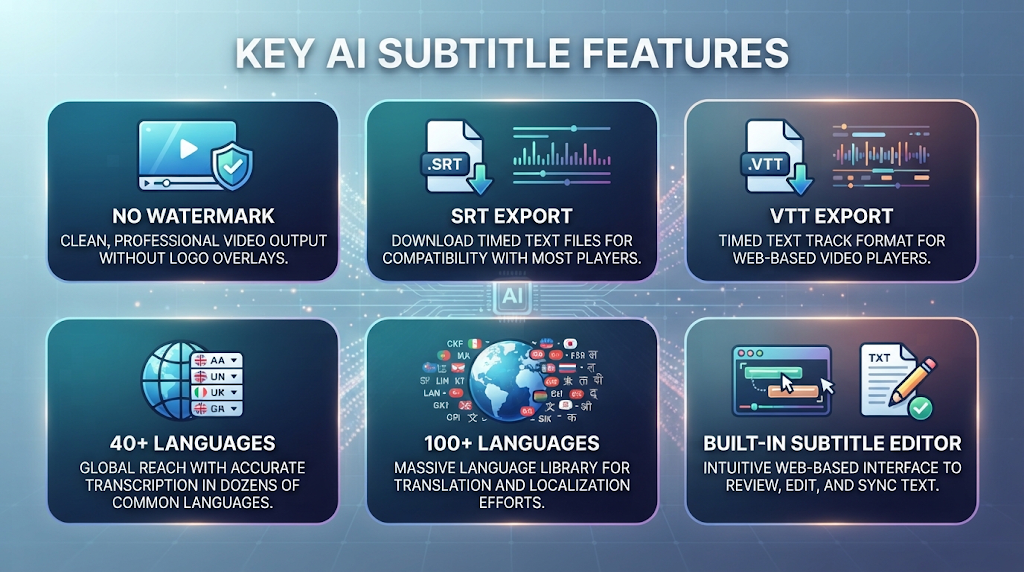
A genuinely watermark-free export is the first thing to confirm, based on how often free plans quietly add one. Multiple export formats matter too, since platforms often require different files, like SRT for YouTube or VTT for web players.
Language support is worth checking closely if you publish for an international audience, since coverage ranges from around 40 languages to well over 100 depending on the tool. A built-in editing interface is also valuable, since fixing small AI mistakes directly in the tool saves time compared to exporting and re-editing elsewhere.
💰 Free vs Paid AI Subtitle Generators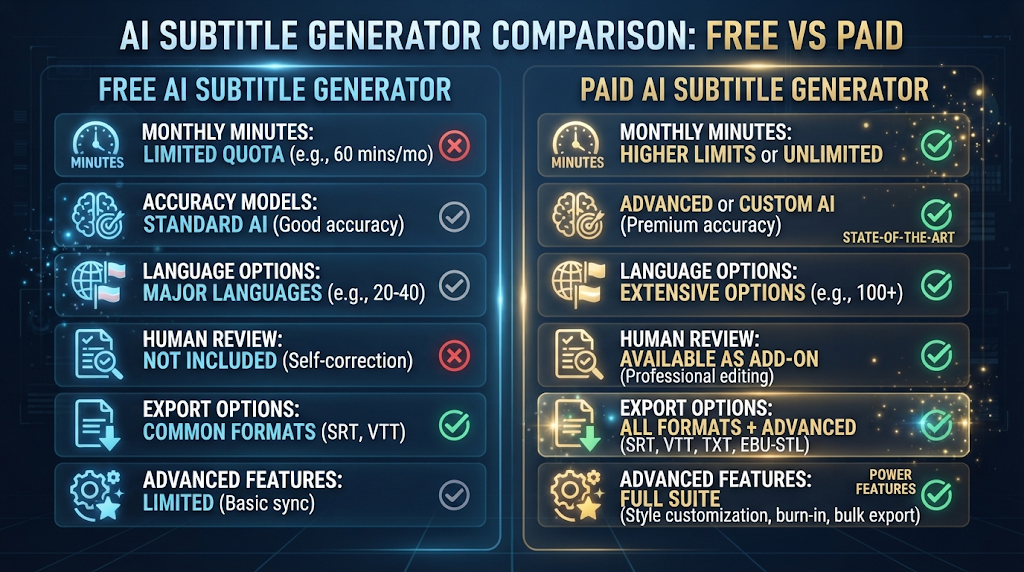
Free plans are great for occasional videos, short clips, or testing a tool before committing to it. Most tools cap you at a limited number of minutes per month, a lower accuracy tier, or a smaller selection of languages.
Paid plans typically unlock more minutes, higher accuracy models, and human review options for critical content like legal or medical videos. If you publish video regularly, a paid plan often becomes worth it simply for the time saved on manual corrections.
🕵️ The Truth Behind “99% Accuracy” Claims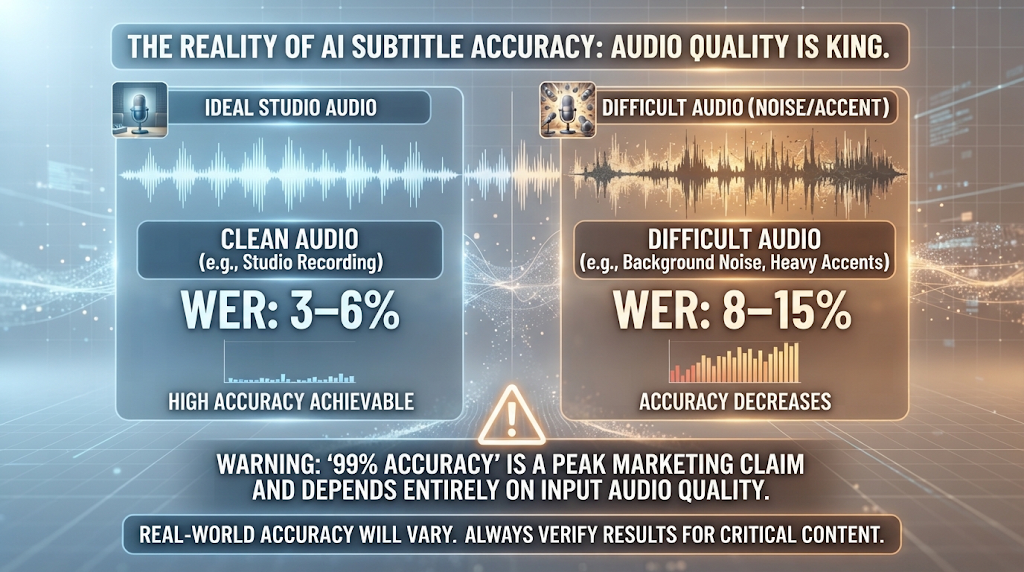
Nearly every subtitle tool advertises accuracy in the high 90s, but this number almost always reflects best-case conditions: clear audio, a single speaker, and no background noise. Real-world Word Error Rate benchmarks tell a more complete story, with even top models like Whisper Large v3 climbing to 8 to 15 percent WER once accents or noise enter the picture.
This does not mean the marketing is dishonest, exactly, since the numbers are technically accurate under ideal conditions. It does mean you should expect to review and lightly edit AI-generated subtitles for any video that was not recorded in a quiet, controlled setting.
🔒 How to Use These Tools Safely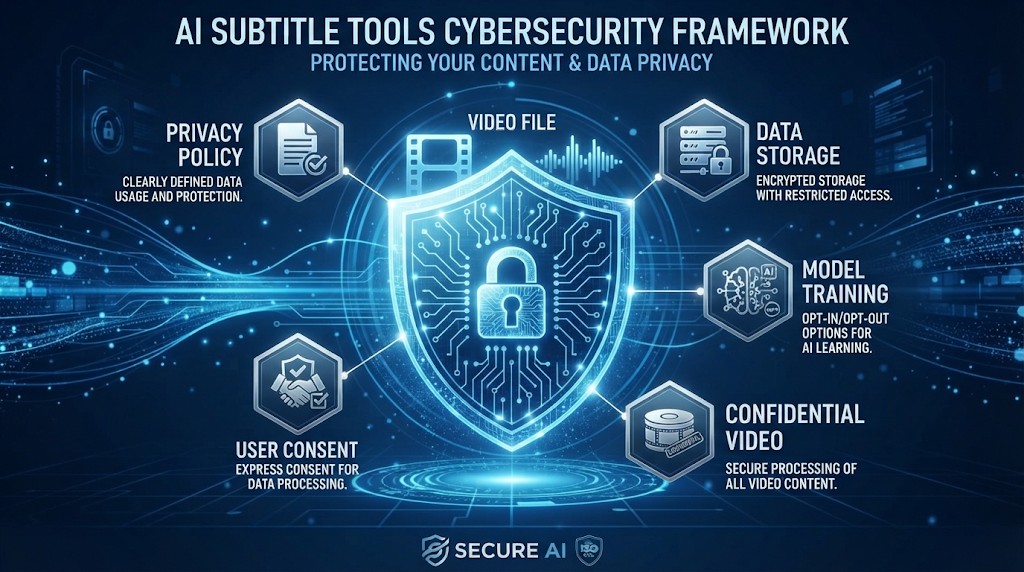
Check a tool’s privacy policy before uploading any video containing sensitive or confidential information, since some platforms store uploaded files or use them to improve future models. Avoid uploading content involving other people without their knowledge, especially for videos that will be published publicly.
Stick to well-known, established platforms instead of random new websites with no reviews, particularly for business or client work.
👥 Who Should Use a Free AI Subtitle Generator? 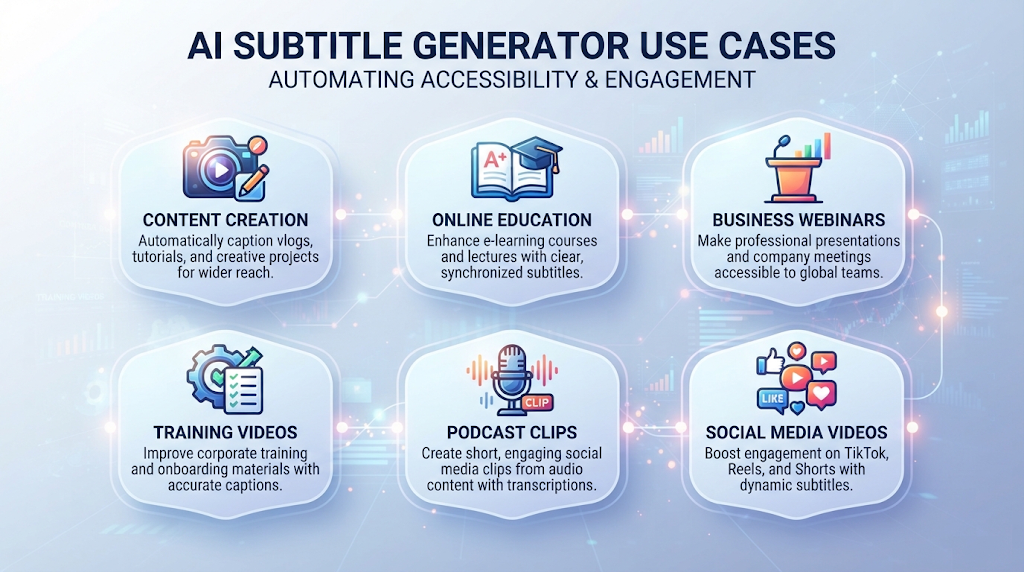
Content creators use these tools constantly, since captioned videos consistently get more watch time on social platforms. Educators use them to make lecture recordings accessible to students who are deaf, hard of hearing, or simply studying with the sound off.
Businesses use subtitle generators for training videos and webinars, both for accessibility and for viewers watching during work hours without audio. Podcasters also use these tools to repurpose audio episodes into subtitled video clips for social media.
⚠️ Common Mistakes to Avoid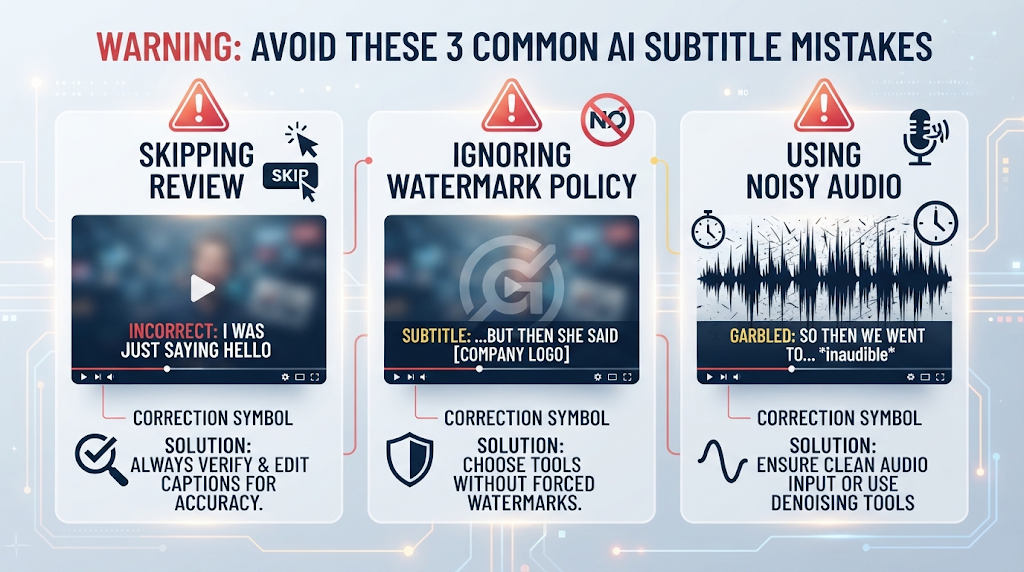
Skipping the review step entirely is the biggest mistake, based on the real Word Error Rate numbers covered above. Even a strong tool will make occasional mistakes, especially with names, technical terms, or accents.
Ignoring a tool’s watermark policy before finishing a full project is another common slip-up. Using low-quality source audio, like a video recorded in a noisy room, is a smaller but very common mistake that directly lowers subtitle accuracy no matter which tool you choose.
🌍 How These Tools Handle Different Audio Types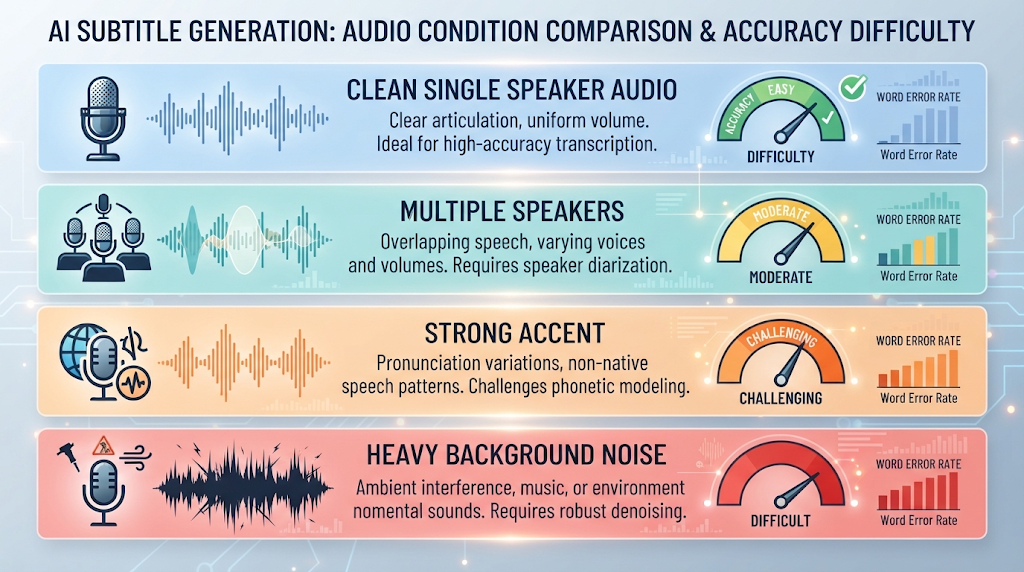
Not every video is equally easy to caption, and this is exactly where accuracy differences become obvious. Clear, single-speaker audio recorded in a quiet room produces the best results with almost any tool on this list.
Multiple speakers talking over each other are much harder, since the AI needs to separate overlapping speech while still transcribing accurately. Strong accents and heavy background noise remain the toughest category overall, which is exactly why professional or legal content still benefits from a human review pass.
🔗 Pairing Your Subtitle Generator With Other Tools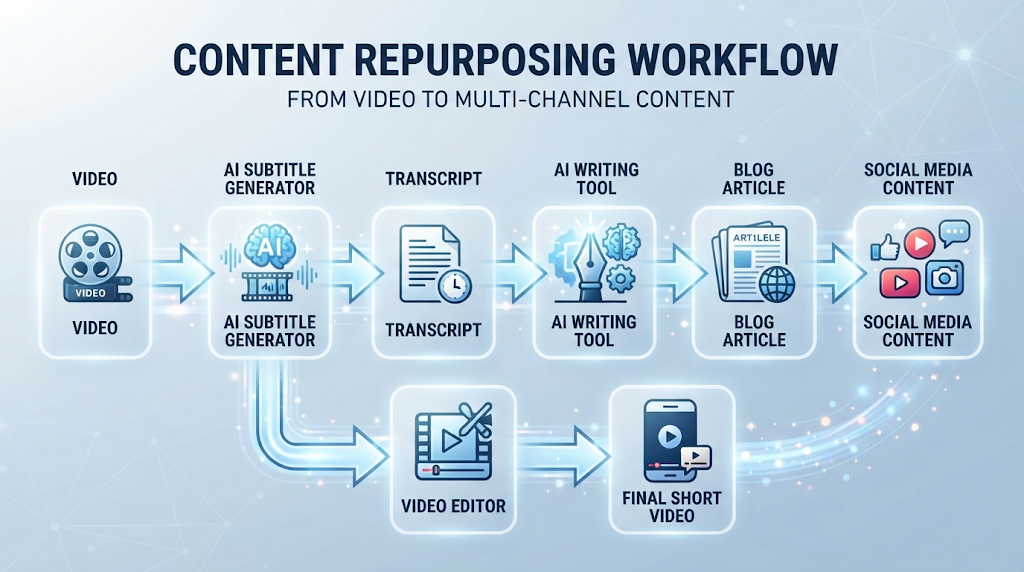
Many creators pair a subtitle generator with a free AI video generator or editor to add captions directly onto finished footage. This combination is especially common for short-form content on platforms like TikTok and Instagram Reels.
Some creators also use a subtitle tool’s transcript output as the starting point for a blog post or article, feeding it into a separate AI writing assistant. Repurposing content this way turns one video into several pieces of content without much extra work.
✨ Tips for the Best Results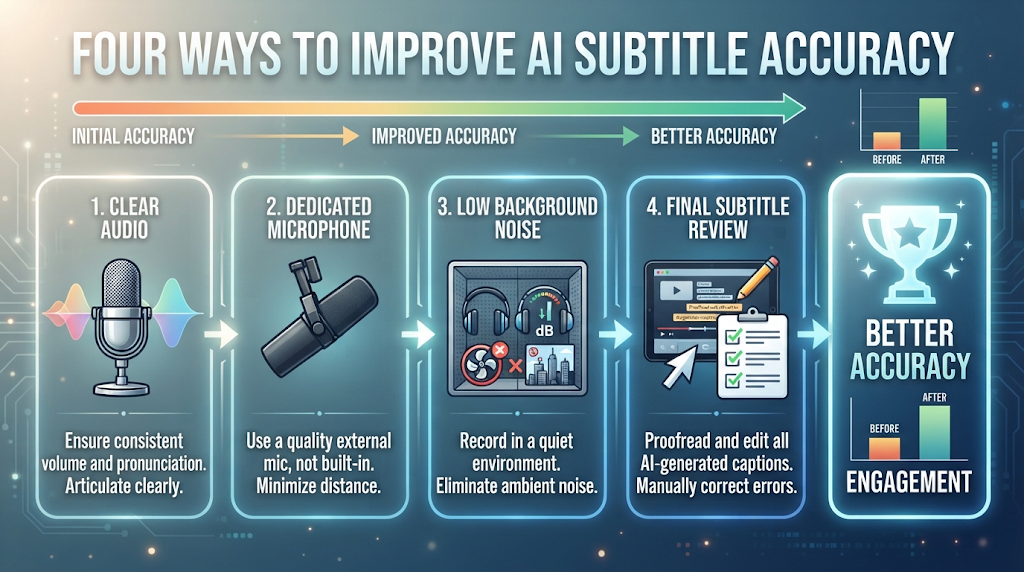
Record your original audio as clearly as possible, using a dedicated microphone instead of a laptop or phone’s built-in mic whenever you can. Reduce background noise during recording rather than trying to fix it afterward, since this has a direct effect on subtitle accuracy.
Always read through the generated subtitles at normal playback speed before publishing, since some small errors are easy to miss when only skimming the text.
📊 Free AI Subtitle Generator vs Manual Captioning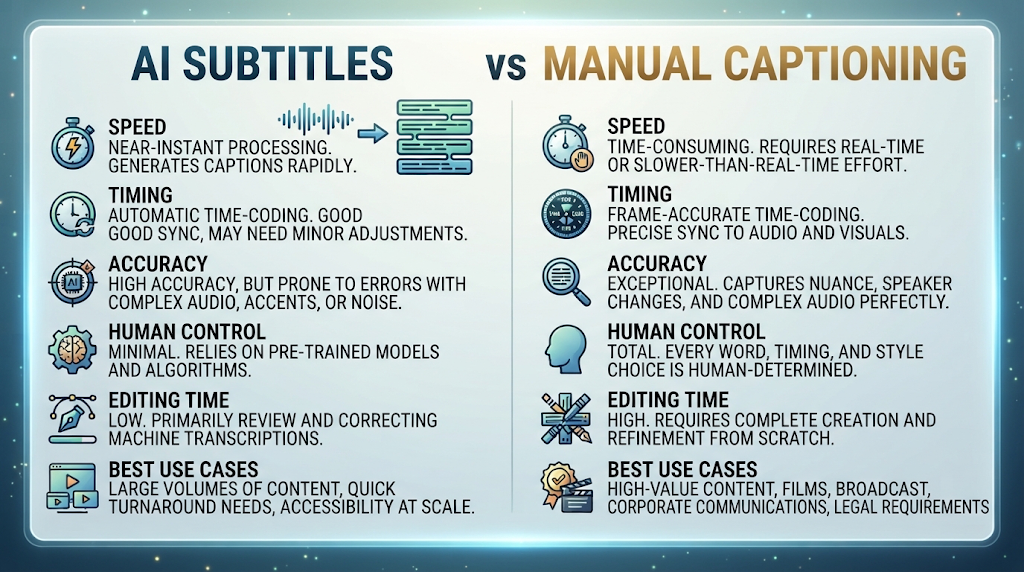
Manually typing and timing subtitles can take anywhere from three to five times the length of the original video, depending on your typing speed. A free AI subtitle generator finishes the same task in just a few minutes, even for longer content.
What manual captioning still offers is full control and typically higher accuracy, which matters most for legal, medical, or broadcast content. For most everyday content, though, a good free AI tool followed by a quick review is now fast enough and accurate enough to fully replace manual captioning.
❓ FAQs
Is there really a free AI subtitle generator with no watermark?
Yes, tools like Descript and Happy Scribe currently offer watermark-free subtitles on their free or free-trial plans.
How accurate are free AI subtitle generators really?
Leading models score around 3 to 6 percent Word Error Rate on clean audio, rising to 8 to 15 percent with noise or accents.
Can these tools translate subtitles into other languages?
Yes, most modern tools support automatic translation into dozens of languages alongside the original transcript.
Do I need editing skills to fix AI-generated subtitles?
No, most tools include a simple built-in editor where you can click and correct any mistaken words or timing.
Is it safe to upload sensitive videos to these tools?
Only with well-known platforms whose privacy policy you have checked, since some tools store or use uploaded content.
Which free AI subtitle generator is best for social media?
CapCut is widely used for social content, since it is built specifically around short-form video formats.
Why do some tools claim 99.9% accuracy when others don’t?
Accuracy claims usually reflect best-case, clean-audio conditions, so real-world results can vary significantly by tool and audio quality.
Can I export subtitles in different file formats?
Yes, most tools support common formats like SRT and VTT, though the exact options vary by platform.
🎓 Conclusion
A free AI subtitle generator can turn hours of manual captioning into a few minutes of review, especially now that leading models achieve single-digit Word Error Rates on clean audio. The real key is matching your expectations to your actual audio quality, since a noisy recording will always need more manual review than a clean, studio-recorded one. Descript and Happy Scribe currently lead here for a genuinely usable, watermark-free free plan.
Test the same video across two or three tools before choosing one for regular use. The accuracy differences on your specific audio are often more revealing than any accuracy percentage listed on a marketing page. 🌟