Is Canva AI Free? We Checked the Free Plan Limits Against Canva’s Own Pages (2026)

 Ask five websites how much Canva AI you get for free, and you get five answers: 50 credits, 200 credits, 20 uses, 5 lifetime videos, and “unlimited Magic Write.” They cannot all be true. We opened Canva’s own help pages on October 17, 2026, and checked each claim one by one. This guide shows what is true, what is old, and where Canva’s own pages do not agree with each other.
What Is Canva AI
Canva is a design website with templates for posters, slides, and social posts. Canva AI is the set of generative artificial intelligence tools inside it. These tools write text, make images, upscale photos, and even build whole designs from a prompt. You may also know the older name, Magic Studio, which many sites still use.
The tools are not all equal. Some cost nothing extra, and some use a monthly allowance. Canva now sorts them into groups called AI design tools, Standard, Premium, and Ultra. Once you know the groups, the confusing numbers online start to make sense.
🧾 Myth Check: Six Claims You Will See Online
|
Claim Online |
What Canva’s Page Says |
|---|---|
|
“Free gets 50 AI credits a month” |
Canva does not use credits. Free gets up to 20 uses of Standard or Premium tools, from one shared pool. |
|
“Free gets 200 Standard uses” |
Some reviews say Canva’s pricing page lists this. Canva’s help page says 20. |
|
“Magic Write has a 50-use lifetime cap” |
Canva says Magic Write can be used abundantly and does not count toward the allowance. |
|
“Free gets 5 lifetime video credits” |
Canva lists “Create a video clip with Canva AI” as an Ultra tool. Free has no Ultra access. |
|
“Your free credits reset on your billing date” |
On Canva Free, the allowance resets at 12:00 a.m. UTC on the first of each month. |
|
“Free users hit a hard stop” |
Canva’s pages disagree. One says short pauses, another says tools are unavailable until reset. |
Source: Canva’s Understanding your AI usage help page, which we opened on October 17, 2026.
The pattern is clear. Most wrong numbers come from older articles, from sites that mixed up Canva’s old plan with its new one, or from sites that copied a number without checking. Canva’s help page is the best source, and even it is not perfect.
💡 Quick Tip: Check your own account before you plan a project. In Canva, open your profile, then Settings, then Billing. Under AI usage you can see your balance.
🧩 How Canva Sorts Its AI Tools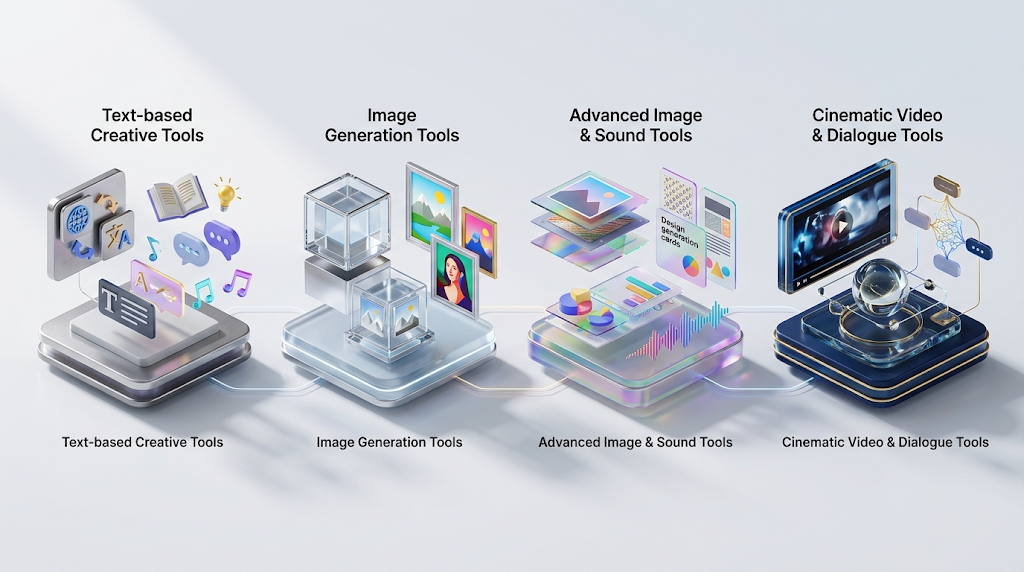
AI design tools sit outside your allowance. Canva says tools like Translate and Magic Write can be used abundantly, and a fair use limit applies. The page also lists Canva AI text, photo and video animations, and AI Voice in this group. If you mostly need captions, headlines, or short drafts, you may never touch your allowance.
Standard AI tools use the least allowance. On Canva Free, they still draw from your monthly pool. Canva lists the Image Upscaler, image generation with Canva AI, and Magic Formulas here. Paid plans do not count Standard tools against the allowance.
Premium AI tools use more. Canva lists Magic Layers, generating a design with Canva AI, creating an image with Canva AI, Canva Code, generating elements like charts and shapes, the Music and Sound Effect Generator, and the Form generator. Free users can use Premium tools, but they share the same small pool.
Ultra AI tools use the most and need a paid plan. Canva puts conversational design with Canva AI 2.0 and “Create a video clip with Canva AI” in this group. Canva’s page says Free has no access to Ultra tools. That is why the “5 free video credits” claim is hard to trust today.
💰 Free vs Paid: The Real Numbers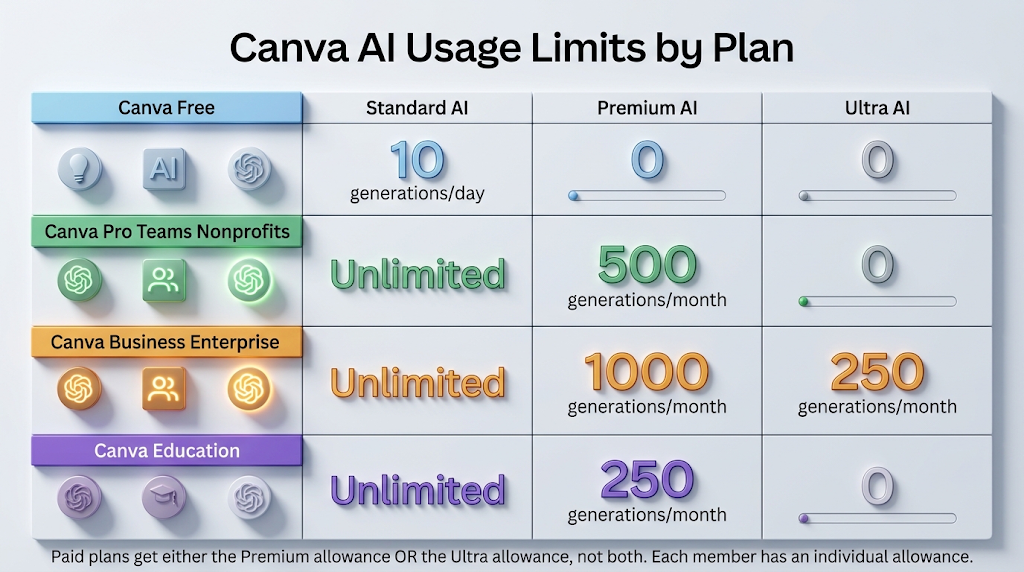
|
Plan |
Standard AI |
Premium AI |
Ultra AI |
|---|---|---|---|
|
Canva Free |
Counts toward the pool |
Up to 20 uses (shared with Standard) |
No access |
|
Canva Pro, Teams, Nonprofits |
Does not count |
Up to 200 uses |
Up to 20 uses |
|
Canva Business, Enterprise |
Does not count |
Up to 400 uses |
Up to 40 uses |
|
Canva Education |
Does not count |
Up to 200 uses |
Up to 20 uses |
On each paid plan, you get either the Premium number or the Ultra number, not both. Every member has their own allowance.
The key word on Canva’s page is “or.” On Free, the 20 uses are Standard or Premium from one pool, not 20 of each. On paid plans, 200 Premium uses and 20 Ultra uses are two ways to spend the same allowance. Canva also says the ranges are best-case estimates for simple tasks. Complex prompts use more, so your real number may be lower.
For heavy users, Canva sells an AI Pass add-on for Pro and Business plans. Canva’s page says it gives its largest AI allowance. We did not find a number for it in the text we read, and Canva’s pricing for plans differs by country. Sites list Pro at anywhere from $12.99 to $18 a month, so check Canva’s pricing page for your region.
📅 When Your Free Allowance Resets
On Canva Free, the allowance resets at 12:00 a.m. Coordinated Universal Time on the first day of each month. That is different from paid plans, which reset on your billing date. Even on a yearly plan, Canva says the allowance still resets monthly.
This gives you a simple trick. If you plan a big project, start it early in the month, right after the reset. If you run out on the 25th, you only wait a few days for a new allowance. Do not plan to use your whole pool on the last day, since the reset might fall in the middle of your work depending on your time zone.
🛑 What Happens When You Hit the Limit
Canva’s pages give two answers. The AI usage page says that on Canva Free, you will see short pauses between generations for Standard and Premium tools, and Ultra tools are not available until reset. The AI quality tiers page says that on Canva Free plans, all tiers are unavailable until your limit resets.
We cannot tell you which page is more current. Plan for the stricter one, and treat any pause as a bonus. Canva says it will warn you as you get near your limit, so watch for the notice. Paid users on Standard tools do not hit this wall, because those tools do not draw from the allowance.
🎚️ Pick the Right Quality Tier
When you make an image, Canva lets you choose a quality tier. Its help page says to use Standard for quick drafts, Premium for everyday design tasks, and Ultra when quality matters most. On Canva Free, only Standard and Premium are available, and Ultra shows with a Pro badge.
This is the best way to stretch your free allowance. Test your idea with a Standard draft first. Only when you are happy with the idea, make one Premium version. Because Standard tools use the least allowance, this saves your pool for the final image.
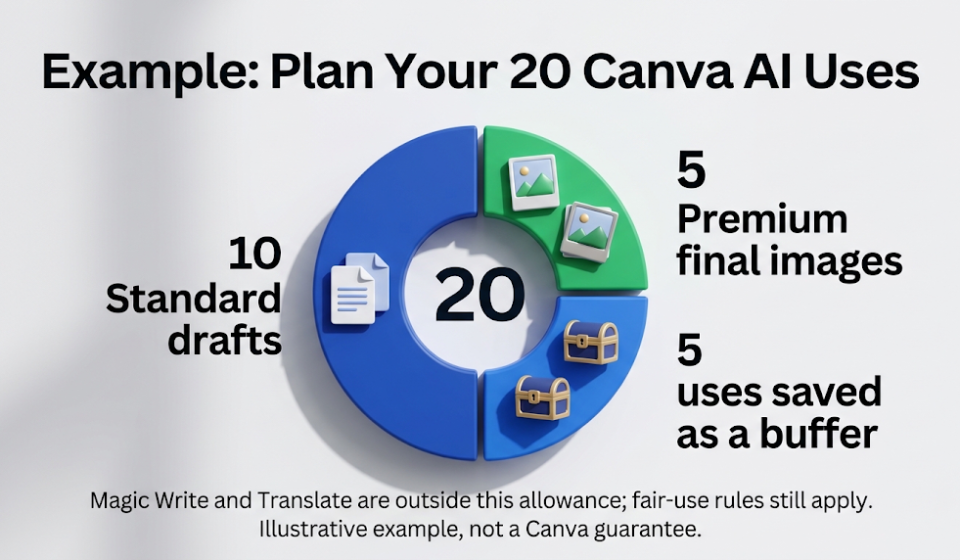
🧮 A Sample Plan for 20 Free Uses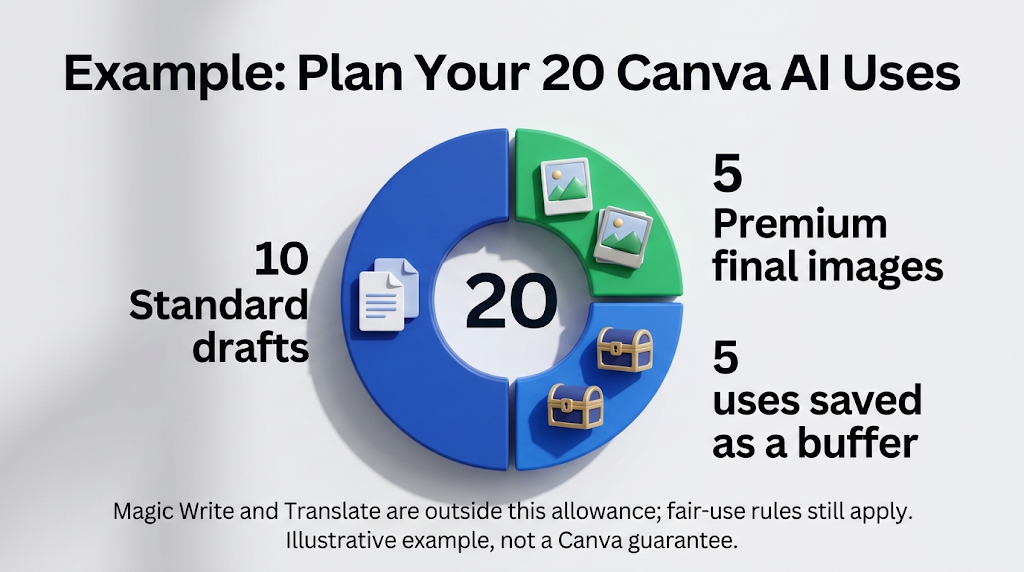
Canva does not promise an exact number per tool, so this is our own example, not a guarantee. Say you want a small set of social posts. Write all captions and headlines with Magic Write, since it sits outside the allowance. Use Translate for a second language, which is also outside the allowance.
Then spend your pool on images. Use about 10 Standard drafts to test ideas. Use about 5 more for Premium images you will actually post. Keep 5 as a safety margin, since a complex prompt can use more than you expect.
🔒 Staying Safe: Rights, Privacy, and Third-Party Apps
Canva says its monthly AI allowance only covers Canva’s own AI tools. Apps from the Apps Marketplace that were made by other companies have their own limits and rules. Canva also says its support team cannot help with third-party app policies. Check who made an app before you upload anything.
Canva also says your allowance can be used when you make designs with Canva AI through connected AI assistants, such as ChatGPT, Claude, and Copilot. So a design you make in a chat tool may use the same pool. Do not upload private photos or client files to any free tool unless you have read its privacy rules.
Canva has a separate guide on commercial use of AI content. We did not review it for this article, so read it before you use AI images in an ad or a product. If you want an image tool with clear commercial rules, our guide to Adobe Firefly’s free plan explains what Adobe says.
⚠️ Common Mistakes to Avoid
The first mistake is trusting an old number. If a site says “50 credits,” check its date, because Canva’s current help page speaks of uses and an allowance. The second mistake is spending Premium uses on drafts. Draft in Standard first, then upgrade.
The third mistake is expecting AI video on the free plan. Canva’s current page puts video clip creation in the Ultra group, so test it before you promise a client any video. The last mistake is forgetting that your pool is shared. A single complex prompt, like building a long presentation, can use far more than a short image prompt.
👥 Who the Free Plan Is Enough For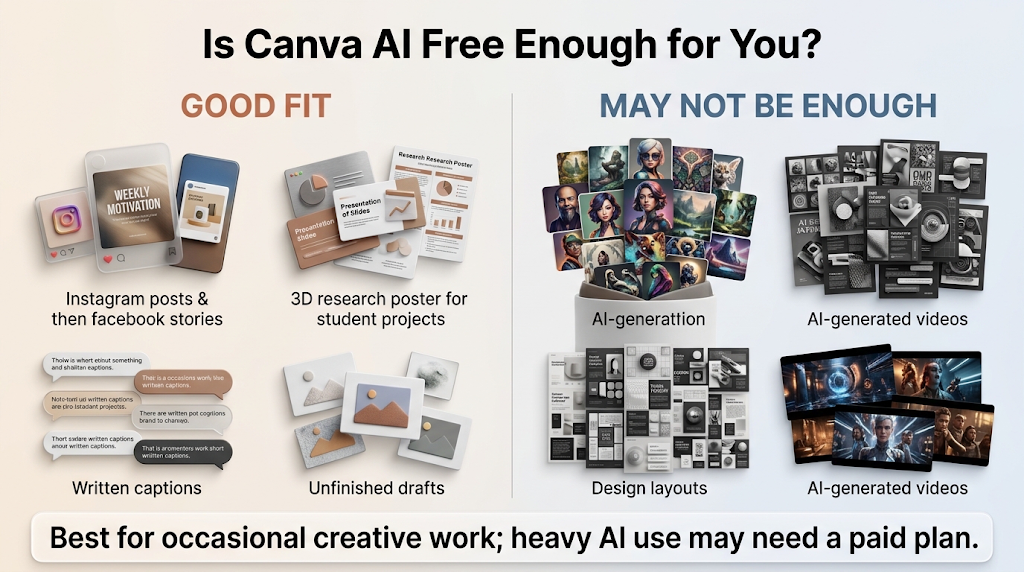
Free is enough if you make a few social posts a week and write your own text. Magic Write and Translate sit outside the allowance, so writers may rarely hit a limit. Students can build a project with a few image drafts and a template.
Free is not enough if you make many images, build full designs with AI, or need video. For other free tools, read our guides to AI presentation makers, image generators with no watermark, background removers, and Instagram caption generators.
📅 How We Checked These Details
We opened Canva’s Understanding your AI usage page in full on October 17, 2026. We read Canva’s AI quality tiers page and its AI Pass page as shown in search results. We also compared more than ten third-party reviews, and we only repeated a number when Canva’s own page agreed. We did not make our own free test account, so we cannot say how many images one free pool makes. Canva says the allowance ranges are estimates, so check your own Billing page.
❓ Frequently Asked Questions
Is Canva AI free to use? Partly. Canva Free gets up to 20 uses of Standard or Premium AI tools each month, from one shared pool.
How many free AI uses does Canva give per month? Canva’s help page says up to 20 on the free plan. Complex prompts may use more of the pool.
Is Magic Write free on Canva? Yes. Canva says Magic Write can be used abundantly and does not count toward the allowance.
Does Canva Free include AI video? Canva lists video clip creation as an Ultra tool, and Free has no Ultra access.
When does the free Canva AI allowance reset? At 12:00 a.m. UTC on the first day of each month.
What happens when I run out of free AI uses? Canva’s pages differ. One says short pauses, another says tools are unavailable until reset.
How do I check my Canva AI usage? Open your profile, then Settings, then Billing. Under AI usage you will see your balance.
Is Canva Pro AI unlimited? No. Pro has up to 200 Premium or 20 Ultra uses. Standard tools do not count against it.
Do apps from the Canva marketplace use my AI allowance? No. Canva says third-party app generations are not included, and those apps have their own limits.
🎓 Conclusion
Canva AI is free to try, but only a small part of it is free to use all month. Free gets up to 20 Standard or Premium uses from one shared pool, and text tools like Magic Write sit outside it. Most of the other numbers online, such as 50 credits or 5 video credits, come from older plans or from sites that never checked. Draft in Standard, save Premium for the final image, and check your Billing page before you start a big project.
Reviewed by the BrainxoAI Editorial Team, which researches and compares free AI tools for designers, students, and small business owners.