


 A free AI Instagram caption generator writes a scroll-stopping caption for your photo or post in seconds, without you staring at a blank caption box. This matters more than people realize, since the average Instagram post takes around 30 minutes to publish, and much of that time gets lost just thinking of the right words. A major change also hit in December 2025, when Instagram introduced a 5-hashtag cap, down sharply from the roughly 30 hashtags many older guides still recommend. In this guide, we will compare the tools that skip the sign-up step, explain what the new hashtag rule actually means for you, and help you pick the right tool for your posts. 💬
🔍 What Is a Free AI Instagram Caption Generator? 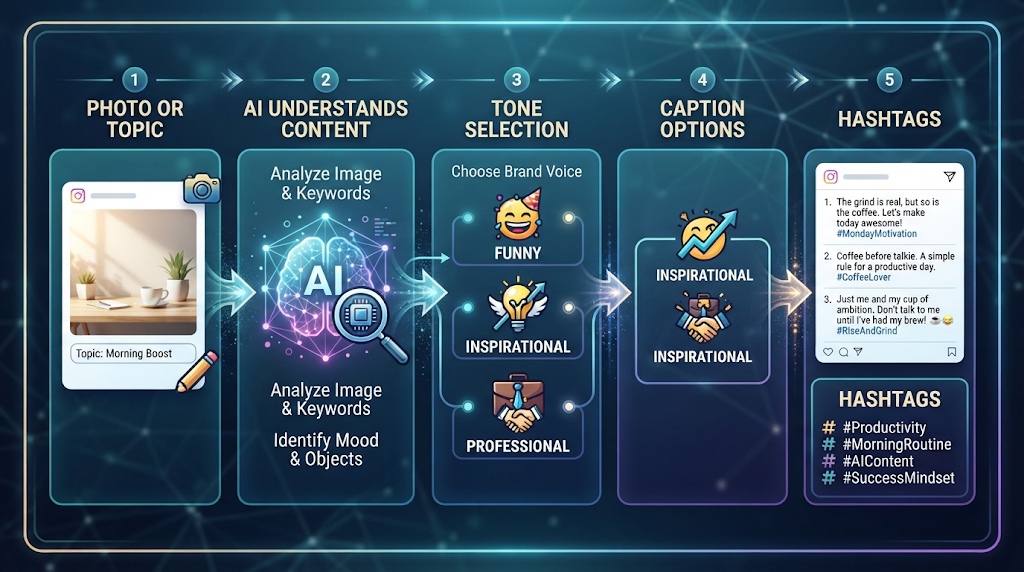
A free AI Instagram caption generator is an online tool that uses artificial intelligence to write a caption based on a topic, an uploaded photo, or both. You describe your post, or upload the image directly, and the tool returns several caption options in seconds.
Most tools also let you pick a tone, like funny, inspirational, or professional, and generate matching hashtags at the same time. Some tools focus purely on captions, while others bundle in hashtag suggestions, bio writing, and even username ideas.
⚡ Why “No Sign Up” Matters So Much Here 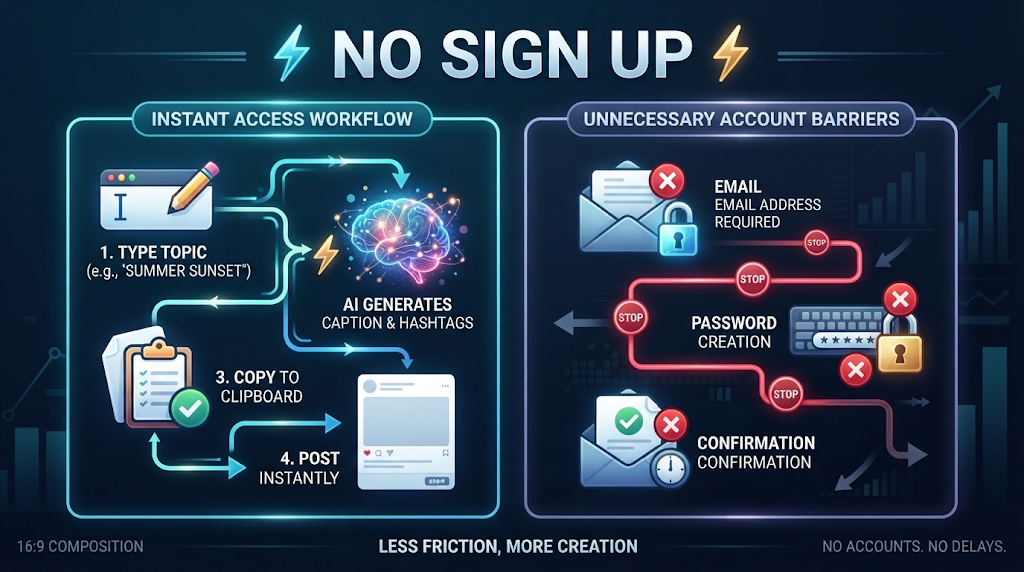
Creating an account just to write one Instagram caption feels excessive for most people, especially for a quick, casual post. No-signup tools let you type a topic and get a caption immediately, without an email or a password required.
This also matters for creators posting frequently, since repeatedly logging into a separate tool adds friction to an already fast-moving workflow. Genuinely no-signup tools do exist, though most limit you to a small number of free generations per day.
💡 Quick Tip: If you post daily, track how many free generations a no-signup tool allows before it cuts you off, since limits like 3 a day can run out faster than expected.
⚙️ How Does a Free AI Instagram Caption Generator Work? 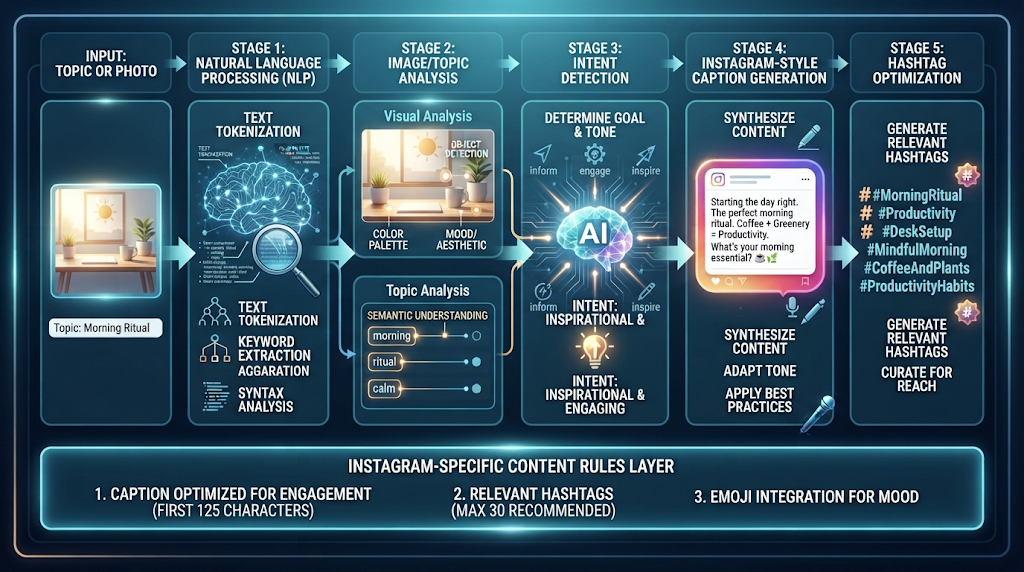
You type in a topic or a short description, like “a coffee shop opening announcement,” and the tool uses natural language processing to understand your intent. Some tools also analyze an uploaded photo directly, identifying objects, colors, and mood to write a caption that actually matches the image.
The strongest tools also bake in current platform rules, like Instagram’s actual 2026 conventions, rather than generic advice that applies to every platform equally. This is why a good tool writes differently for Instagram than it would for TikTok or Facebook, even from the exact same prompt.
🏆 Best Free AI Instagram Caption Generator Tools to Try 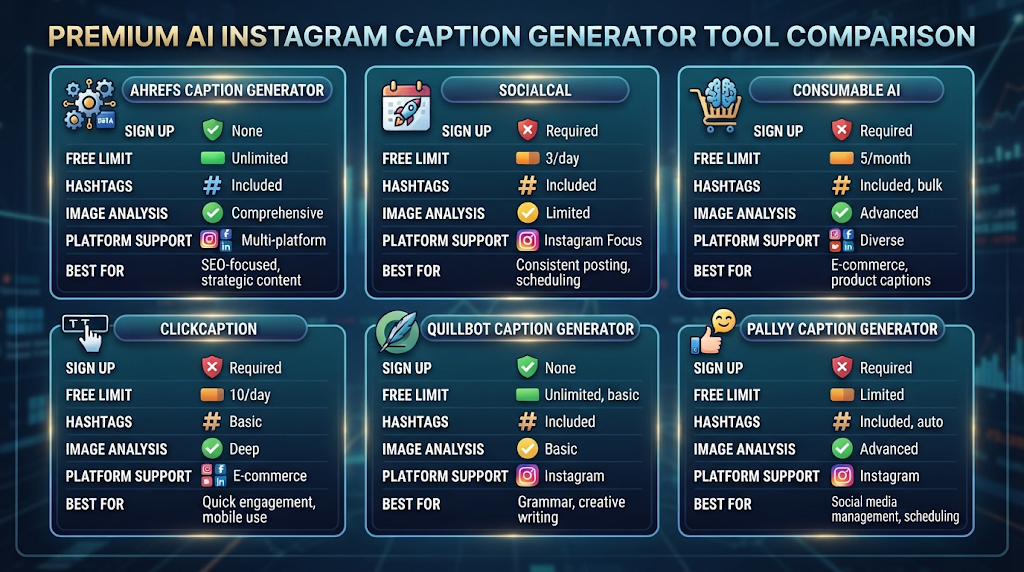
Here is an honest comparison, focused specifically on sign-up requirements and real free-plan limits.
|
Tool |
Sign Up Needed? |
Free Plan Includes |
Best For |
|---|---|---|---|
|
Ahrefs Caption Generator |
No |
Unlimited free generations |
SEO-aware captions and translations |
|
SocialCal |
No |
3 generations/day, 15/month |
Platform-specific 2026 caption rules |
|
Consumable AI |
Yes |
Free tier with hashtag input |
Up to 30 hashtag suggestions per caption |
|
ClickCaption |
Yes |
Free tier available |
Mobile-first, direct-share captions |
|
QuillBot Caption Generator |
Yes |
Limited free generations |
Polished, grammar-focused captions |
|
Pallyy Caption Generator |
No |
Free auto hashtags and emojis |
Alt text and scheduling in one tool |
Free-tier limits and sign-up requirements change often, so always confirm the current policy on the tool’s own website before relying on it for daily posting.
Ahrefs and SocialCal both stand out for needing no account, with SocialCal specifically built around Instagram’s current 2026 rules, including the new hashtag cap. Consumable AI is worth the sign-up if you specifically want a large batch of hashtag options to choose from.
📝 How to Use a Free AI Instagram Caption Generator (Step by Step) 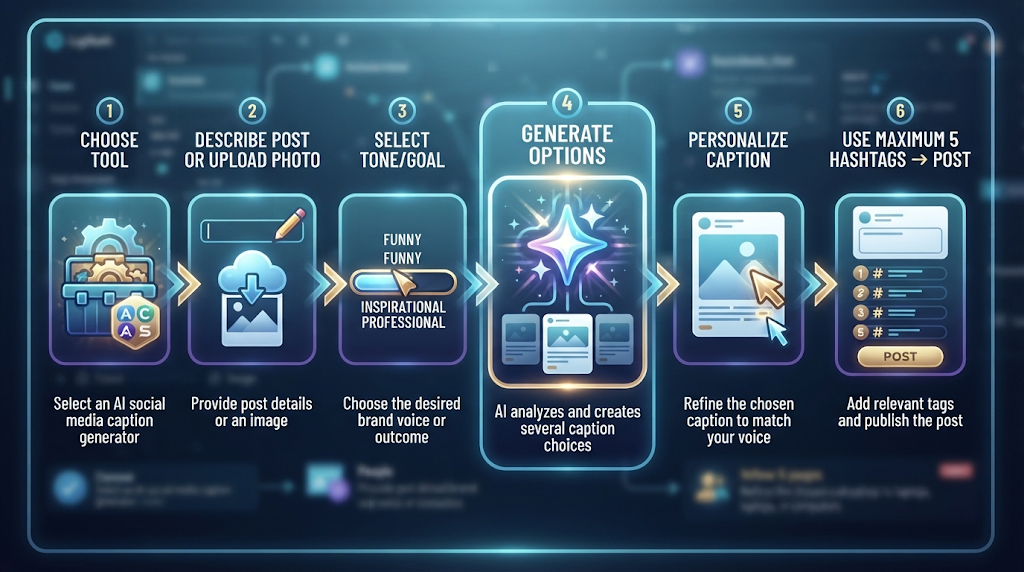
Pick a tool from the list above and describe your post, or upload the photo if the tool supports image analysis. Choose a tone or goal, like storytelling, education, or a direct sales pitch.
Generate a few caption variations and pick the one that sounds most like your actual voice. Add or trim hashtags to stay within the current 5-tag cap before posting.
🎯 Key Features Worth Looking For 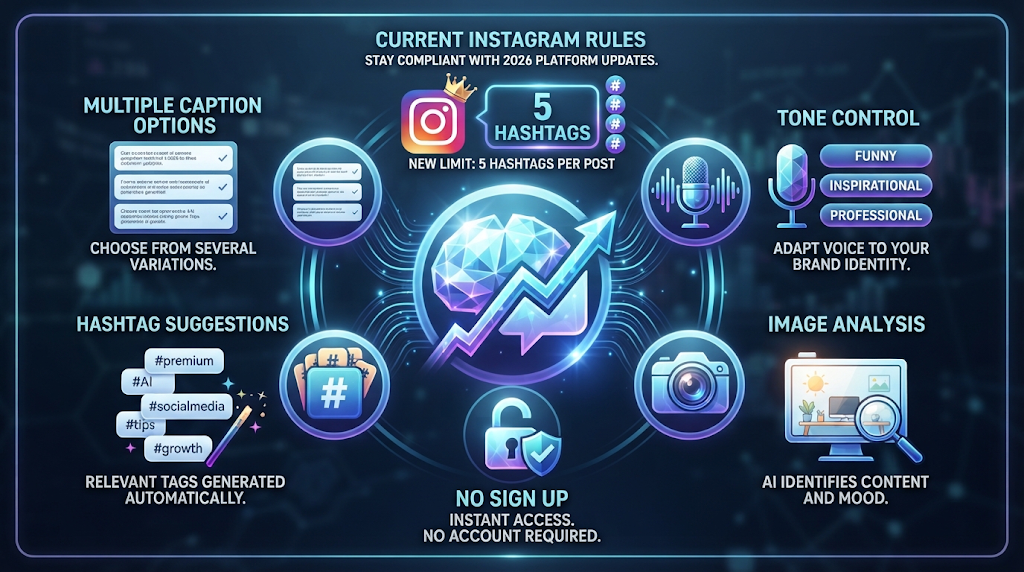
Awareness of current platform rules is one of the most important features now, based on the hashtag cap change covered above. Tone control matters too, since the right voice can make the difference between a caption that feels authentic and one that feels generic.
Image analysis is worth checking if you want captions written specifically around your photo’s content, rather than a generic caption for any image. A no-signup option is worth prioritizing for casual, occasional use, based on the speed benefits covered earlier.
💰 Free vs Paid AI Caption Generators 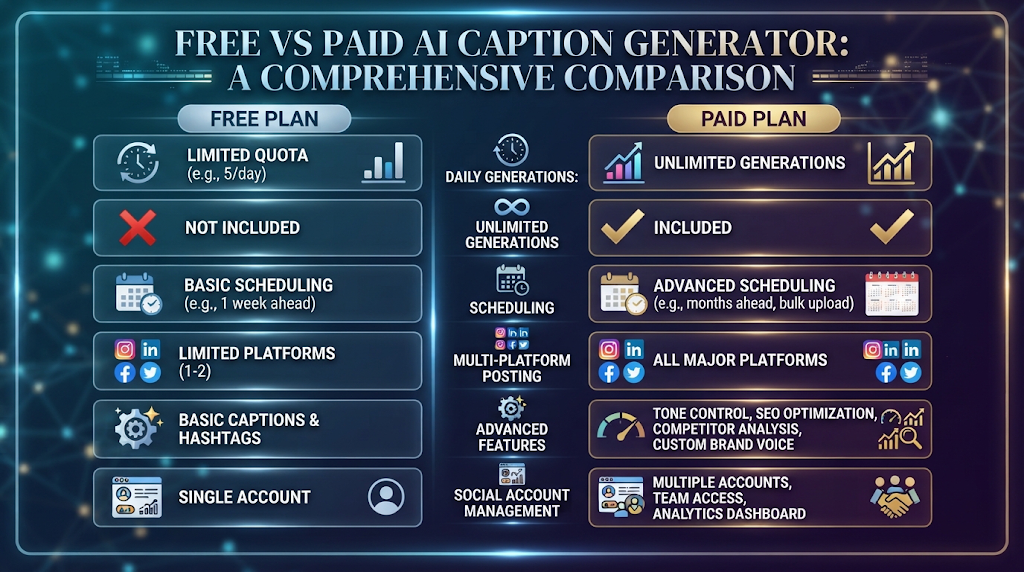
Free plans are great for occasional posts or testing a tool before committing to it daily. Most tools cap you at a small number of generations per day or month, as shown by SocialCal’s 3-per-day limit.
Paid plans typically unlock unlimited generations, scheduling features, and multi-platform posting tools. If you manage several social accounts or post multiple times daily, a paid plan often saves real time over hitting free limits repeatedly.
🕵️ The Truth About Instagram’s New Hashtag Rule 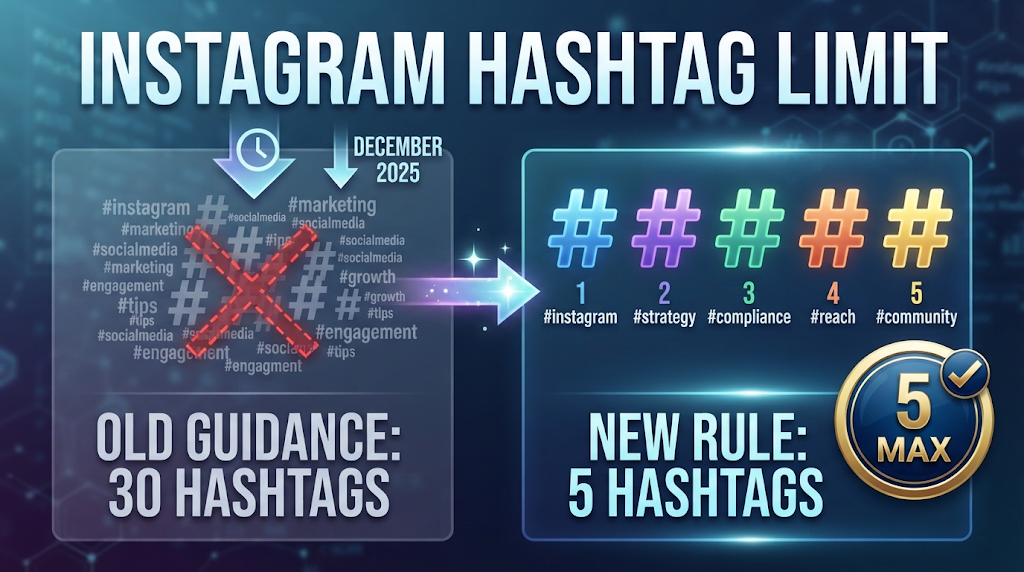
For years, the common advice was to use up to 30 hashtags per Instagram post to maximize reach. As of December 2025, Instagram capped hashtags at just 5 per post, making that older advice actively outdated and potentially confusing for anyone still following it.
This change means hashtag strategy now matters more per tag, since you have far less room to cast a wide net. A caption generator built specifically for 2026 conventions, rather than older training data, will account for this cap automatically instead of suggesting a long list you cannot actually use.
🔒 How to Use These Tools Safely 
Avoid uploading photos containing private or sensitive information, like documents or identifiable details in the background, to any image-analyzing caption tool. Check a tool’s privacy policy before uploading personal photos, since some platforms may store or use images to improve future models.
Stick to well-known, established platforms instead of random new tools with no reviews or track record.
👥 Who Should Use a Free AI Instagram Caption Generator? 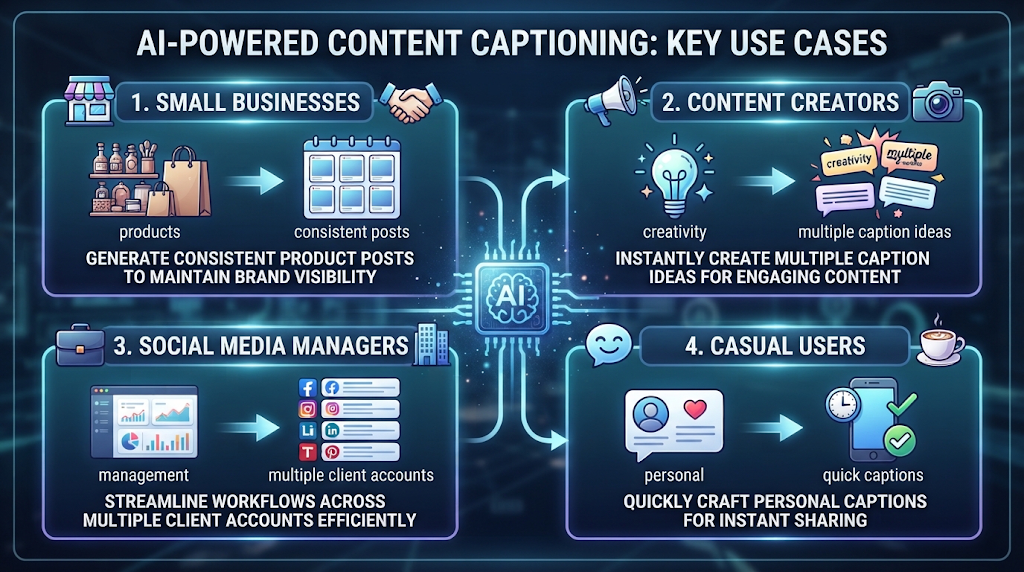
Small business owners use these tools to keep a consistent posting schedule without spending extra time on wording. Influencers and content creators use them to quickly generate multiple caption options and pick the strongest one.
Social media managers handling several client accounts use caption generators to speed up daily posting across brands. Casual users simply use them to skip the awkward blank-box moment before posting a personal photo.
⚠️ Common Mistakes to Avoid 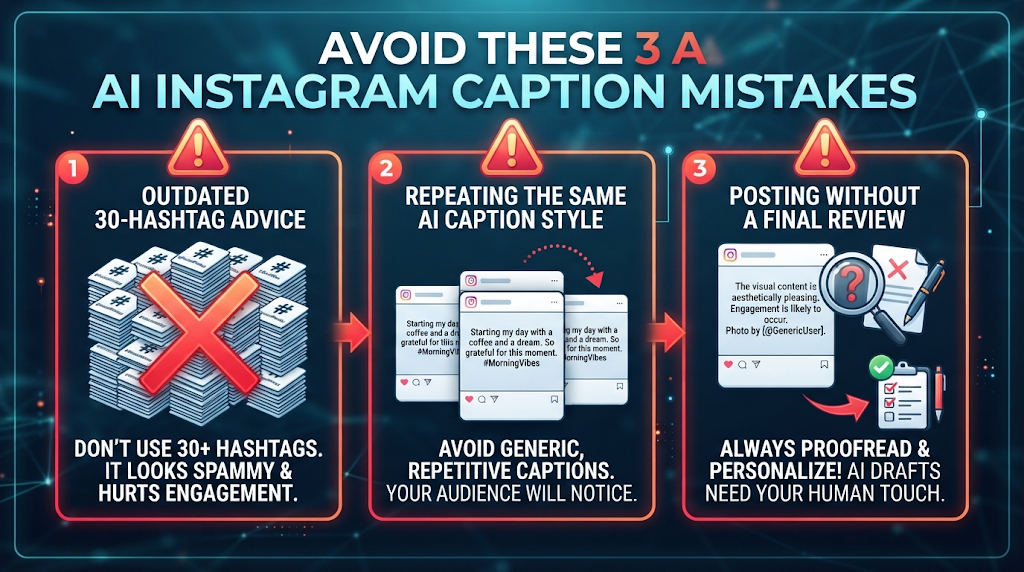
Using an outdated tool that still recommends 30 hashtags is a real mistake now, based on the rule change covered above. Posting the exact same AI-generated caption style repeatedly can also make an account feel generic over time.
Skipping a final read-through before posting is another slip-up, since even a strong AI caption benefits from a quick personal touch to sound authentic.
🌍 How These Tools Handle Different Post Types 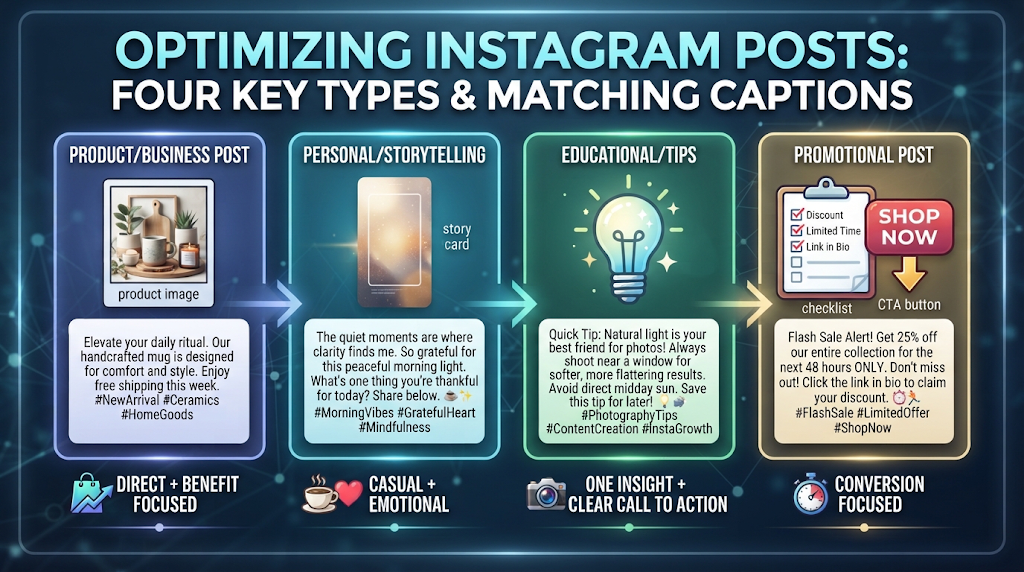
Not every post needs the same kind of caption, and strong tools adjust accordingly. Product or business posts tend to work well with a direct, benefit-focused caption style.
Personal or storytelling posts benefit from a more casual, emotional tone, which some tools specifically offer as a distinct caption mode. Educational or tip-based content is a different category too, and tools that structure captions around one insight plus one clear call to action tend to perform best here.
🔗 Pairing Your Caption Generator With Other Tools 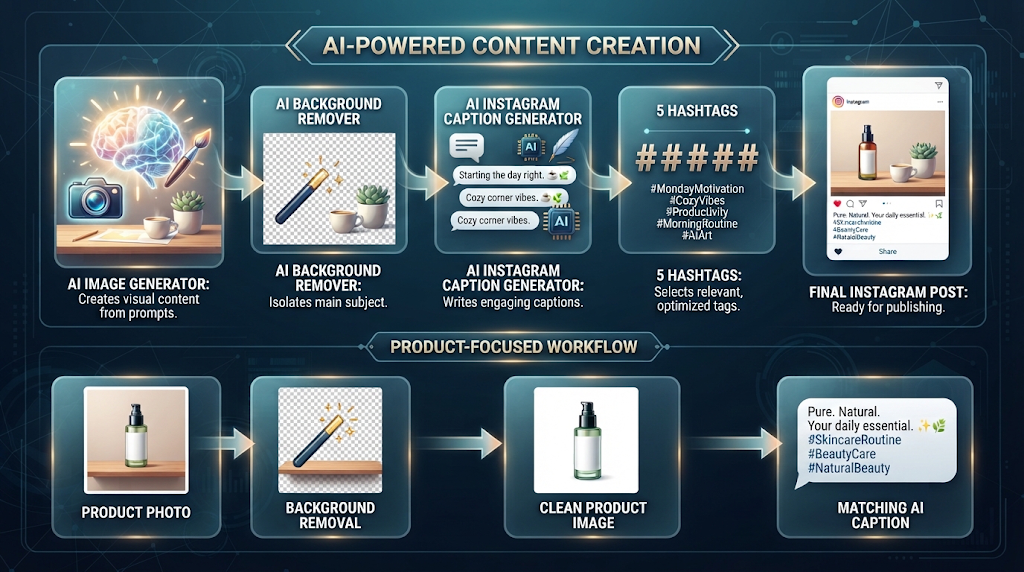
Many creators pair a caption generator with a free AI image generator, creating both the visual and the caption for a post in one streamlined workflow. Social media managers often combine caption tools with a free AI background remover to clean up product photos before writing the matching caption.
Using these tools together usually produces a more polished, complete post than handling each step separately.
✨ Tips for the Best Results 
Describe your actual goal for the post, like building trust or driving sales, since this changes what kind of caption structure works best. Generate a few variations and mix elements from different options rather than settling for the very first result.
Always personalize the final caption slightly before posting, since a small authentic detail makes AI-written captions feel far less generic.
📊 Free AI Caption Generator vs Writing It Yourself 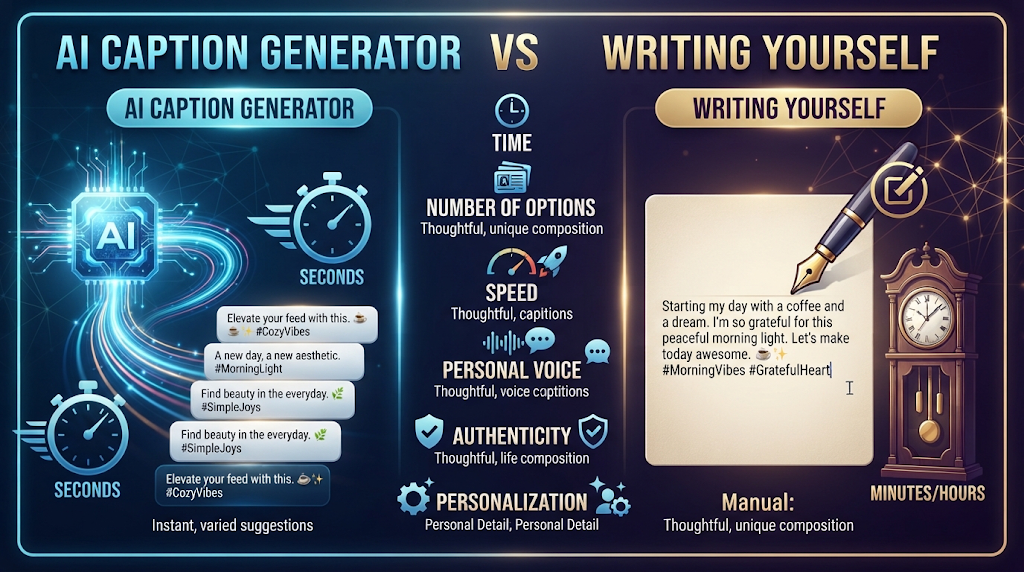
Writing a caption yourself can take anywhere from five to fifteen minutes if you keep second-guessing the wording. A free AI caption generator produces several solid options in seconds, which you can then quickly personalize.
What writing it yourself still offers is complete authenticity and personal voice. For most everyday posting, though, starting with an AI draft and adding your own touch is faster than writing from scratch every time.
❓ FAQs
Is there really a free AI Instagram caption generator with no sign up?
Yes, tools like Ahrefs Caption Generator and SocialCal let you generate captions instantly without creating an account.
How many hashtags should I actually use on Instagram now?
Instagram capped hashtags at 5 per post as of December 2025, down from the roughly 30 many older guides still recommend.
Can these tools write captions based on my actual photo?
Yes, several tools, including ClickCaption and Ahrefs, can analyze an uploaded image to write a matching caption.
Are free AI caption generators good enough for a business account?
Yes, when personalized slightly, most free tools produce captions strong enough for regular business use.
Do I need writing skills to use a caption generator?
No, most tools only need a short topic description, and the AI handles the wording and structure.
Is it safe to upload personal photos to these tools?
Generally yes with well-known platforms, but always check the privacy policy first before uploading sensitive images.
Which free tool is best for multiple social platforms, not just Instagram?
Captionation supports six platforms with dual AI models, making it a strong pick for creators posting beyond just Instagram.
Will AI-written captions feel generic to my followers?
They can, if used exactly as generated, so always add a small personal detail before posting.
🎓 Conclusion
A free AI Instagram caption generator can turn the slowest part of posting into a quick, confident step, especially now that some tools are built specifically around Instagram’s new 5-hashtag rule instead of outdated advice. Ahrefs and SocialCal both stand out for needing no account at all, while Consumable AI offers a deeper hashtag toolkit if you sign up. Always personalize the final caption slightly, since a small authentic touch is what separates a good AI caption from a forgettable one.
Test a real post on two or three tools before settling on a favorite. The differences in tone and platform awareness become obvious fast once you compare them side by side. 🌟


