

 A free AI meeting notes tool listens to your calls and turns them into a clean summary, without you typing a single word. According to a Harvard Business Review survey, professionals spend an average of 4.5 hours a week just organizing meeting notes, and over 60 percent of that content is forgotten within a week. That gap is exactly why these tools exist, and it is also why so many people go searching for one with no time limit. Most “free” plans quietly cap you at a set number of minutes or meetings a month, which becomes a real problem the moment you rely on the tool daily. In this guide, we will compare the tools that actually offer generous or unlimited free usage, how they work, and how to pick the right one for you. 📋
🔍 What Is a Free AI Meeting Notes Tool? 
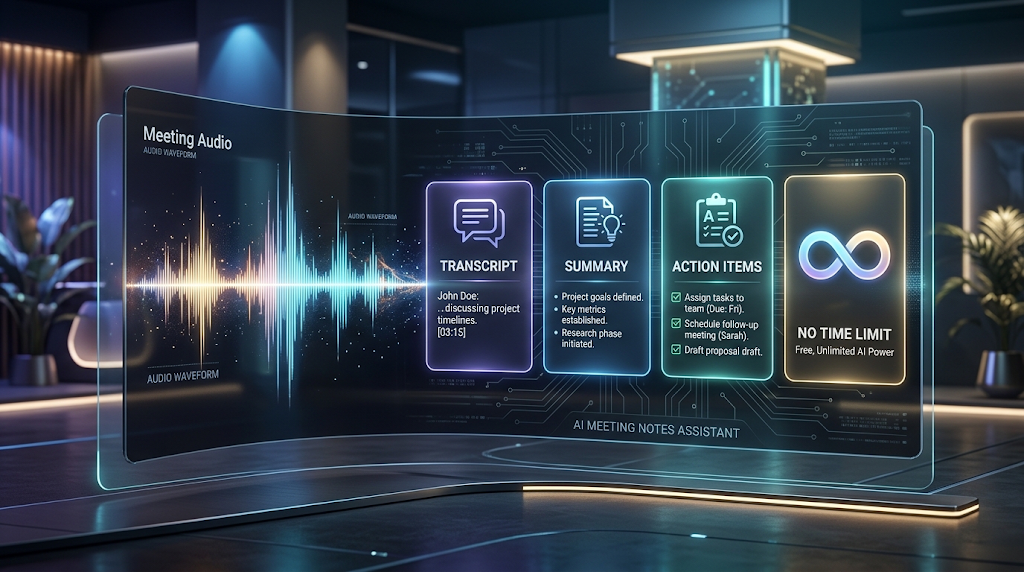
A free AI meeting notes tool is software that joins or records your call and uses artificial intelligence to write a transcript and summary automatically. It usually identifies each speaker, so you know exactly who said what.
Most tools also pull out action items and key decisions, so you are not left rereading a long transcript to find what actually matters. Some connect directly to Zoom, Google Meet, or Microsoft Teams and join the call on their own.
The core promise is simple: you attend the meeting and actually listen, while the tool handles the writing. Whether that promise holds up on a free plan depends entirely on the minute or meeting caps hidden in the fine print.
⚡ Why “No Time Limit” Matters So Much Here 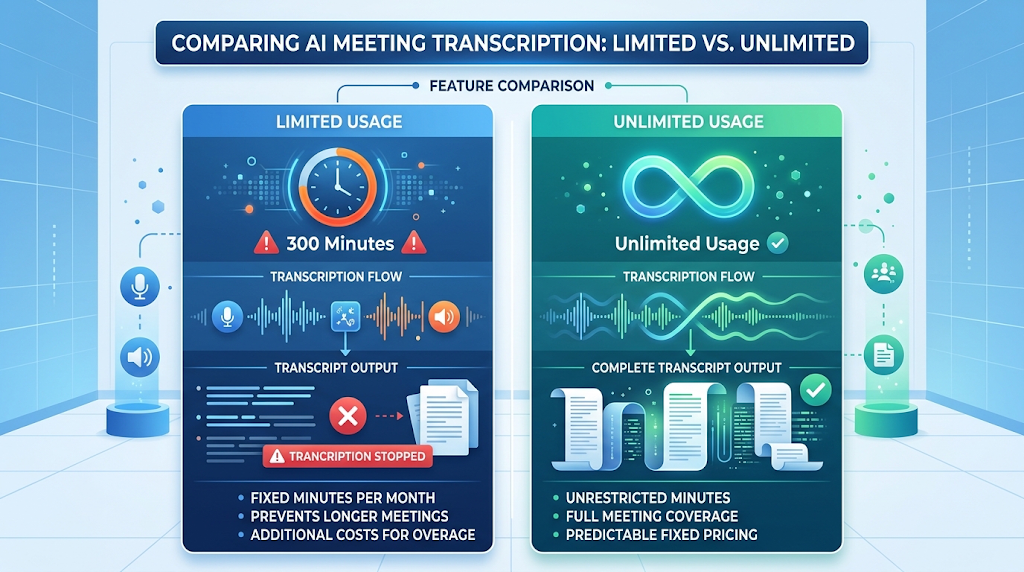
Many free plans look generous on the surface but cap you at something like 300 transcription minutes a month, which is only about five hours of meetings total. For anyone in back-to-back calls, that limit disappears within the first week.
A tool with a genuinely unlimited or high free cap changes the entire experience, since you stop worrying about running out mid-meeting. This single detail is usually the biggest factor in whether a free plan is actually usable long term.
💡 Quick Tip: Always check whether the limit applies to recording minutes, number of meetings, or AI summaries specifically, since a tool can be unlimited in one area and capped in another.
⚙️ How Do These Tools Actually Work? 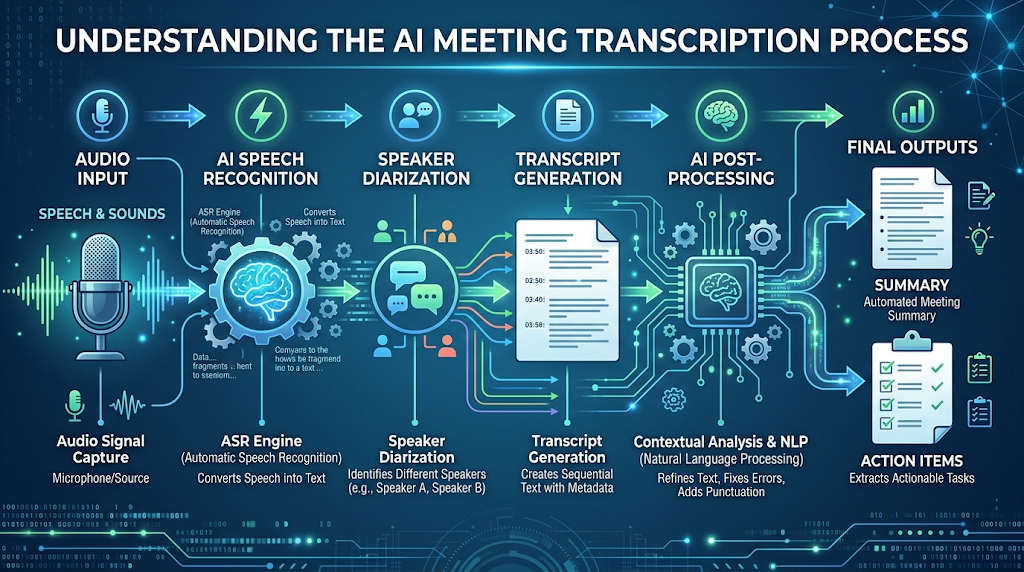
The tool joins your call as a silent participant, or records audio directly from your microphone and speakers. It then converts that audio into text using natural language processing models trained specifically on conversational speech.
A separate process called speaker diarization figures out who is speaking at each point, labeling the transcript by name where possible. The AI then scans the full transcript to pull out a summary, key decisions, and any action items mentioned.
Accuracy depends heavily on audio quality and accents, so a noisy room or a strong accent can lower how well the tool separates speakers or catches every word correctly.
🏆 Best Free AI Meeting Notes Tools to Try 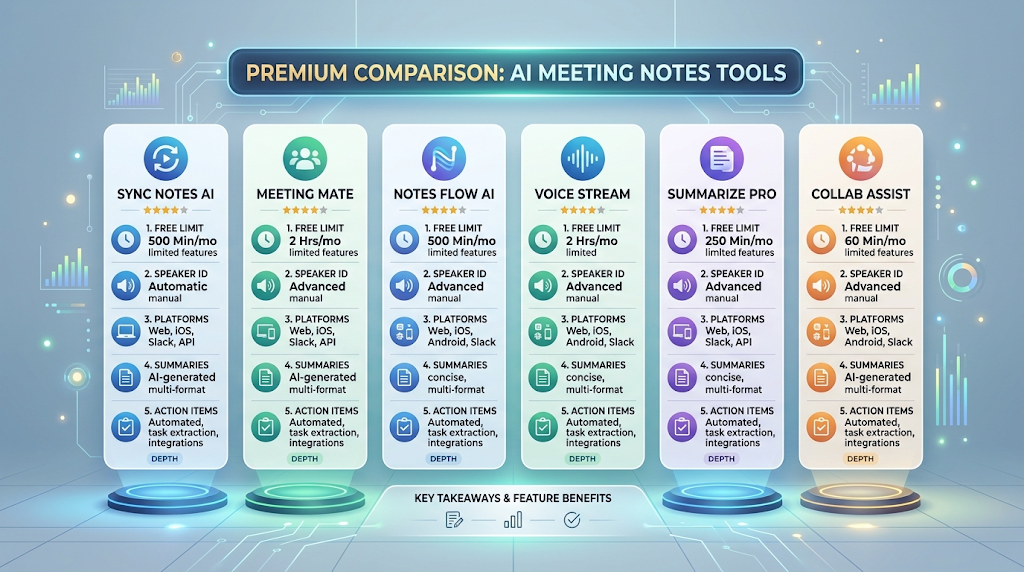
Here is an honest comparison focused specifically on the free-plan caps that actually matter.
|
Tool |
Free Plan Limit |
Speaker Identification |
Platforms Supported |
|---|---|---|---|
|
Fathom |
Unlimited AI summaries and recordings |
Yes |
Zoom, Google Meet, Microsoft Teams |
|
tl;dv |
Unlimited recordings on free tier |
Yes |
Zoom, Google Meet, Microsoft Teams |
|
Otter.ai |
300 transcription minutes/month |
Yes |
Zoom, Google Meet, Microsoft Teams |
|
Fireflies.ai |
800 minutes of storage, no integrations |
Yes |
Zoom, Google Meet, Microsoft Teams |
|
Granola |
Free basic plan, personal notes only |
Limited |
In-person and virtual calls |
|
BibiGPT |
30-second summaries across 30+ platforms |
Yes |
YouTube, podcasts, meeting recordings |
Free-tier limits change often, so always confirm the current cap on the tool’s own pricing page before relying on it for daily use.
Fathom and tl;dv stand out here specifically because they do not cap recording minutes on their free tier, which is rare in this category. Otter.ai and Fireflies.ai are still strong tools, but their free plans are better suited to occasional use than daily back-to-back meetings.
📝 How to Use a Free AI Meeting Notes Tool (Step by Step) 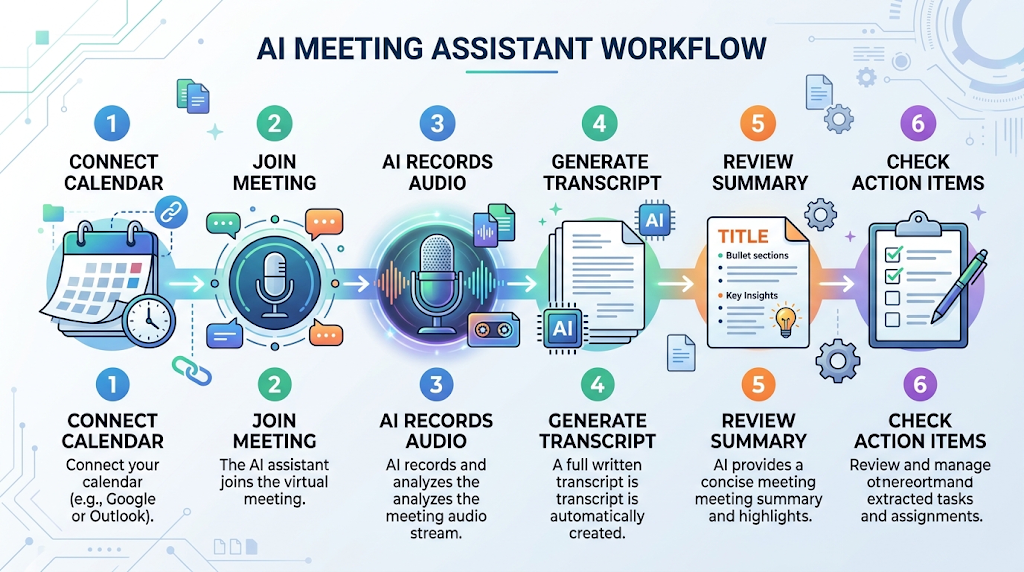
Sign up and connect the tool to your calendar or video platform of choice. Most tools then join your scheduled calls automatically, so you do not need to start recording manually each time.
During the meeting, speak clearly and avoid talking over other people, since overlapping speech is the hardest thing for these tools to transcribe accurately. After the call ends, review the generated summary and correct any names or details the AI may have misheard.
🎯 Key Features Worth Looking For 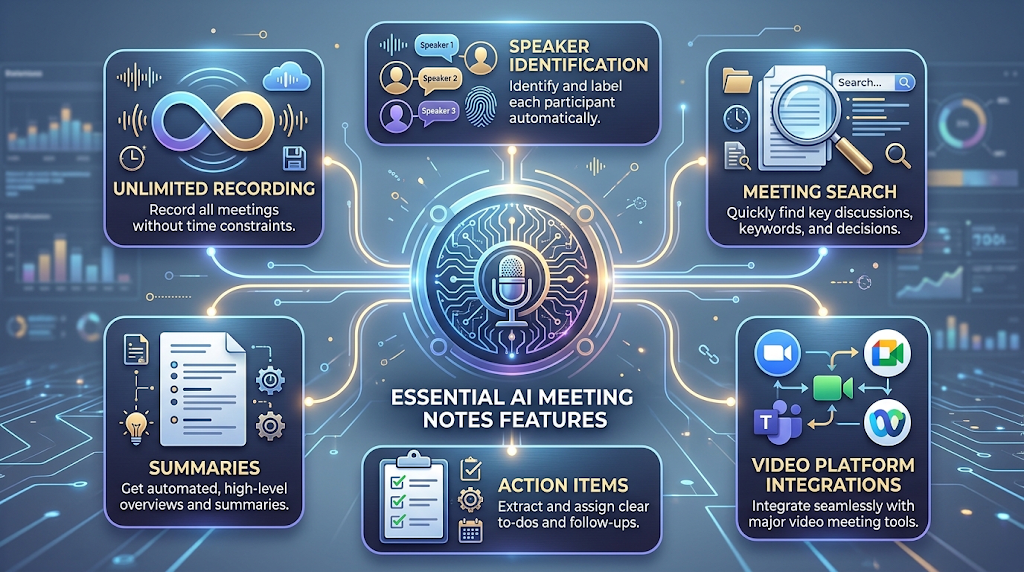
A generous or unlimited recording cap is the single most important feature for daily users, based on everything covered above. Accurate speaker identification matters just as much, since a summary that mixes up who said what loses most of its value.
Search functionality across past meetings is worth checking too, since being able to search “what did we decide about the budget” saves real time later. Integration with your specific video platform is essential as well, since a tool that only works with Zoom is useless if your team uses Microsoft Teams.
💰 Free vs Paid AI Meeting Notes Tools 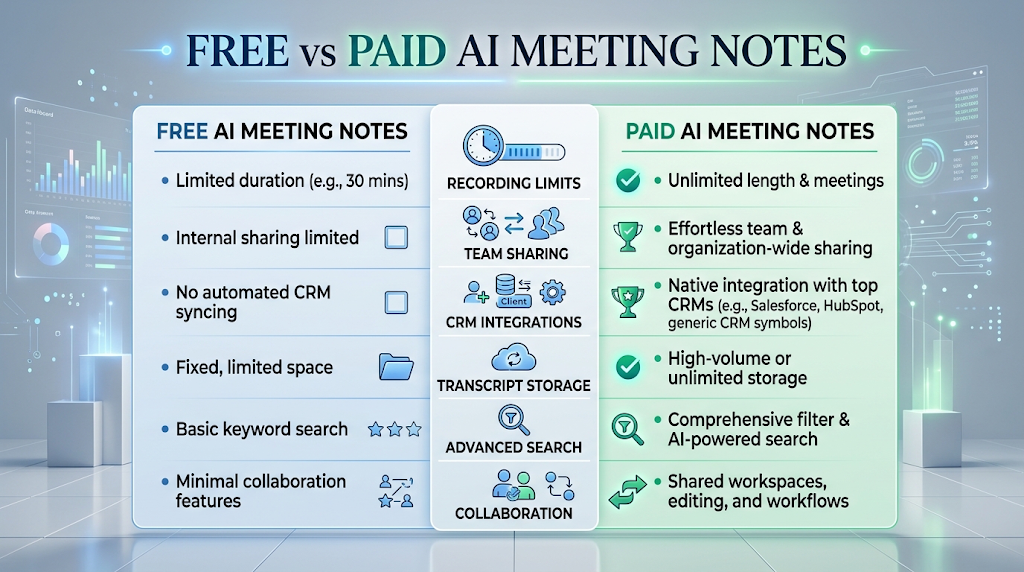
Free plans, when generous, can genuinely handle daily use for individuals, as shown by Fathom and tl;dv above. Paid plans typically add team-wide sharing, CRM integrations, longer transcript storage, and advanced search across your entire meeting history.
If you are the only person using the tool, a strong free plan is often enough. If your whole team needs shared access and integrations with tools like Salesforce or HubSpot, a paid plan usually becomes necessary.
🕵️ The Truth Behind the “4.5 Hours a Week” Problem 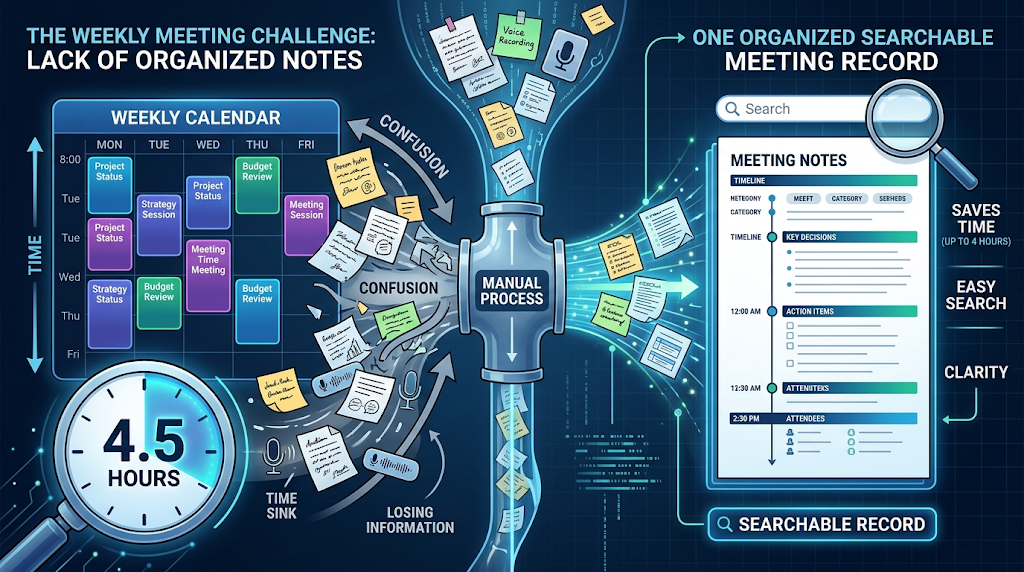
The Harvard Business Review survey cited earlier found that professionals lose close to half a workday every week just organizing what was said in meetings. That number sounds surprising, but it makes sense once you consider how many separate tools people juggle: a notes app, a shared document, and a messy memory of who said what.
The same survey found that more than 60 percent of meeting content is forgotten within a week without a written record. This is the actual problem these tools solve, and it explains why the market has grown to more than 20 specialized options by early 2026.
A free AI meeting notes tool does not just save typing time. It directly attacks the forgetting problem by creating a permanent, searchable record the moment the call ends.
🔒 How to Use These Tools Safely 
Always tell other meeting participants that an AI note-taking tool is present, since recording someone without consent is illegal in many places. Most tools announce themselves automatically when they join a call, but it is still good practice to mention it yourself.
Check the tool’s data retention policy before recording anything sensitive, since some platforms store transcripts indefinitely by default. Avoid discussing highly confidential information, like legal or financial details, on calls recorded by a third-party tool unless your company has specifically approved it.
👥 Who Should Use a Free AI Meeting Notes Tool? 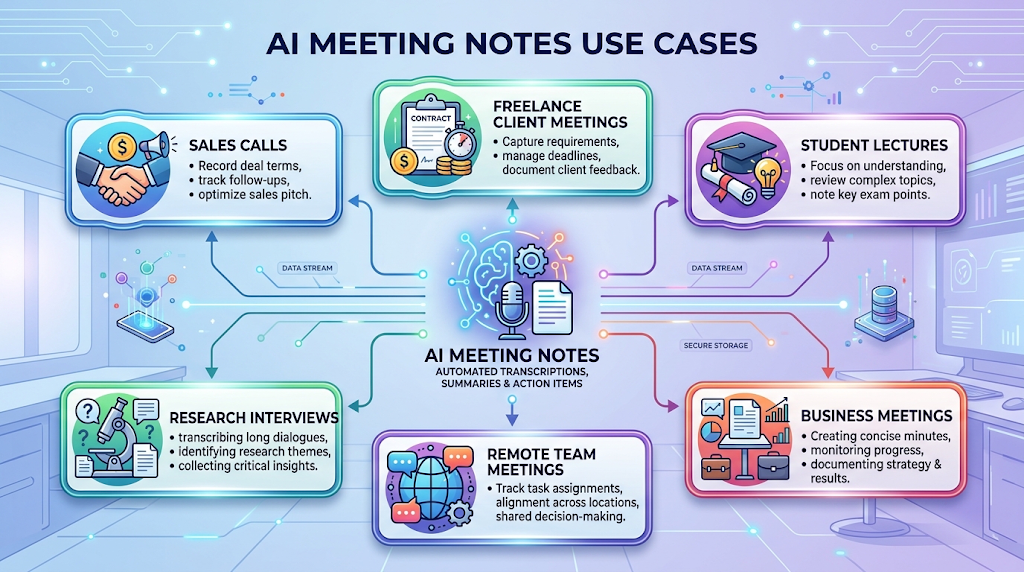
Sales teams use these tools heavily to review client calls without needing to take notes live during the conversation. Freelancers and consultants use them to keep an accurate record of what a client actually agreed to, which can prevent disputes later.
Students and researchers use free plans for lectures and interviews, since a searchable transcript beats handwritten notes for accuracy. Remote teams in general benefit the most, simply because they attend far more video calls than in-person teams do.
⚠️ Common Mistakes to Avoid 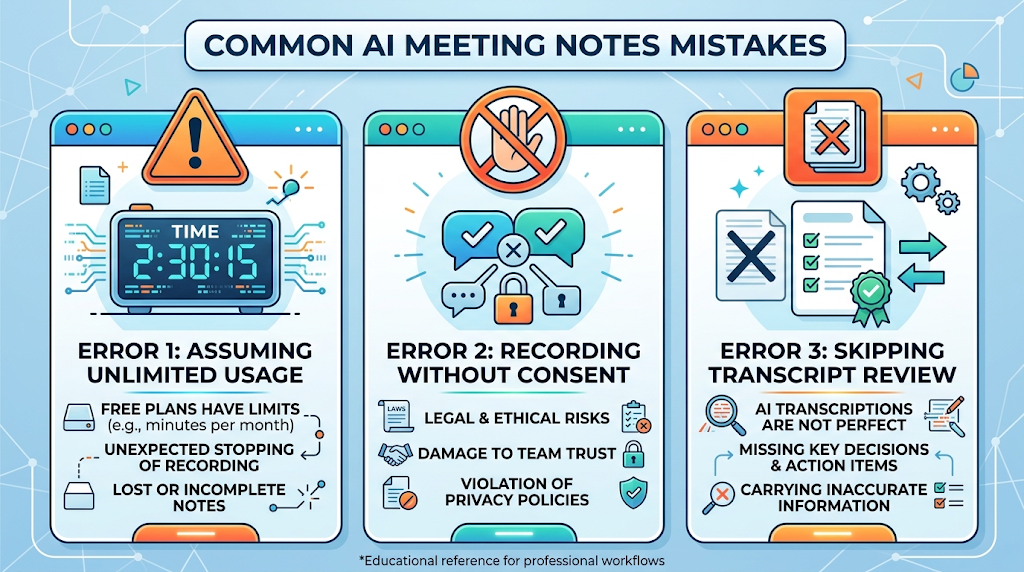
Assuming every “free” plan is actually unlimited is the biggest mistake, based on the real caps compared earlier. Always check the specific limit before building your workflow around a single tool.
Not telling participants an AI tool is recording the call is both a mistake and, in many regions, a legal risk. Skipping the review step after each meeting is another common slip-up, since AI transcripts can still misname speakers or miss quick side comments.
🌍 How These Tools Handle Different Meeting Types 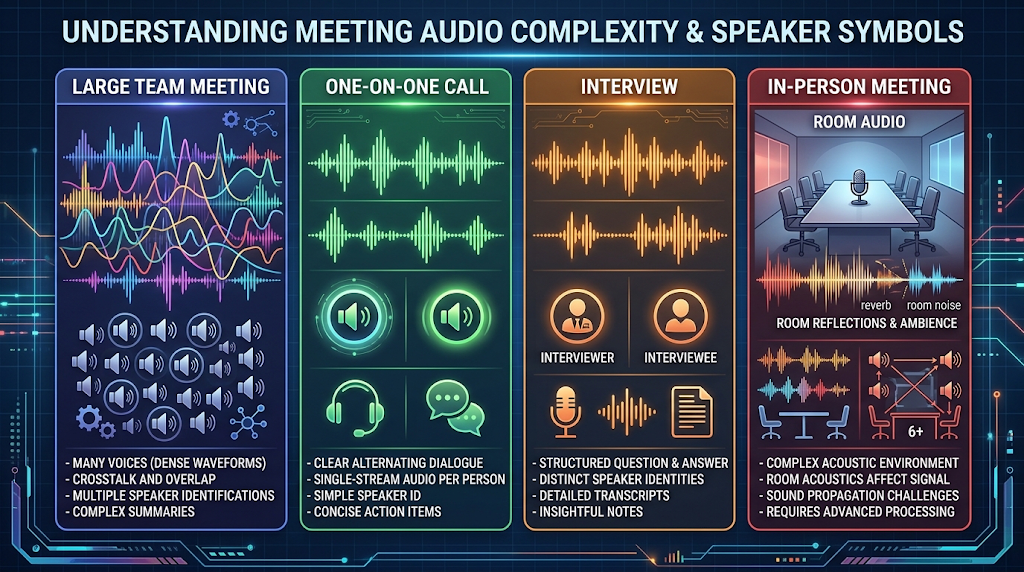
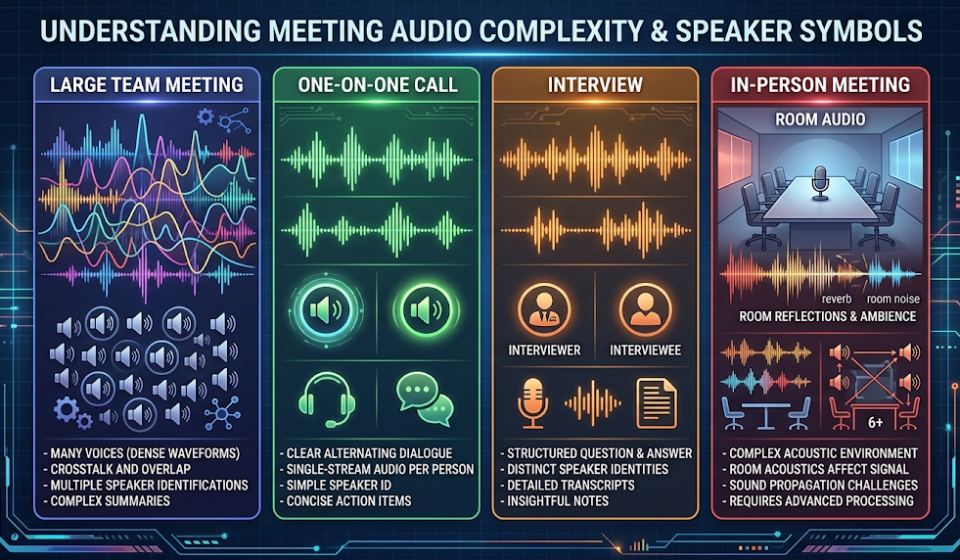
Large team meetings with many speakers are the hardest scenario for any tool, since more voices increase the chance of misidentified speakers. One-on-one calls and interviews tend to produce the most accurate transcripts, since there is far less overlapping speech to untangle.
In-person meetings are a different challenge entirely, since most tools are built around video call audio rather than a room full of people. Granola specifically targets this use case, blending your own typed notes with AI-added context from the conversation.
🔗 Pairing Your Meeting Notes Tool With Other Software
Many teams connect their meeting notes tool directly to a project management app, so action items turn into real tasks automatically. Sales teams often pair a notes tool with their CRM, so call summaries land directly on the right client record.
Some people also export meeting transcripts into a separate AI writing assistant to turn a long call into a short follow-up email. Chaining tools together this way usually saves more time than using any single tool on its own.
✨ Tips for the Best Results
Use a dedicated microphone instead of laptop speakers whenever possible, since audio quality has a direct effect on transcription accuracy. Ask participants to state their name before speaking in larger groups, especially early in the call, since this helps the AI learn each voice. 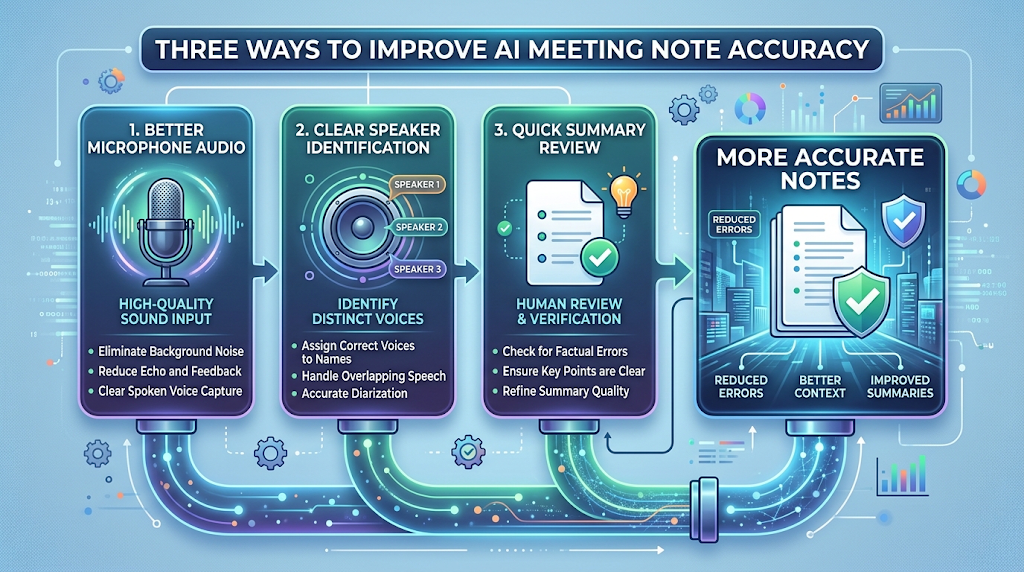
Review and correct the summary within a day of the meeting, while the conversation is still fresh enough for you to catch any AI mistakes quickly.
📊 Free AI Meeting Notes Tool vs Manual Note-Taking 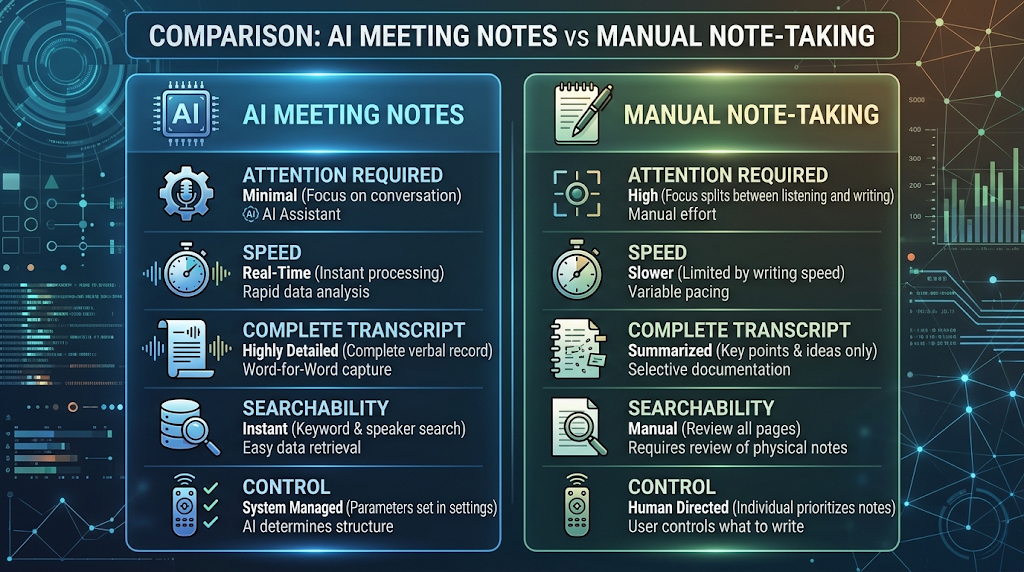
Manual note-taking requires your full attention during the call, which means you either take notes or fully participate, rarely both at once. A free AI meeting notes tool removes that trade-off entirely, letting you focus on the conversation while it handles the record.
The main thing manual notes still offer is control, since you decide in real time exactly what matters. Many professionals now use a hybrid approach, jotting a few personal highlights while letting the AI capture everything else.
❓ FAQs
Is there really a free AI meeting notes tool with no time limit?
Yes, Fathom and tl;dv both currently offer unlimited recordings and summaries on their free plans, based on their published pricing pages.
How accurate are free AI meeting notes tools?
Accuracy is generally strong for clear audio and English speech, though background noise, accents, and overlapping speakers can all lower accuracy.
Is it legal to record a meeting with an AI note-taking tool?
Laws vary by location, so always inform participants and check your local consent laws before recording any call.
Can these tools work with in-person meetings, not just video calls?
Some tools, like Granola, are built specifically for in-person use, though most others are designed around video call audio.
Do free plans include action items and summaries, or just a transcript?
This varies by tool, so check specifically whether summaries and action items are included free or reserved for paid plans.
Which free AI meeting notes tool is best for daily use?
Fathom and tl;dv are the strongest picks for daily use, based on their unlimited free recording caps compared to competitors.
Will an AI meeting notes tool store my transcripts forever?
This depends on the tool’s data retention policy, so always check before recording anything sensitive or confidential.
Can I search across all my past meetings with a free plan?
Search capability varies significantly by tool and plan, so confirm this feature is included before relying on it for daily work.
🎓 Conclusion
A free AI meeting notes tool can genuinely give back hours of your week, based directly on the 4.5-hour weekly cost the Harvard Business Review survey found. The real key is picking a tool where the free plan’s actual limit matches how often you meet, not just one with an attractive headline. Fathom and tl;dv currently lead here for anyone in daily calls, while Otter.ai and Fireflies.ai still work well for lighter, occasional use.
Test one tool for a single busy week before fully committing to it. That is usually enough time to know whether its free plan will actually hold up once real meetings start piling in. 🌟