
Leonardo AI is a text-to-image tool. You type what you want to see, and it draws it for you. You do not pay for the free plan, and it costs $0 a month.
The free plan is a good place to start. But it has a daily limit, so you cannot make pictures all day.
Many people ask the same question. “How many images can I make for free in one day?” The honest answer is: it depends on what you choose to make.
In this guide, we read Leonardo’s own help page and pricing page. We also checked what other websites say and what real users say on Reddit. Then we did our own math, so you can see the real numbers.
How Many Tokens Do You Get Each Day?
Quick answer: Free users get 150 tokens each day. The tokens come back every 24 hours. If you use them all, you must wait for the next reset. 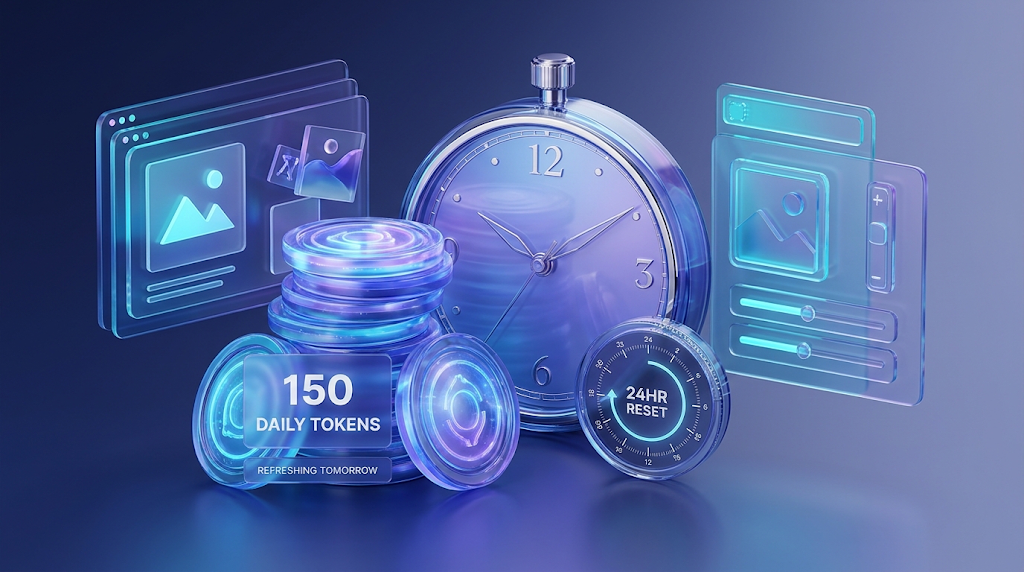
This is what Leonardo’s token usage page says. It says free users have a daily allowance of 150 tokens, and it resets every 24 hours. The page we read is dated August 25, 2026.
Paid plans work in a different way. A paid plan gives you a set number of tokens each month. You can use them at any time during the month.
Leonardo also has a tokens FAQ page. It says that if a free user uses all the tokens, they have to wait for the next daily reset. It also says you can hover your mouse over the token counter to see when your next reset will happen.
Before you make a picture, you will also see the token cost. The same FAQ page says it is usually shown on the button itself. So you always know the price before you press.
How Many Images Is 150 Tokens?
Quick answer: On the simplest setting, 150 tokens can make about 150 pictures. On fancy settings, it can drop to only 9 pictures. The setting you choose changes everything. 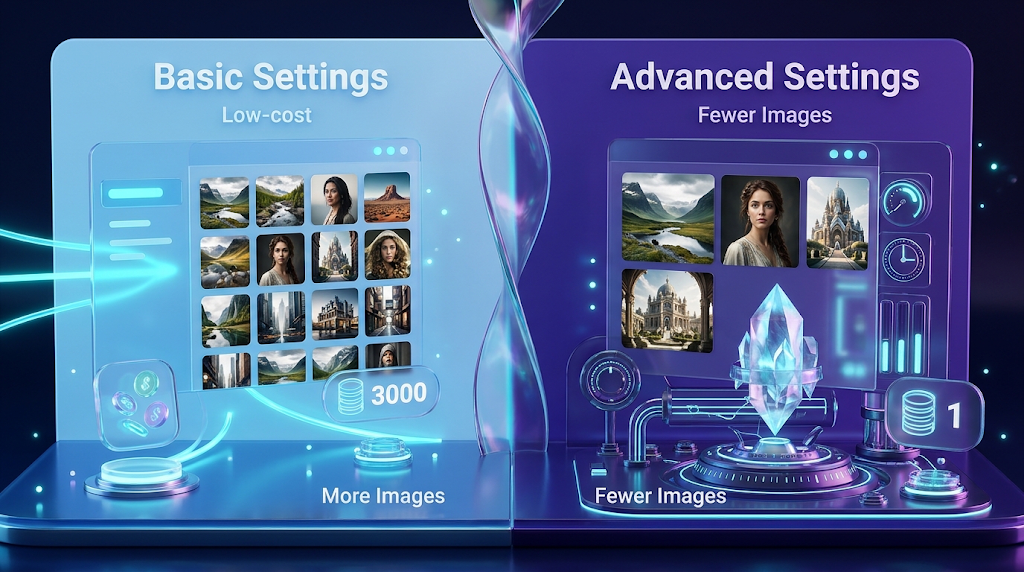
Leonardo’s help page lists how many tokens each feature costs. We took those numbers and did the math ourselves. We divided 150 by the cost. This table is our own work, and it is not on Leonardo’s site.
|
Feature |
Tokens for 1 image |
Tokens for 4 images |
Pictures from 150 tokens (one at a time) |
Pictures from 150 tokens (4 at a time) |
|---|---|---|---|---|
|
Default image (768 x 768) |
1 |
4 |
150 |
148 |
|
Prompt Magic V2 |
2 |
8 |
75 |
72 |
|
Alchemy (Prompt Magic v3 off) |
8 |
18 |
18 |
32 |
|
Alchemy V2 (Lightning XL models) |
10 |
12 |
15 |
48 |
|
Alchemy V2 |
16 |
26 |
9 |
20 |
|
Alchemy (Prompt Magic v3 on) |
16 |
26 |
9 |
20 |
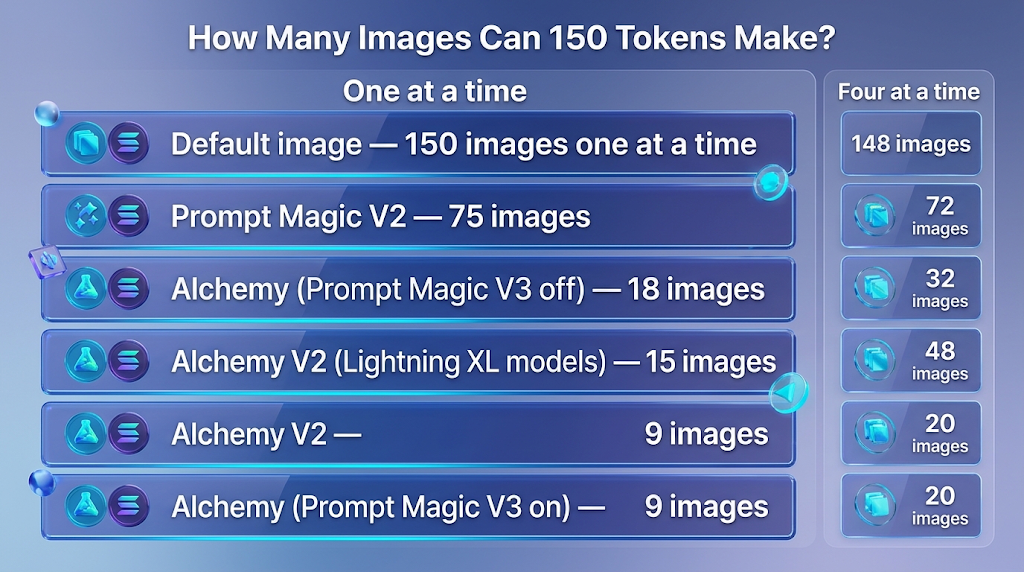 Let us read this table in an easy way. If you make plain pictures at the default size, you can get close to 150 each day. If you turn on the fancy Alchemy tools, you get far fewer.
Now look at the last two columns. Making four pictures at once is often cheaper for each picture. For Alchemy, one picture costs 8 tokens, but a set of four costs only 18. That is about 4.5 tokens each.
Other tools cost tokens too. Leonardo’s page says removing a background costs 2 tokens, so you could do it about 75 times. Upscaling costs 5 tokens, so you could do it about 30 times. Upscaling means making a picture bigger and sharper.
Please remember one thing. This is math, not a test. We did not make hundreds of pictures. Leonardo may change its prices, and the free plan may not let you pick every feature in the table.
💡 Quick Tip: Always look at the number on the button before you press it. Leonardo says it shows the token cost there. If the number looks big, change your setting first.
Why Do Other Websites Give Different Answers?
Quick answer: Because the answer depends on the setting. One site says 15 to 30 pictures a day. Another says 30 to 75. Both can be true for different settings.
When we searched, we found very different numbers. One site says 150 tokens is enough for 15 to 30 images a day. Another says it is about 30 to 75 images.
Leonardo’s own help page gives a bigger range. On the simplest setting, it is 1 token for each picture. So the real range runs from about 9 to about 150 pictures.
Why is the difference so big? There are three reasons:
- Leonardo has many tools, and each one has a different price.
- Prices and models change over time, so old posts can be out of date.
- Some writers guess a “normal” picture. Their guess may not match yours.
So do not trust a single number from any site. Use the token cost you see on your own screen.
What Does the Free Plan Not Include?
Quick answer: On the free plan, your pictures are public, you cannot pick your models, and the quality settings are basic. Paid plans fix these things.
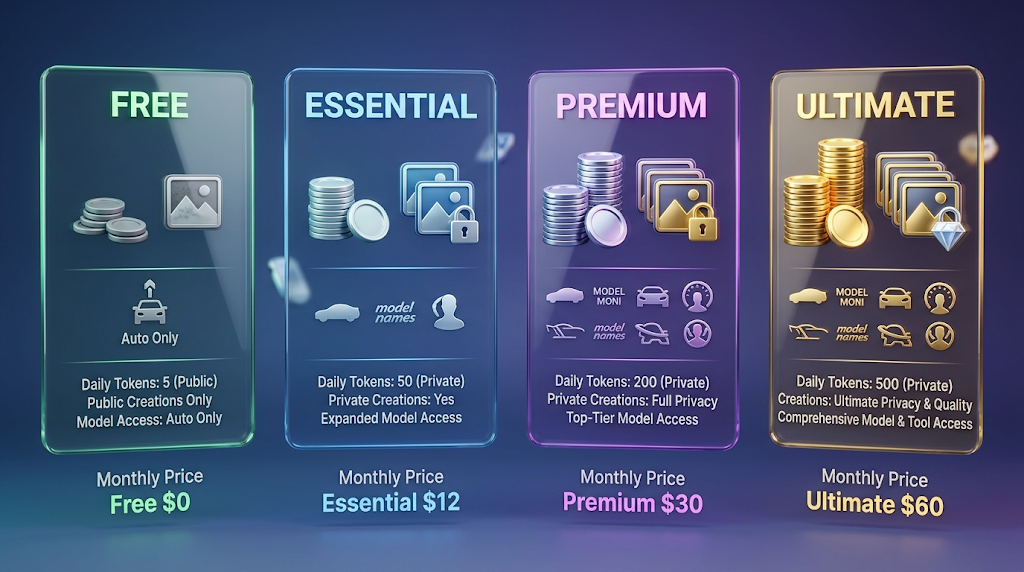
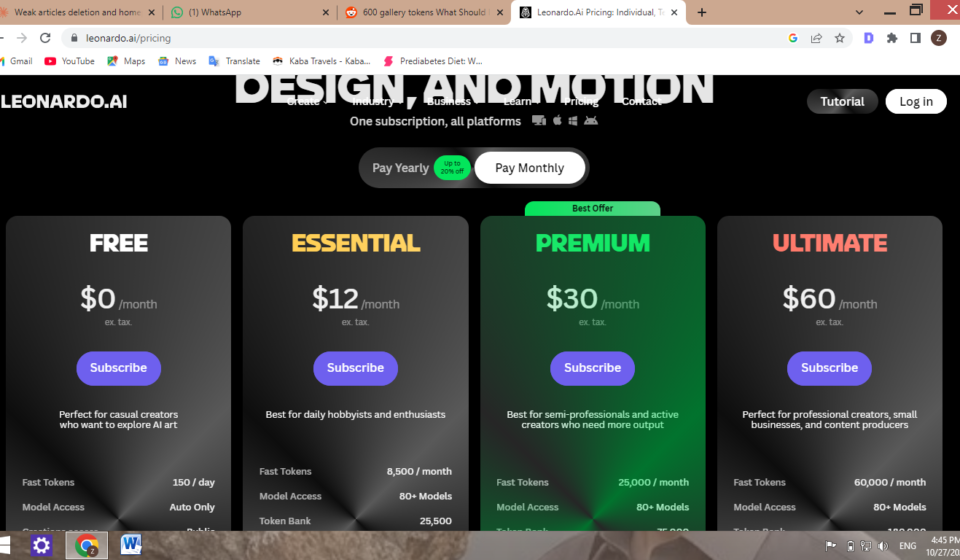
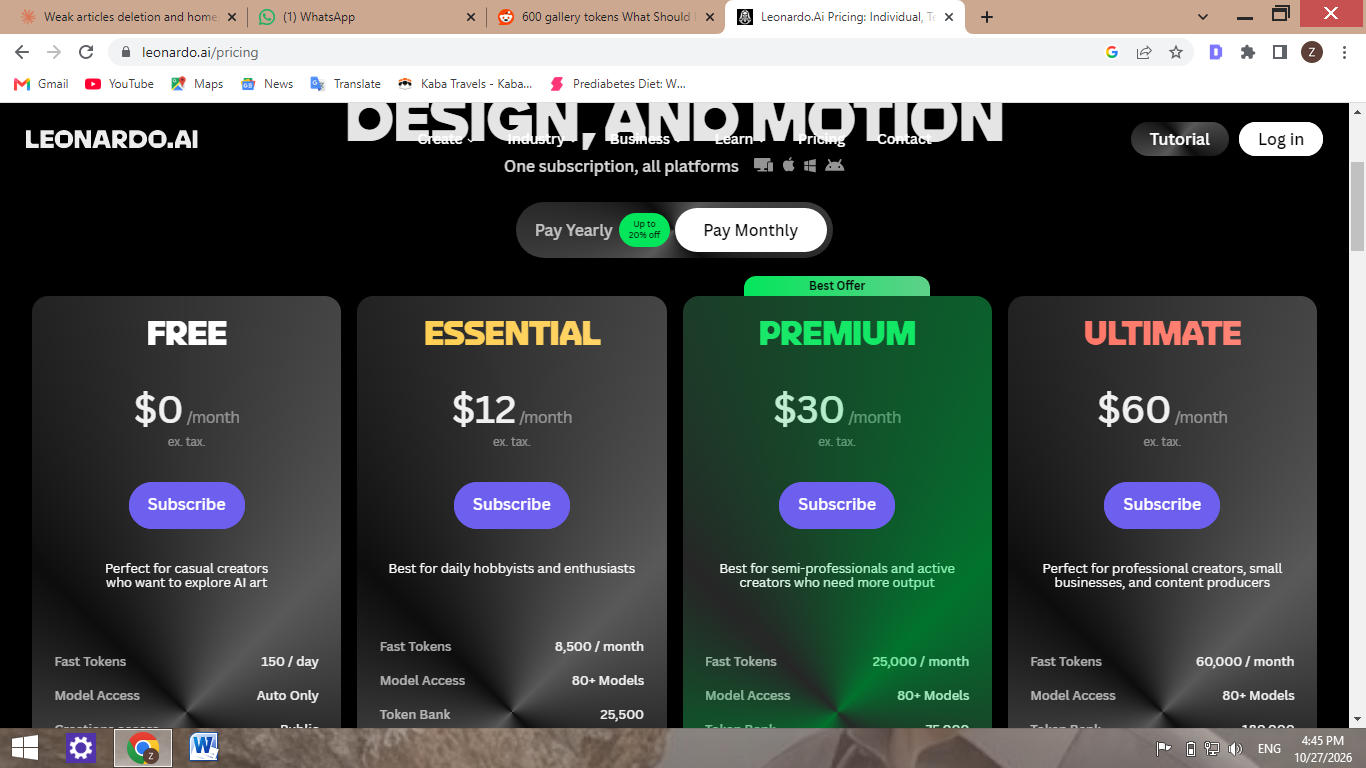
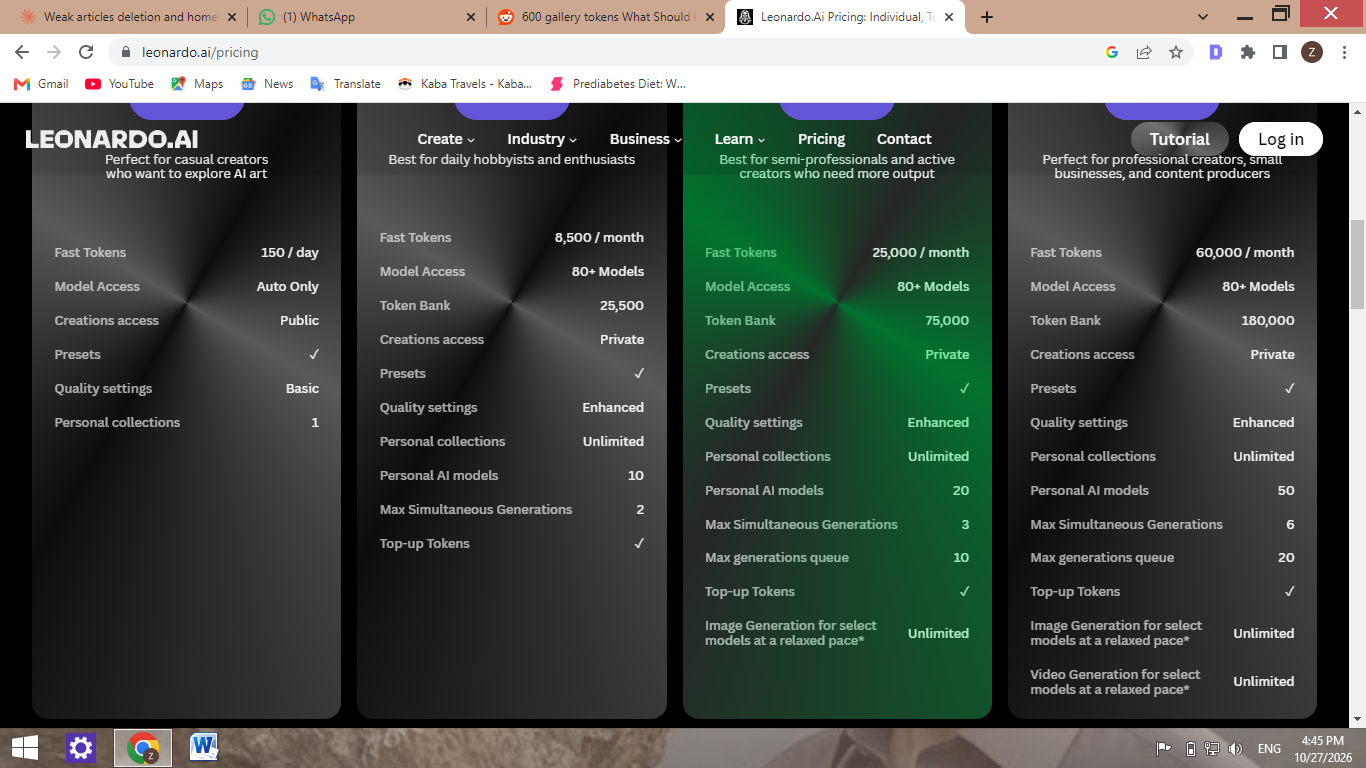
Our team opened Leonardo’s pricing page on October 27, 2026, and took screenshots. Here is what the page showed:
|
Plan |
Price per month |
Fast tokens |
Model access |
Who can see your pictures |
|---|---|---|---|---|
|
Free |
$0 |
150 a day |
Auto only |
Public |
|
Essential |
$12 |
8,500 a month |
80+ models |
Private |
|
Premium |
$30 |
25,000 a month |
80+ models |
Private |
|
Ultimate |
$60 |
60,000 a month |
80+ models |
Private |
The page also showed a switch for paying yearly, which it said saves up to 20 percent.
The words “Auto Only” matter. It seems that free users cannot choose a model. Leonardo picks one for you. That is why the numbers in our table may not match what you see. 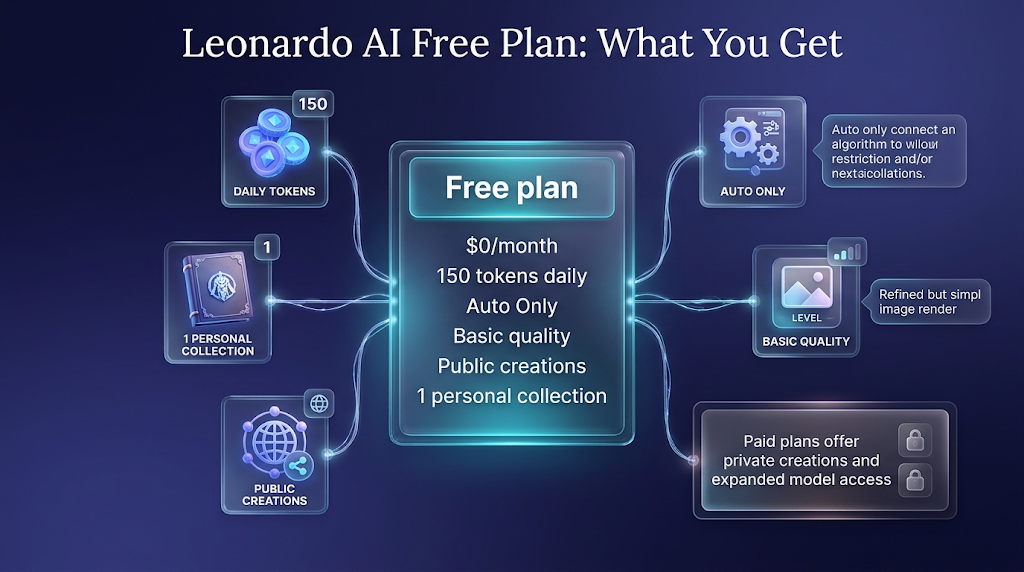
The free plan also shows “Basic” quality settings and one personal collection. The paid plans show “Enhanced” quality and unlimited collections.
There is one more big difference. Premium and Ultimate say they give unlimited image generation for some models at a relaxed pace. Ultimate adds the same for video. Free does not have this.
What We Saw When We Checked
Quick answer: We opened the pricing page and tried to open the app on October 27, 2026. The pricing page loaded. The app showed an error.
Here is what our team saw, in plain words:
- The pricing page opened fine. We saw the Free plan listed at $0 a month with 150 fast tokens a day, and “Auto Only” for model access. We also saw that free creations are public.
- The app showed an error. When we opened app.leonardo.ai at about 4:36 in the afternoon, we saw a message that said “Application error: a client-side exception has occurred.” So we could not look at the token counter ourselves.

- We did not make pictures. Because of the error, we did not test the token cost on the button. This is why we did the math from Leonardo’s help page.
We think it is better to tell you this than to pretend. If the app works for you, please check the token cost on your own screen.
What Do Real Users Say on Reddit?
Quick answer: Real users say the biggest surprises are about tokens running out, leaving a plan, and video. We read three Reddit posts. We have put them in our own words.
None of the posts we found were about the free plan’s 150 daily tokens. But they show what users worry about most.
Tokens can disappear when a plan ends. A user on r/leonardoai said they came back to an old account and found their saved tokens gone. A Leonardo team member replied that tokens in the rollover bank are not carried over when a subscription ends or is cancelled. The rollover bank is the place where unused paid tokens are saved.
A plan inside another plan can change. A user on r/canva said that Leonardo was part of their Canva business plan, but they got an email that this would end on October 11. They said they would also lose their saved tokens. We could not confirm this change on an official page, so please treat it as one person’s report. If you use Canva, see our guide on what Canva’s AI tools really give you.
Video costs more than pictures. A commenter on r/generativeAI said video makes credits run out much faster than still images. We did not check Leonardo’s video prices, so we cannot give you a number.
How to Make Your Free Tokens Last Longer
Quick answer: Look at the price on the button, start with the cheapest settings, and only use the costly tools on your best picture.
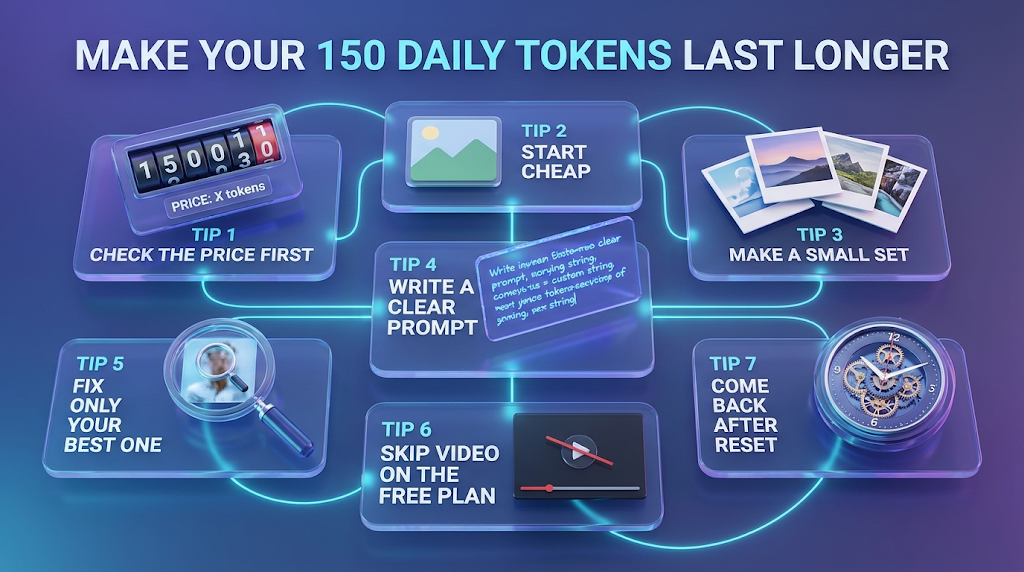
- Check the price first. Look at the token number on the button before you press it.
- Start cheap. Make a plain picture first. Do not turn on the fancy tools right away.
- Make a small set. Leonardo’s table shows that four pictures at once can cost less for each picture.
- Write a clear prompt. A prompt is the words you type. A clear prompt means fewer tries, so you waste fewer tokens.
- Fix only your best one. Remove the background or upscale only the picture you plan to use.
- Skip video on the free plan. Users say it uses credits very fast.
- Come back after the reset. Hover over the token counter to see when you get your tokens back.
Looking for other tools if you run out? See our list of the best free AI image generator tools with no watermark. You can also read about Adobe Firefly’s real plan limits.
Is It Safe to Use the Free Plan?
Quick answer: It is safe for normal pictures. But your free pictures are public, so do not make anything private.
The pricing page we saw shows that free creations are public. That means other people can see what you make. So do not put private names, private photos, or work for a client in a free picture.
Also, be careful with the words you type. Do not put secret or personal details in a prompt.
If you need private pictures, the paid plans show “Private” on the pricing page. Decide if you really need that before you pay.
Common Mistakes to Avoid
Quick answer: Most mistakes come from guessing the number of pictures, using costly tools too early, and not reading the token price.
- Trusting one number. The real number can be 9 or 150, depending on your setting.
- Ignoring the button price. Always check it before you press.
- Using fancy tools on every try. Save them for your best picture.
- Saving tokens on a paid plan and then leaving. Users say unused tokens can be lost when a plan ends.
- Making private work on the free plan. Free pictures are public.
How We Checked This Article
Quick answer: We read Leonardo’s help pages, looked at its pricing page, and read three Reddit posts. We did the math ourselves. We did not make pictures.
We used these pages: Leonardo’s token usage page, its tokens FAQ page, and its pricing page. We took screenshots of the pricing page on October 27, 2026. We also read the three Reddit posts linked above and two other websites for their estimates.
The table of pictures per 150 tokens is our own math, using Leonardo’s help page. It is not a test. We could not open the Leonardo app on October 27, 2026, because it showed an error, so we did not check the token counter. We also did not check video prices, and we could not confirm the Canva change on an official page.
Leonardo can change its prices and limits at any time. Please check the pages again before you decide.
Frequently Asked Questions
How many images can I make on Leonardo AI for free? It depends on the setting. On the simplest setting, about 150 a day. With fancy tools, as few as 9.
How many tokens does the free plan give? 150 tokens each day, according to Leonardo’s help page.
When do the free tokens come back? Every 24 hours. Hover over the token counter to see your reset time.
Do unused free tokens carry over? Leonardo says free tokens reset daily, and you must wait once they are gone.
Are free pictures private? No. The pricing page shows “Public” for the free plan.
Can I pick any model on the free plan? The pricing page shows “Auto Only” for model access.
Why do websites give different numbers? The cost depends on the setting, and prices change over time.
Does video cost more than pictures? A Reddit user says it does. We did not check Leonardo’s video prices.
What happens to my tokens if I cancel a paid plan? A Leonardo team member said rollover bank tokens are not carried over when a plan ends.
Conclusion
Leonardo’s free plan gives you 150 tokens each day. That can be about 150 simple pictures or only 9 fancy ones. The setting you choose decides everything, so read the price on the button.
Remember that free pictures are public, and that free users seem to get “Auto Only” models. If you need more, compare the paid plans and read the rules about saved tokens first. Open Leonardo today, make one plain picture, and see how many tokens it uses.
Reviewed by the BrainxoAI Editorial Team, which researches and compares free AI tools for students, bloggers, and small creators.