

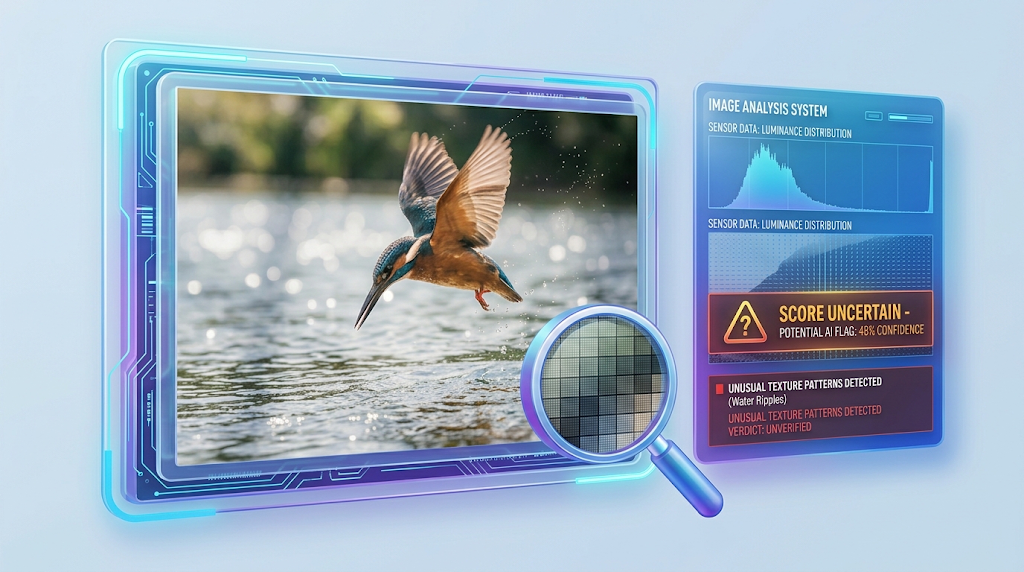
Tools like Hive, AI or Not, Sightengine, and Copyleaks do this job. Some are free to try. Many websites and social apps now use tools like these to check pictures.
Here is the problem. A detector only looks at the pixels and some patterns in the file. It does not know who took the picture.
So a real photo can get a wrong score. And that can hurt real artists, photographers, and bloggers.
Why Do Real Photos Get Flagged?
Quick answer: Detectors read tiny patterns in the pixels. When a photo is resized, squeezed, or edited, those patterns change. Then the detector can get confused and call a real photo “AI.” 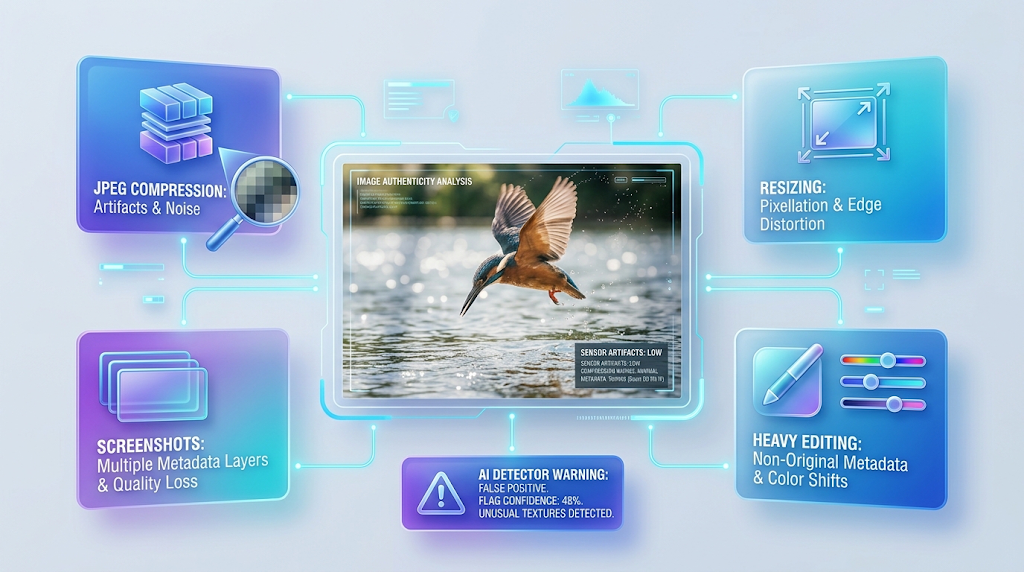
Think of it like a fingerprint on a window. If someone wipes the glass, the fingerprint gets blurry. A detector has a hard time reading a blurry fingerprint.
Kevin Guo, the founder of Hive, explained this to Bellingcat. He said that when a picture is resized or its resolution is lowered, the pixels change and the “digital signal” the detector uses is lost. You can read it in Bellingcat’s test of AI or Not.
The CEO of ZeroGPT said the same thing to NewsGuard. He said that resizing and compression can make a real image look like AI. This is in NewsGuard’s report. 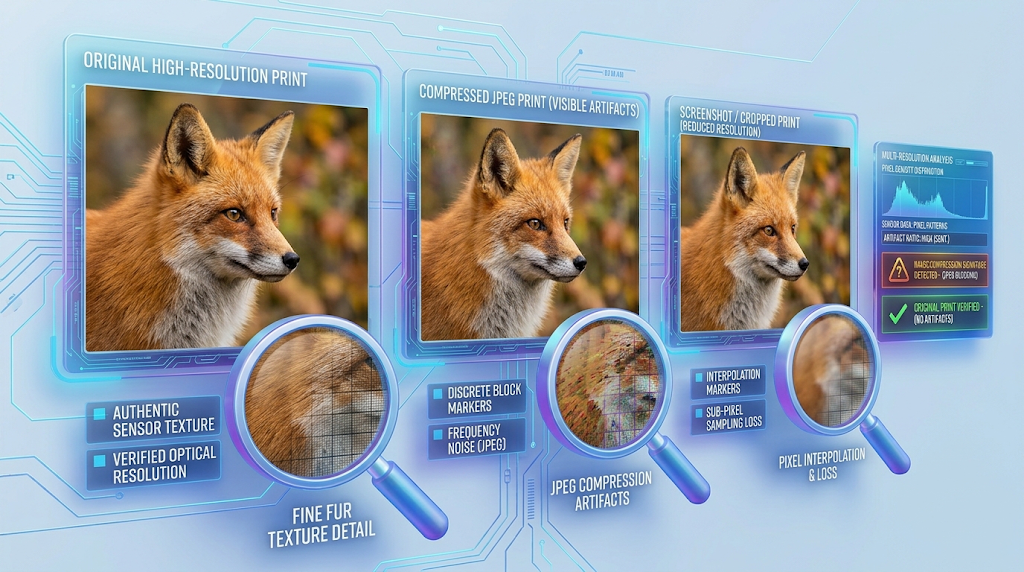
Here are some everyday things that change a photo:
- Sending it through a chat app, which squeezes it
- Saving it again and again as a JPEG
- Taking a screenshot of a photo
- Cropping or shrinking it
- Heavy editing, sharpening, or noise removal
Most of these happen without you even knowing. That is why a clean, real photo can look “off” to a detector.
What Did the Tests Find?
Quick answer: Two outside tests found that some detectors called real photos AI. One test in 2023 and one in May 2026 both showed it. The results were different for each tool.
The Bellingcat test (2023)
Bellingcat tested AI or Not with 20 photos from people who entered a photography contest. The tool wrongly called six of them AI. It could not decide on a seventh one.
Bellingcat also found the tool was good with most real photos, but it had trouble with some high-quality ones. You can read the full test on Bellingcat’s page.
The NewsGuard audit (May 2026) 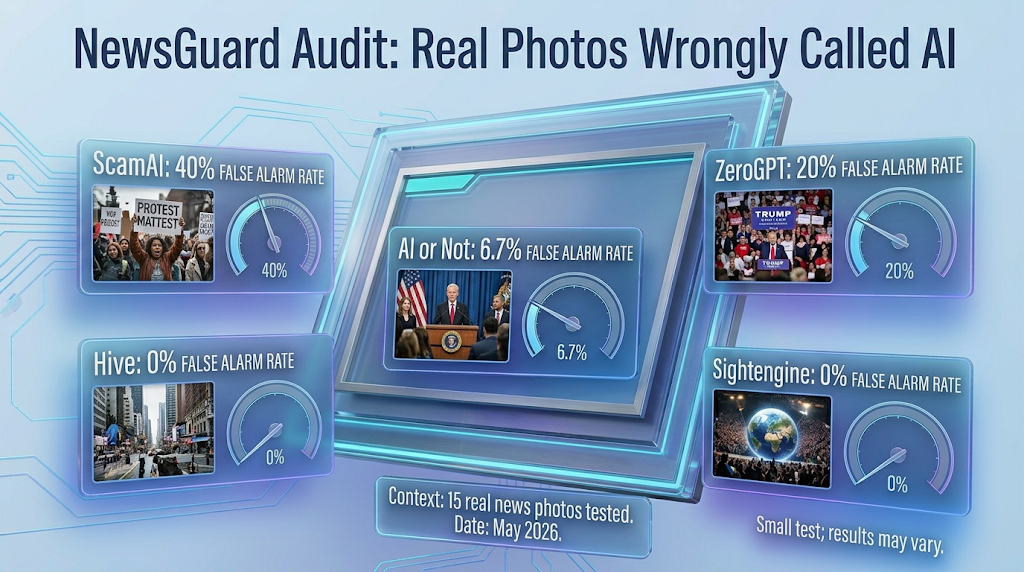
NewsGuard ran 15 real news photos through five detectors. Three of the five wrongly called real photos AI at least once. Across all five, real photos were called AI 13.3 percent of the time.
A summary of the results by PhotoWorkout shows how each tool did:
|
Detector |
Real photos wrongly called AI |
|---|---|
|
ScamAI |
40 percent |
|
ZeroGPT |
20 percent |
|
AI or Not |
6.7 percent |
|
Hive |
0 percent |
|
Sightengine |
0 percent |
Look at this table carefully. It is only 15 photos, so it is a small test. But it shows that tools can be very different from each other.
It also shows that a good score on one tool does not mean the next tool will agree.
What do the companies say?
Even the companies know about this problem. Copyleaks has a page about how it tests its image detector. It says a real photo only passes when less than 5 percent of its pixels are wrongly marked as AI. You can see it on Copyleaks’ testing page.
That tells us the tool makers measure false alarms too. So the problem is real, and they know it.
Why This Matters for Artists and Bloggers
Quick answer: A wrong flag can cost you work, trust, or money. So it is worth knowing how these tools think before you rely on them.
Imagine you are a photographer who posts a picture on a contest page. A tool calls it AI. The judges may remove it, even though you took it yourself.
Or imagine you run a blog with your own photos. A reader runs one picture through a detector and posts the result. Now people doubt your whole site.
This is why a score should never be the last word. A score is only a clue. The real answer comes from your files, your notes, and a fair human check.
It is also why platforms should treat a flag as a question, not a verdict. If you run a site or a contest, ask for proof before you remove anyone’s work.
How to Keep Your Real Photos From Being Flagged
Quick answer: Keep your original file, avoid saving it again and again, and share the biggest, cleanest version you can. These small habits help a detector read your photo better.
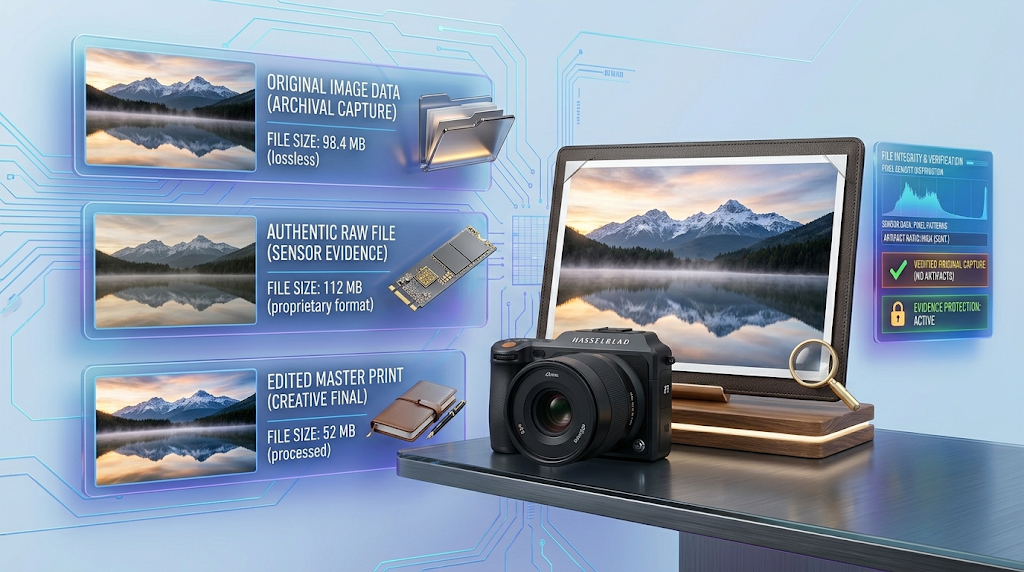
- Keep the original. Never delete the first file from your camera or phone. It is your best proof.
- Do not save it many times. Each time you save a JPEG, it can lose a bit of detail.
- Share a big, clean version. Upload the highest quality your website or app allows.
- Avoid screenshots. A screenshot is a copy of a copy. Share the real file instead.
- Edit with care. Heavy sharpening and noise removal can change the pixel patterns.
- Keep your raw file. If your camera can save a raw file, keep it. It shows the picture before any edits.
💡 Quick Tip: Make a folder for every important photo. Put the original, the raw file, and your edited file inside. If anyone doubts your work, you can show all three in a minute.
How to Prove Your Photo Is Real
Quick answer: Show your original file, your raw file, and your edit steps. A newer tool called Content Credentials can also record where a photo came from.

Think of it like a receipt. A receipt shows where something came from. Your photo needs one too.
Here are good ways to build that receipt:
- The original file. Show the first file straight from your camera or phone.
- The raw file. If you have one, it is strong proof.
- Behind-the-scenes pictures. A short video or photo of you taking the shot helps.
- Your edit history. Programs like Photoshop and Lightroom can keep a record of your changes.
- A date and place. Your notes and your camera’s file date back up your story.
What are Content Credentials? 
Content Credentials are a record that is attached to a picture. They can show who made it, what tool was used, and what edits were made. They come from a group called the Coalition for Content Provenance and Authenticity, or C2PA. You can read how it works in the C2PA explainer.
Some programs can add these records. For example, Capture One says you can add editing history to a JPEG or TIFF when you export it. It also says anyone can check the picture on the Content Authenticity verify site.
You can check a file for free at contentcredentials.org/verify. Try the original file, because a screenshot or a chat app copy may lose the record. Some sources say that a missing record does not mean a photo is fake. It may have been removed when the file was shared.
What to Do If a Site Flags Your Real Photo
Quick answer: Stay calm, collect your proof, and ask for a review. Be polite and clear.
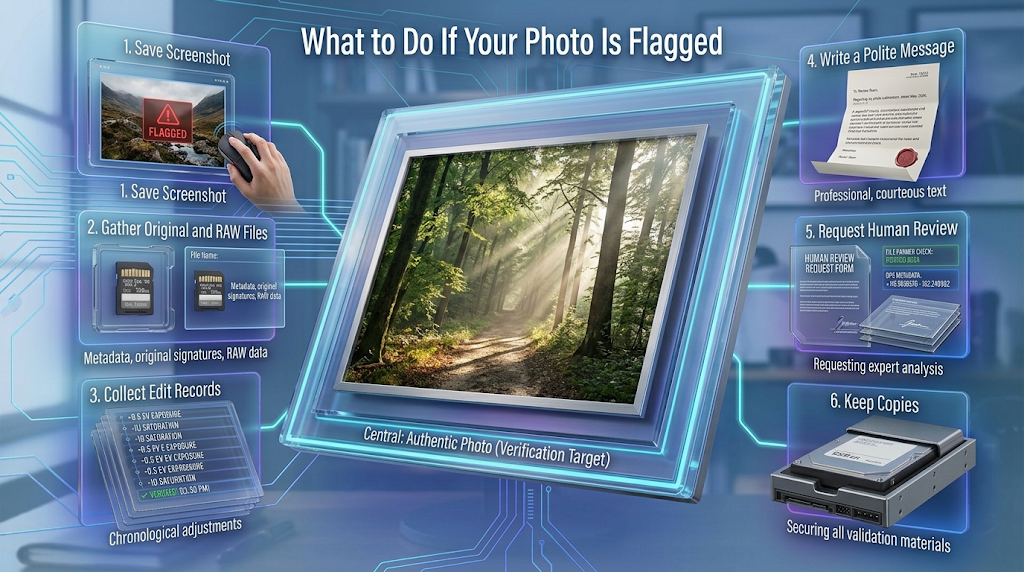
- Take a screenshot of the flag or message.
- Gather your proof. Get the original file, the raw file, and any edit records.
- Write a short, polite message. Say you took the photo, and say when and where.
- Attach your proof. Do not send big files in a rush. Send a clear folder or link.
- Ask for a human review. A person can look at your proof better than a tool can.
- Keep copies of everything. Save the messages and the replies.
Do not argue or get angry. Most support teams reply better to a calm message with clear proof.
Is It Safe to Upload My Photos to a Detector?
Quick answer: It is usually fine for normal pictures. But a photo file can hold private details, like where it was taken. Check the tool’s privacy page first.
Many photos have hidden details called metadata. This can include the date, the camera, and sometimes the place where you took it. If you share a photo, you may share these details too.
Before you upload, ask yourself: “Am I okay if this photo and its details sit on a company server?” If not, use a copy with the private details removed, or skip the tool.
Never upload photos of other people without their say-so. This is more important for pictures of children or private moments.
Common Mistakes to Avoid
Quick answer: Most problems come from trusting one score, throwing away originals, and sharing copies of copies.
- Trusting one detector. Different tools give different answers for the same photo.
- Deleting the original file. Without it, you have little proof.
- Sharing screenshots. They lose details and proof records.
- Saving a JPEG many times. Each save can remove detail.
- Arguing without proof. Show your files, not just your words.
How We Checked This Article
Quick answer: We read outside tests and official pages. We did not make up any numbers. Where a number comes from a small test, we say so.
We used these sources: Bellingcat’s test of AI or Not, NewsGuard’s report, the PhotoWorkout summary of NewsGuard’s chart, Copyleaks’ testing page, the C2PA explainer, and Capture One’s support page.
We did not open the official pages of Hive, Sightengine, or Illuminarty for this article, so we do not give their free limits or prices. The NewsGuard numbers for each tool come from the PhotoWorkout summary, not from the NewsGuard page itself. Detector tools change often, so a result today may be different next month.
Our own test results are in the section called “What Our Team Saw When We Tested.”
Frequently Asked Questions
Why did an AI detector call my real photo AI? Detectors guess from tiny pixel patterns. Resizing, squeezing, and editing can change those patterns.
Are AI image detectors accurate? Not always. In NewsGuard’s May 2026 test, real photos were called AI 13.3 percent of the time.
Do all detectors make the same mistakes? No. In the same test, two tools called none of the real photos AI, and one called 40 percent AI.
Can compression make a real photo look like AI? Yes. The CEO of ZeroGPT said resizing and compression can cause this.
How can I prove my photo is real? Show your original file, your raw file, and your edit steps. Content Credentials can also help.
What is a raw file? It is the picture file before any edits. Many cameras can save it.
Is a missing Content Credential a sign of a fake? No. Some sources say it can be lost when a file is shared or saved by another app.
Should I upload private photos to a detector? We say no. A photo can hold private details, so check the tool’s privacy page first.
What if a website keeps flagging my work? Send your proof and ask for a human review. Stay calm and keep your copies.
Conclusion
AI image detectors are useful clues, but they make mistakes. Real photos can get flagged when they are resized, squeezed, or edited. Tests from Bellingcat and NewsGuard both showed it.
The best protection is simple. Keep your original files, keep your raw files, and save a record of your edits. If a tool gets it wrong, calmly show your proof and ask for a review. Start a proof folder for your next photo today.
Reviewed by the BrainxoAI Editorial Team, which researches and compares free AI tools for photographers, artists, and website owners.