


 A free AI flashcard maker is exactly what students and teachers everywhere are turning to these days, and it’s easy to see why. Making flashcards by hand used to eat up hours you didn’t really have, especially the night before an exam. These tools changed that by turning your notes into ready-to-use flashcards in minutes. The idea took off fast once people realized AI could actually understand what mattered in a page of notes, not just copy random sentences. In this article, we’ll walk through the best free tools, how to use them, and a few things worth keeping in mind along the way. 📚
🔍 What Is a Free AI Flashcard Maker?
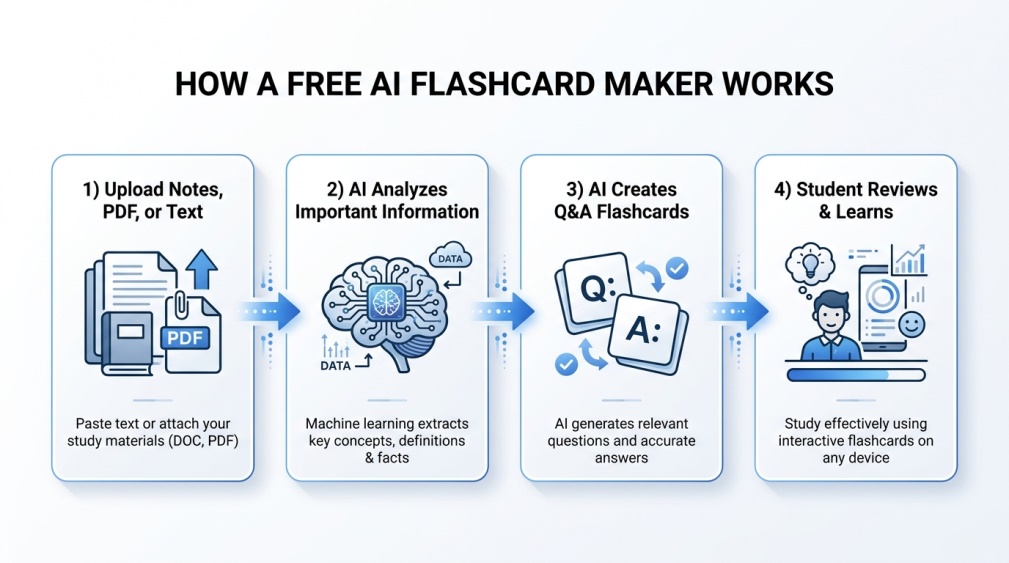 Think of it as a study buddy that never gets tired. You paste in your notes, upload a document, or even drop in a PDF, and a free AI flashcard maker scans through everything to pull out the important stuff. It then turns those key points into question-and-answer pairs, ready for you to review.
The neat part is you don’t have to decide what’s worth memorizing yourself. The AI does that heavy lifting, which honestly saves a huge chunk of study time that used to go into just organizing material before you could even start learning it.
It’s a bit like having someone skim your textbook for you and hand back only the parts that actually matter. You still have to do the learning part, but the setup work that used to eat into your evening basically disappears.
📈 Why Has This Tool Become So Popular?
Students juggling five or six subjects simply don’t have time to build flashcards from scratch for every chapter. A free AI flashcard maker solves that by doing the tedious part instantly, leaving more time for the actual studying.
Teachers have picked up on this too. Instead of spending an evening building review materials for a class, they can generate a solid starting set in minutes and then just tweak it. It’s become one of those tools that quietly saves everyone a few extra hours every week.
⚙️ How Does It Actually Work?
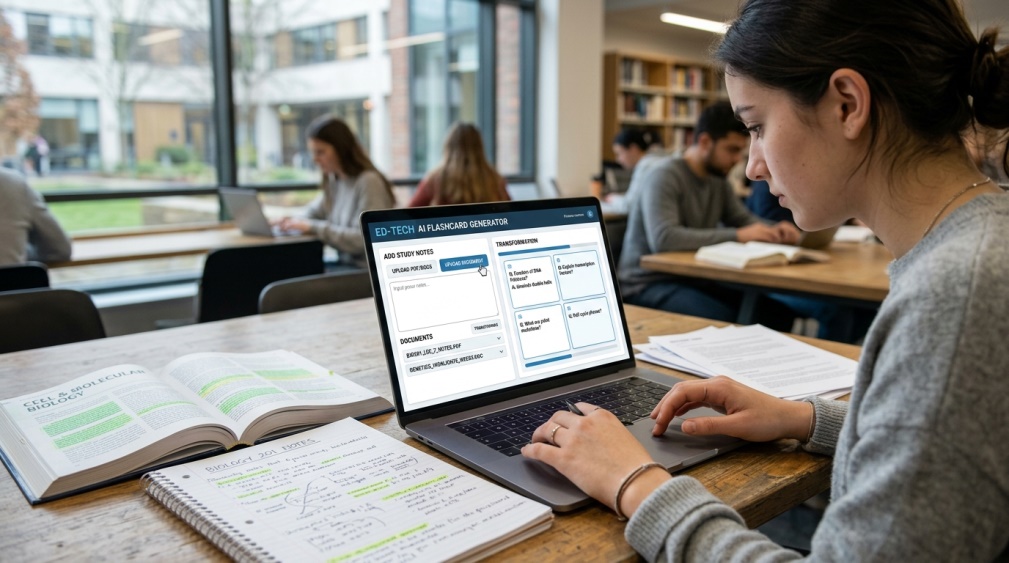 You start by giving the tool something to work with, whether that’s typed notes, a textbook chapter, or a lecture slide deck. The AI reads through the content and picks out terms, definitions, and concepts that seem important.
From there, it builds each flashcard as a simple question on one side and the answer on the other. Some tools go a step further and let you choose the difficulty level, so the cards match how deep you actually need to study.
💡 Quick Tip: Uploading cleaner, well-organized notes almost always gives you better flashcards than messy, unstructured text.
✨ Benefits of Using a Free AI Flashcard Maker
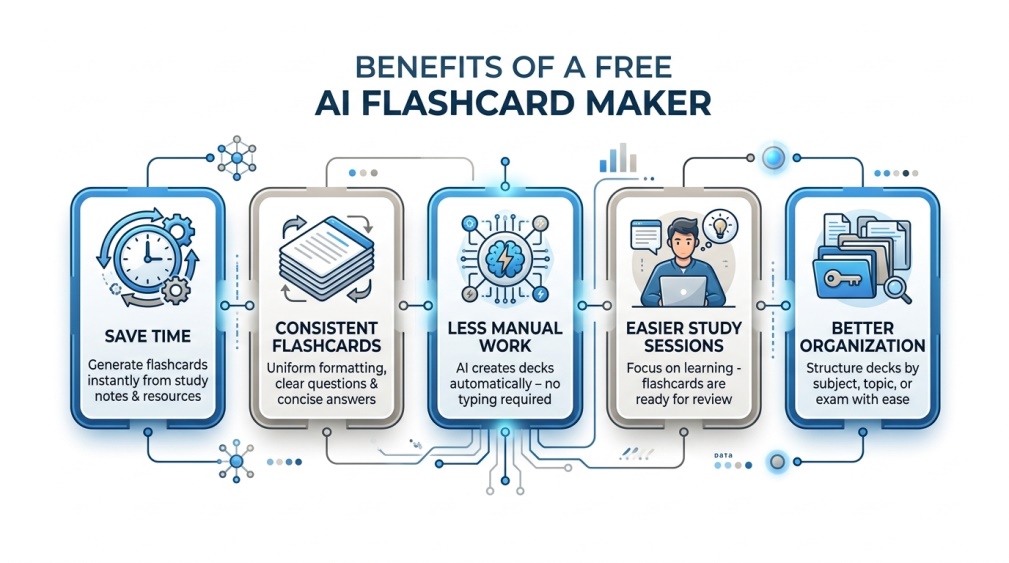 The biggest win is obviously time. What might take an hour of manual card-making shrinks down to just a couple of minutes. That adds up fast across an entire semester.
There’s also a consistency angle worth mentioning. When you make cards yourself, quality tends to swing depending on how tired or rushed you are. An AI tool keeps things steady, card after card, so your whole deck ends up more balanced.
And honestly, it just removes a mental barrier. A lot of students skip making flashcards altogether because the setup feels like a chore. Cutting that friction means more people actually study with them.
🏆 Best Free AI Flashcard Maker Tools to Try
 Here are a few solid picks worth checking out today. 👇
- 🎯 Quizlet AI – Built into a platform millions of students already use, with a free tier that covers the basics well.
- 📘 AI Flashcard Generator – Accepts notes, PDFs, images, and even audio, then turns them into ready-made decks.
- 🧩 Coursebox AI – Great if you’re working from slides or full documents, since it scans for key terms automatically.
- ⚡ FlashLab – A quick, no-fuss option if you just want something fast without extra features getting in the way.
- 🌟 Anki with AI Add-ons – Not AI-native, but community add-ons bring AI-powered card generation into a tool a lot of students already trust.
Try a couple before settling in. Some tools lean more toward simple recall cards, while others build in short explanations too, which matters depending on how you actually like to study.
It’s also worth knowing what each one does best. Quizlet AI shines if you want cards you can immediately share or study with classmates. Coursebox AI tends to handle longer, denser documents more gracefully than the lighter tools. FlashLab, on the other hand, is the one to reach for when you just need something done in under a minute with zero setup.
📝 How to Use an AI Flashcard Maker (Step by Step)
 Start by gathering the notes or material you want turned into flashcards. Copy the text, or upload the file directly if your tool supports that.
Paste or upload it into your chosen tool, then hit generate. Once your cards appear, skim through them and delete anything that feels off or unnecessary before you start your actual review session. 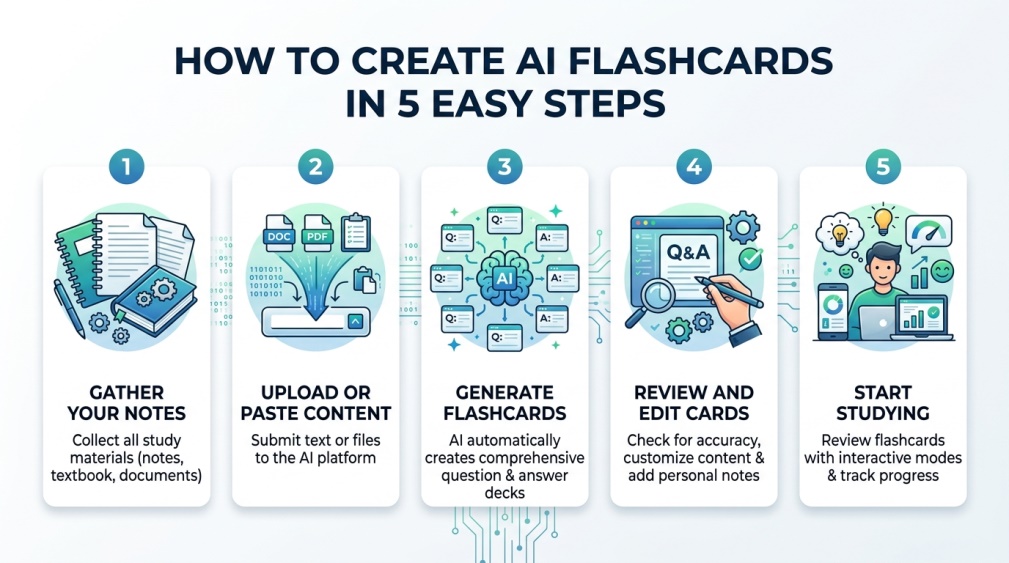
🔒 Why Should It Be Safe?
 Before uploading anything, think about what’s actually in your notes. Class assignments are usually fine, but avoid pasting anything with personal details, like ID numbers or private information that might sneak in from a shared document.
Stick to well-known tools that clearly explain what they do with your uploaded content. Some tools store your files to improve their systems over time, while others delete everything shortly after processing, so it’s worth a quick check before you upload something sensitive.
💰 Free vs Paid: What’s the Real Difference?
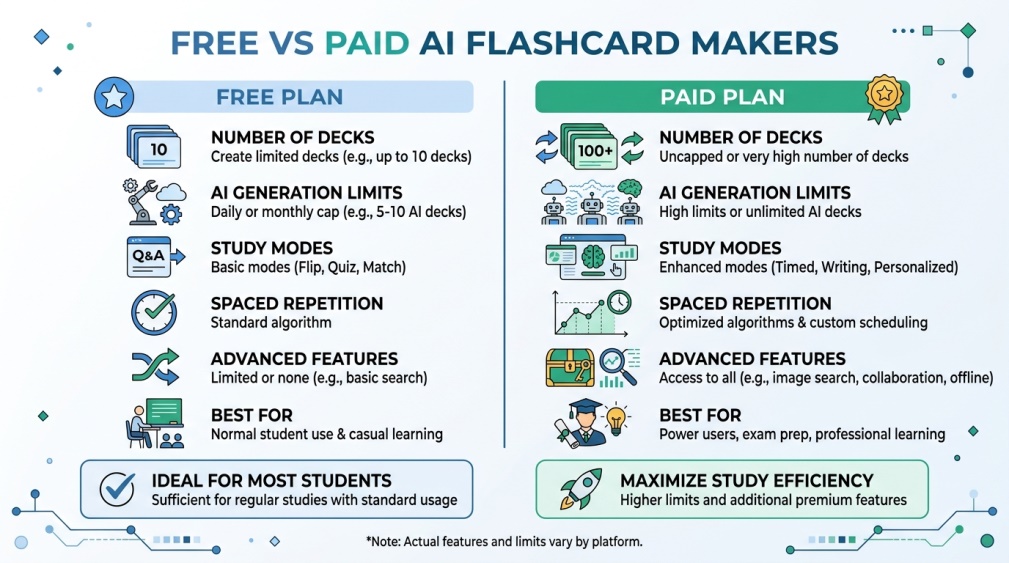 Free plans usually cap how many decks or cards you can generate each month, which is fine for most students with a normal course load. Once you’re juggling several classes at once, that limit can start to feel tight.
Paid plans typically unlock unlimited generation, extra study modes, and sometimes spaced repetition scheduling that tells you exactly when to review each card. Most students never need to go there, though, especially if they’re comfortable making a few decks manually here and there.
👥 Who Should Use This Tool?
Students studying for exams are the obvious fit, especially anyone juggling a heavy course load with limited free time. Language learners get a lot out of it too, since vocabulary drilling is basically what flashcards were made for.
Teachers use a free AI flashcard maker to build quick review sets for their classes without spending an entire evening on it. Even professionals studying for certifications lean on these tools, since the format works just as well for technical terms as it does for textbook chapters.
Parents helping younger kids with schoolwork are a group that often gets overlooked here too. Turning a spelling list or a set of science terms into quick flashcards takes seconds, which makes homework help a lot less painful for everyone involved.
🎯 Tips for the Best Results
Keep your uploaded notes focused on one topic at a time instead of dumping an entire semester’s worth of material in one go. Smaller, focused uploads tend to produce sharper, more useful cards.
Review your generated deck before you start studying and remove anything that feels repetitive or too vague. A few minutes of cleanup upfront saves you from wasting review time on cards that don’t actually teach you anything new.
⚠️ Common Mistakes to Avoid
A lot of people upload messy, unorganized notes and then wonder why the resulting cards feel scattered. Clean input really does make a noticeable difference in output quality.
Another common slip is generating one giant deck instead of breaking material into smaller, topic-based sets. Huge decks get overwhelming fast, and studies show smaller review sessions tend to stick better anyway. Skipping the review step is a mistake too, since even good AI tools occasionally misread context and create a card that’s slightly off.
One last thing people overlook: sticking with a single tool out of habit even when it’s clearly not a great fit for a particular subject. A tool that’s perfect for vocabulary lists might struggle with math formulas, so it’s worth switching things up depending on what you’re actually studying.
🎓 Conclusion
A free AI flashcard maker takes one of the most tedious parts of studying and makes it genuinely fast. Start with a smaller set of notes to see how a tool handles your specific material before committing to it for a whole semester.
Once you find a tool that clicks with your study style, it becomes one of those things you wonder how you ever managed without. Give it a real try before your next exam and see how much time it actually saves you. 🌟
❓ FAQs
How much does a free AI flashcard maker actually cost to try?
Most tools let you generate a solid batch of flashcards at no cost, and only charge if you need unlimited decks or advanced study features.
Can I upload a PDF or does it need to be typed text?
Many tools accept PDFs, slides, and even images directly, though the specific formats supported vary a bit between tools.
Will the flashcards actually match my class material closely?
Results depend heavily on how clear and well-organized your uploaded notes are, so tidy input tends to give the most accurate cards.
Is it safe to upload my class notes to these tools?
It’s generally safe with well-known tools that clearly explain how your uploaded content is stored and used afterward.
Do these tools work well for language learning vocabulary?
Yes, the question-and-answer format is especially well suited to memorizing new words and their meanings.
Can I edit the flashcards after they’re generated?
Most tools let you tweak or delete individual cards, so you’re never stuck with the first version exactly as it comes out.
Is there a limit on how many flashcards I can make for free?
Yes, most free plans cap the number of cards or decks you can generate each month.
Which tool is best for someone just starting out?
FlashLab or AI Flashcard Generator are both simple enough for a first try, with minimal setup needed to get going.