
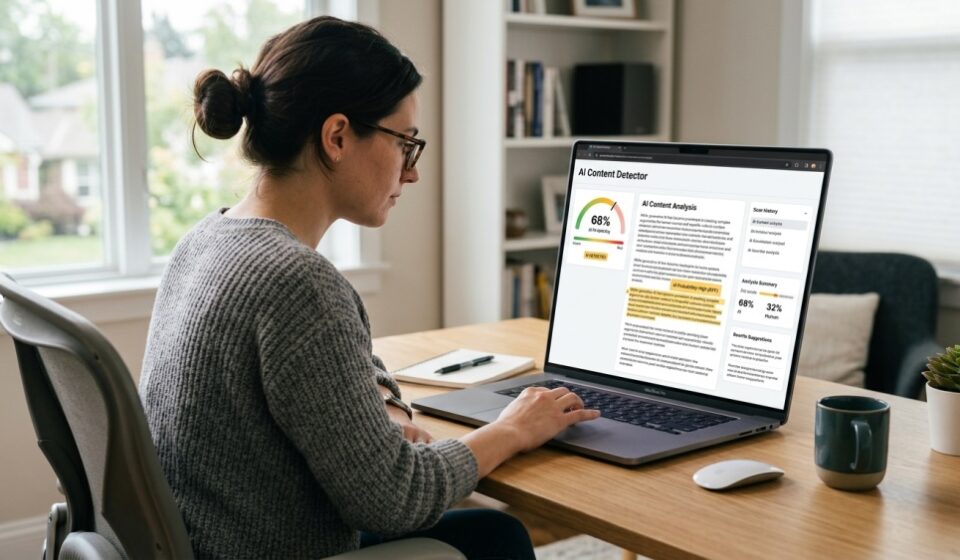

 A free AI content detector is what more than 155,000 people search for online every single month, and that number keeps growing. Why? Because knowing if a piece of text was written by a person or by AI has become a real, everyday need. This trend picked up fast after 2023, once tools like ChatGPT made AI writing common in schools, offices, and websites everywhere. Teachers, editors, and business owners now lean on these detectors before they trust a piece of writing. In this article, we will walk through the best free tools, how to use them, and a few things you should watch out for along the way.
What Is a Free AI Content Detector?
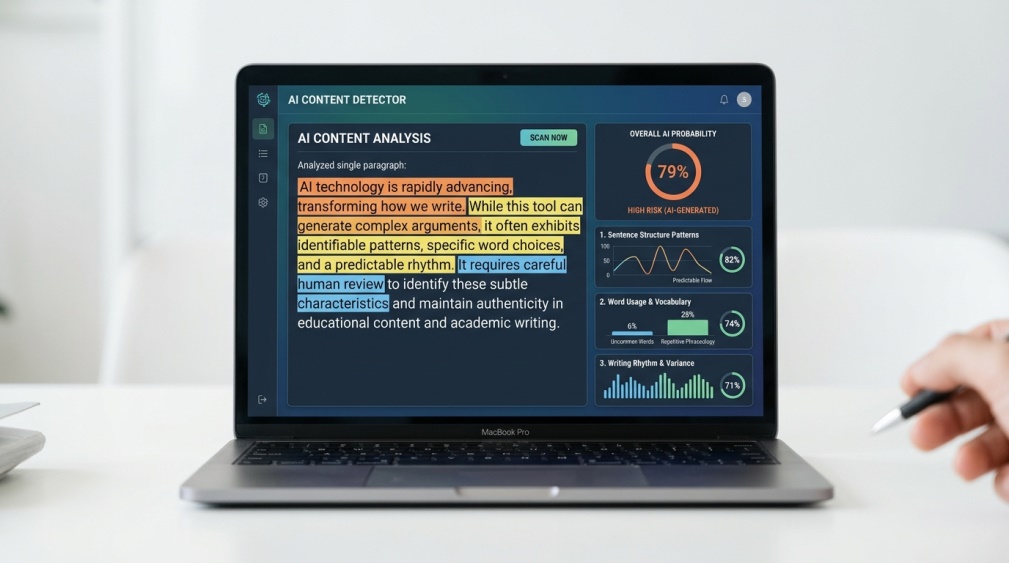 Think of a free AI content detector as a quick judge for your text. You paste in a paragraph, click a button, and it tells you how likely that text is to be AI-written. It does this by studying patterns in sentence length, word choice, and rhythm.
Here’s the part most people don’t realize. No detector can be 100% certain. What it gives you is a score, not a fact. That score is still useful, though, especially as a first check before you trust a piece of content.
Why Is This Tool So Popular Right Now?
 Teachers are probably the biggest group using a free AI content detector today. Grading dozens of essays by hand is hard enough, and now they also need to check if a student actually wrote the work themselves. It’s not about catching people out for fun. It’s about fairness.
Website owners have their own reason. Google has been pushing sites to publish content that feels genuine and helpful, not robotic. So a lot of bloggers run their own posts through a detector before hitting publish, just to be safe. Editors and publishers do the same thing before they put their name on someone else’s writing.
How Does It Work?
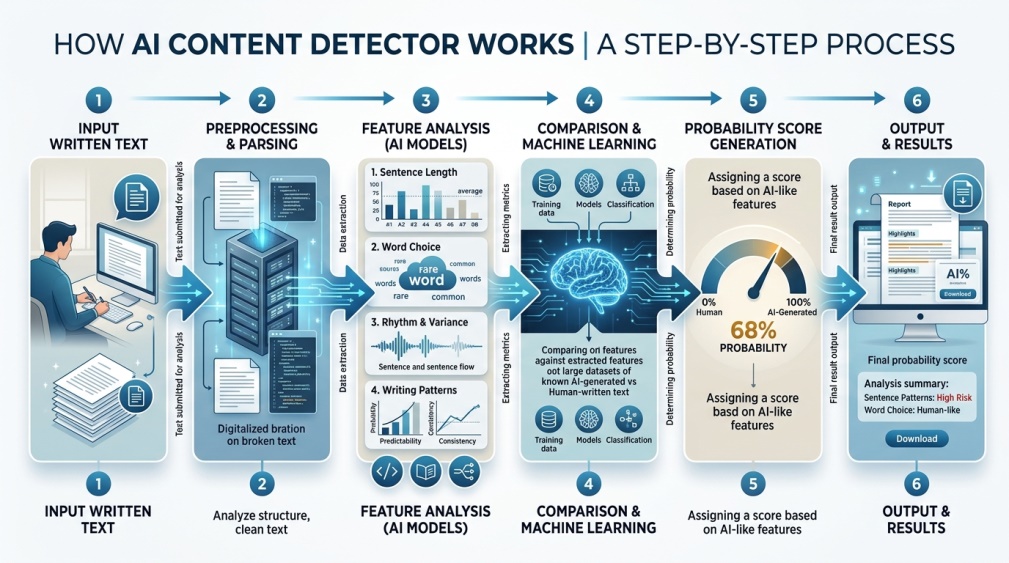 AI writing has a certain rhythm to it, even when it reads well. Sentences tend to be a similar length. Word choices stay a little too safe and predictable. A free AI content detector is trained to notice exactly these small patterns.
Human writing, on the other hand, is messier in a good way. We repeat words we like, we throw in a short sentence out of nowhere, and our thoughts don’t always flow in a perfectly straight line. That unevenness is actually one of the biggest signals a detector looks for.
None of this means the tool is reading your mind. It’s really just comparing patterns against millions of examples it has already seen, both human and AI, and giving you its best guess.
What Patterns Actually Give AI Writing Away?
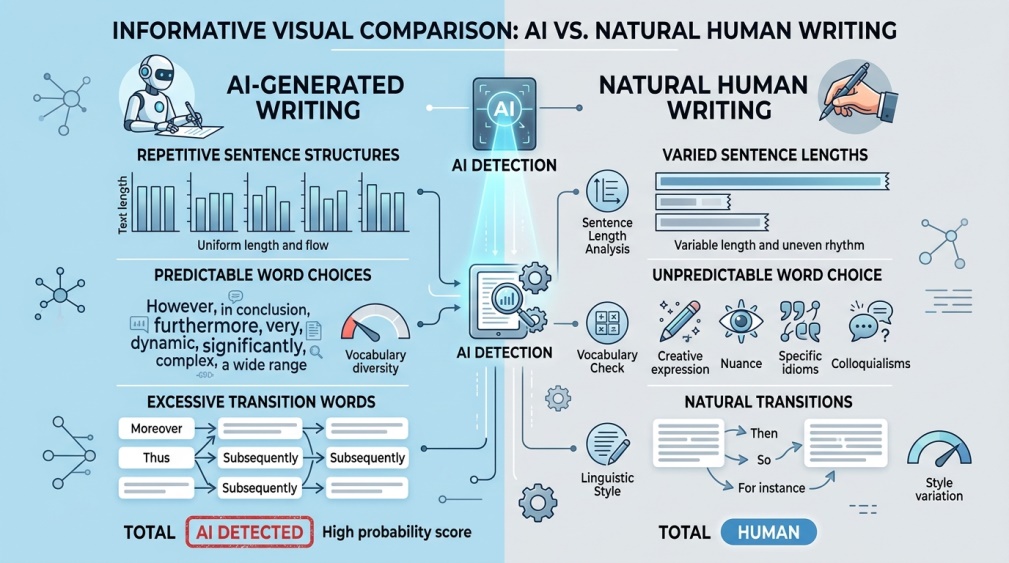 If you’ve ever read something and thought “this feels a bit off,” you were probably spotting one of these patterns without even trying. AI text often overuses transition words like “moreover” or “furthermore.” It also tends to wrap things up too neatly, almost like every paragraph ends with a little bow on top.
Another giveaway is repetition of structure. You’ll notice the same sentence shape showing up again and again, just with different words plugged in. A free AI content detector picks up on this kind of rhythm far faster than a human eye ever could, which is exactly why these tools exist in the first place.
Benefits of Using a Free AI Content Detector
The biggest win here is speed. Instead of reading through a long piece line by line trying to guess, you get an answer in seconds. That alone saves teachers, editors, and site owners a huge amount of time every week.
There’s also a trust angle worth mentioning. When a website or a classroom uses a detector openly, it builds a bit more confidence between everyone involved. Readers trust the content more. Students trust that grading is fair. It’s a small tool doing a lot of quiet work.
Best Free AI Content Detector Tools to Try
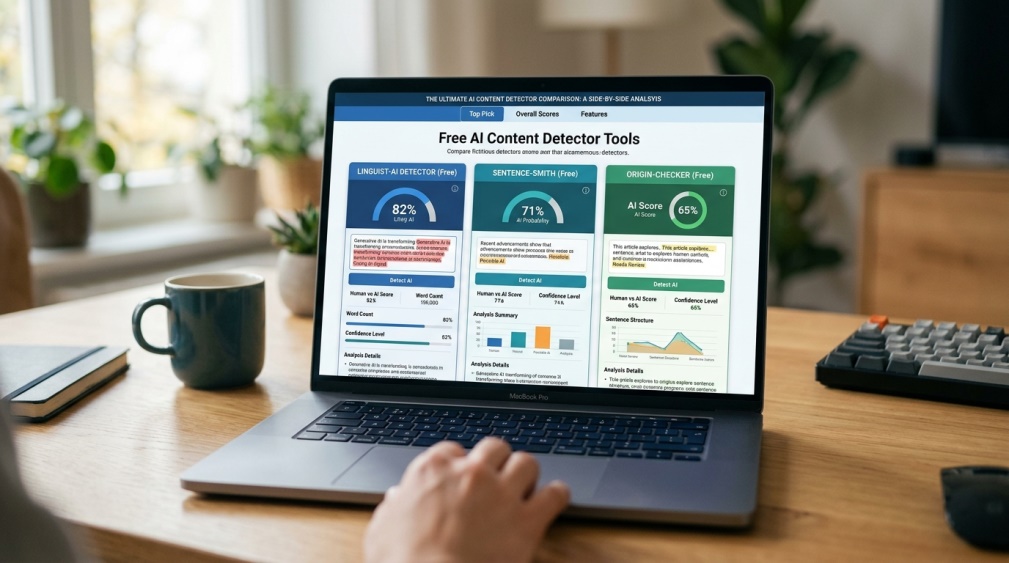 You don’t need to pay anything to get started here. A few tools stand out as genuinely useful, even on their free plans.
- ZeroGPT – One of the most widely used free tools, and it highlights the exact sections it thinks are AI-written, not just a single score.
- GPTZero – Built with teachers and classrooms in mind, and it’s become something of a go-to in schools.
- QuillBot AI Detector – Comes bundled with QuillBot’s other writing tools, so it’s handy if you’re already using that platform.
- Copyleaks – Gives a more detailed breakdown, though the free plan does limit how much text you can check at once.
- Content at Scale Detector – No sign-up required, which makes it the fastest option if you just want a quick answer.
Try more than one if you can. They don’t always agree, and seeing two or three scores together gives you a much clearer picture than trusting just one.
It also helps to know what each tool is actually good at. ZeroGPT and GPTZero tend to be stronger with longer, essay-style writing. Copyleaks leans more toward detailed reports, which suits editors who want to dig into specifics. Content at Scale Detector wins on speed alone, since there’s nothing to sign up for and no delay before you get an answer.
How to Use an AI Content Detector (Step by Step)
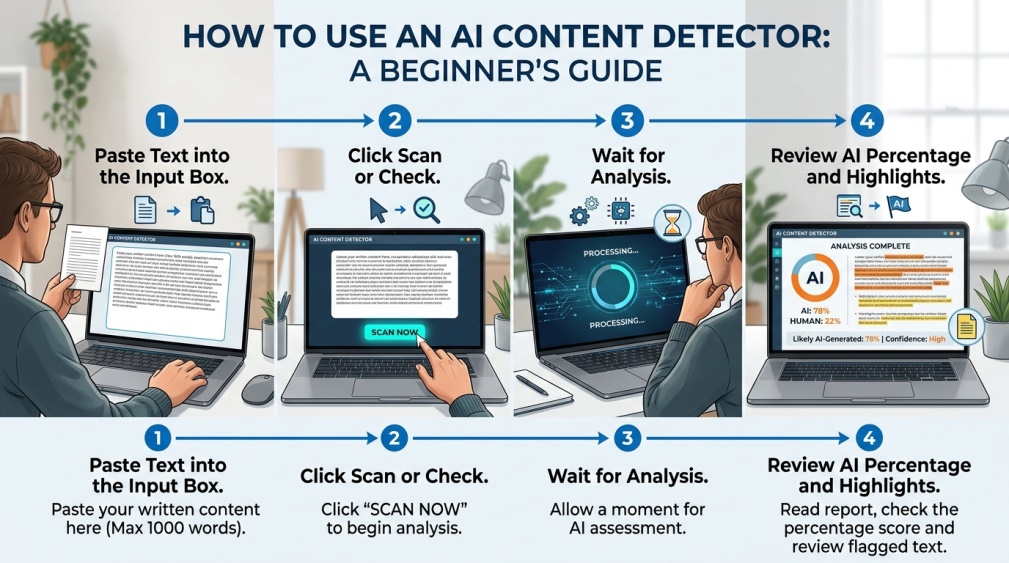 Getting started takes less time than making a cup of tea. Copy the text you want to check, whether that’s an essay, a blog post, or anything else. Paste it into the box on your chosen tool’s website.
Click the scan or check button, and wait a moment. Once the result appears, don’t just glance at the percentage and move on. Read through the highlighted sections too, since that’s where the real detail lives.
Why Should It Be Safe?
 Before you paste anything into a free AI content detector, take a second to think about what you’re uploading. Is it a private document? A client’s work? Something with personal details in it? If so, slow down and check the tool’s privacy policy first.
Stick to detectors that are well known and clearly explain what happens to your text after you submit it. Some tools store your content briefly to improve their systems, while others delete it right away. When in doubt, avoid pasting anything truly confidential into any free online tool, no matter how convenient it seems.
Free vs Paid: What’s the Real Difference?
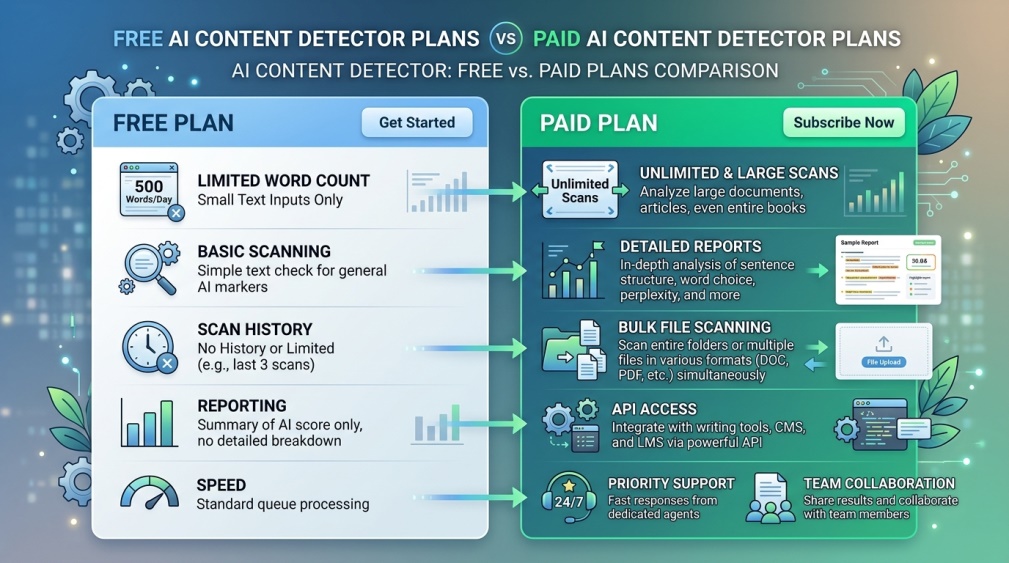 Free plans usually cap how much text you can scan in one go, often a few hundred words at a time. That’s fine for a quick check, but it gets frustrating fast if you’re checking longer documents regularly.
Paid plans remove that limit and usually add extra detail, like sentence-by-sentence breakdowns or bulk scanning for multiple files at once. Most people never need to go there, though. Starting free and only upgrading if you genuinely run into the word limit is the smarter move for almost everyone.
Who Should Use This Tool?
 Teachers are an obvious fit, using it to keep grading fair without accusing anyone unfairly. Website owners and bloggers use it as a quality check before they publish, especially if they use AI tools to help draft their first version.
Students themselves benefit too. Running your own essay through a detector before turning it in can catch sections that sound too stiff or robotic, giving you a chance to rewrite them in your own voice before a teacher ever sees it.
Small business owners are another group quietly using this more and more. If you outsource blog writing or use AI to draft product descriptions, a quick scan before publishing helps keep your brand’s voice consistent and genuinely your own.
Tips for the Best Results
Don’t scan a tiny snippet of text and expect a reliable answer. Detectors need enough words to actually spot a pattern, so longer passages tend to give more accurate results.
Run the same text through two or three tools instead of just one. If they all agree, you can trust the result more. If they disagree, that’s a sign to read the text yourself rather than lean on any single score.
Common Mistakes to Avoid
The biggest mistake is treating the percentage score like it’s some kind of final verdict. It’s a guide, not a court ruling. Detectors can and do get things wrong sometimes, flagging genuine human writing as AI-made.
Another common slip is skipping the fine print. People paste in sensitive documents without checking where that text goes afterward. And a lot of users forget that even careful human writers can accidentally trigger a high AI score, especially if their style happens to be very structured and formal.
There’s one more mistake worth mentioning. Some people only check a piece of writing once and never look at it again, even after making edits. If you rewrite a flagged section, it’s worth running the detector one more time just to confirm the changes actually worked.
Conclusion
A free AI content detector is a genuinely handy tool, whether you’re grading essays, publishing a blog, or just double-checking your own writing before you send it off. Start with one of the free tools we covered above and see how it feels to use.
Just remember to treat the result as one piece of the puzzle, not the whole picture. Read the highlighted parts, compare a couple of tools if the stakes are high, and trust your own judgment alongside the score. That combination will serve you far better than any single number ever could.
FAQs
How much does a free AI content detector actually cost to try?
Most tools let you scan a limited amount of text at no cost, and only charge if you need higher word limits or deeper reports.
How accurate are these free detector tools?
Accuracy varies quite a bit between tools, so checking your text with two or three detectors gives a far more reliable picture.
Can a detector wrongly flag human writing as AI?
Yes, this happens more often than people expect, which is why the highlighted sections deserve a proper read rather than a quick glance.
Is it safe to paste my own writing into these tools?
It’s generally safe with well-known tools that clearly explain how your text gets stored and used after you submit it.
Do teachers commonly use these tools for grading?
Many teachers treat the score as one part of their overall review, combining it with their own judgment of the student’s usual writing style.
Is there a word limit on the free version of these tools?
Yes, most free plans cap how many words you can scan in a single check, usually a few hundred words at a time.
Can these tools check text written in other languages?
Some tools do support other languages, though accuracy tends to be strongest when the text is written in English.
Should I trust the percentage score completely?
It works best as a helpful starting point rather than a final answer, so pairing it with your own reading is always worth the extra minute.