

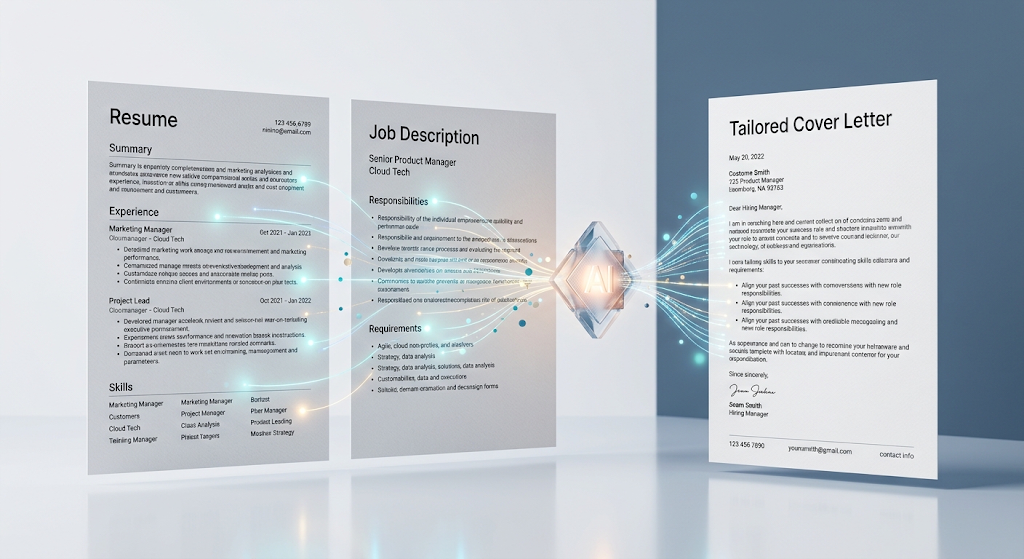
 A free AI cover letter generator can turn a blank page and a job posting into a tailored, ready-to-send cover letter in just a few minutes. Instead of starting from scratch for every single application, you upload your resume, paste the job description, and the tool builds something specific to that role. This matters more than it might seem, since generic, copy-pasted cover letters are one of the easiest ways to get overlooked by hiring managers. In this guide, we’ll cover the best free tools, how they actually work, and how to get the best results from them. 💼
🔍 What Does an AI Cover Letter Generator Actually Do?
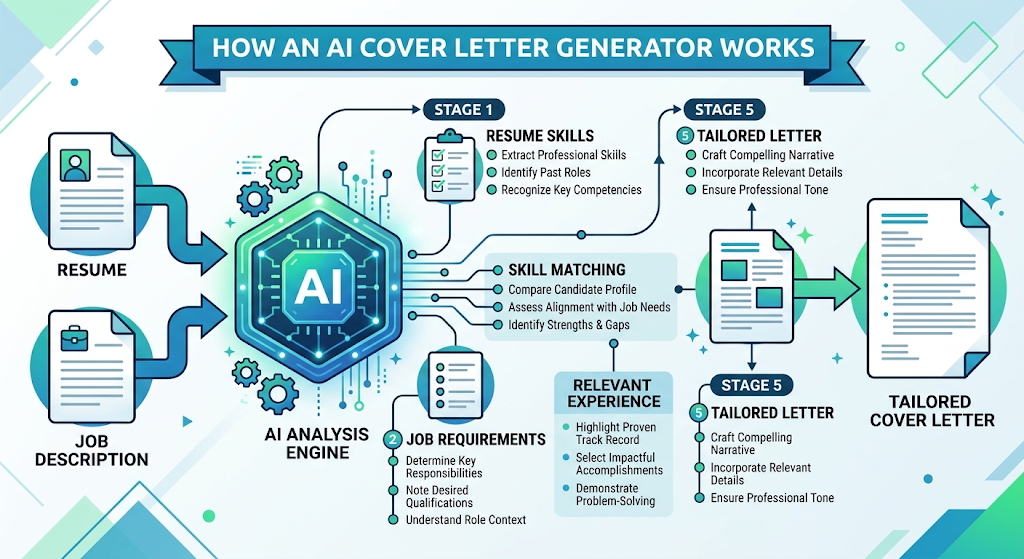 These tools read your resume alongside a specific job description, then draft a cover letter that highlights the skills and experience most relevant to that particular role. Instead of one generic letter reused everywhere, each output is shaped around the actual job posting.
Most tools also format the letter properly and check for applicant tracking system compatibility, meaning the wording and structure are built to pass automated résumé-screening software before a human ever reads it.
⚡ Why This Tool Has Become So Useful
Job seekers today often apply to far more roles than in the past, and writing a fresh, tailored letter for each one simply isn’t realistic without help. These tools remove that bottleneck entirely.
💡 Quick Tip: Even with an AI-generated draft, swapping in one specific detail about the company shows genuine interest and makes your letter stand out from purely automated submissions.
⚙️ How These Tools Actually Work
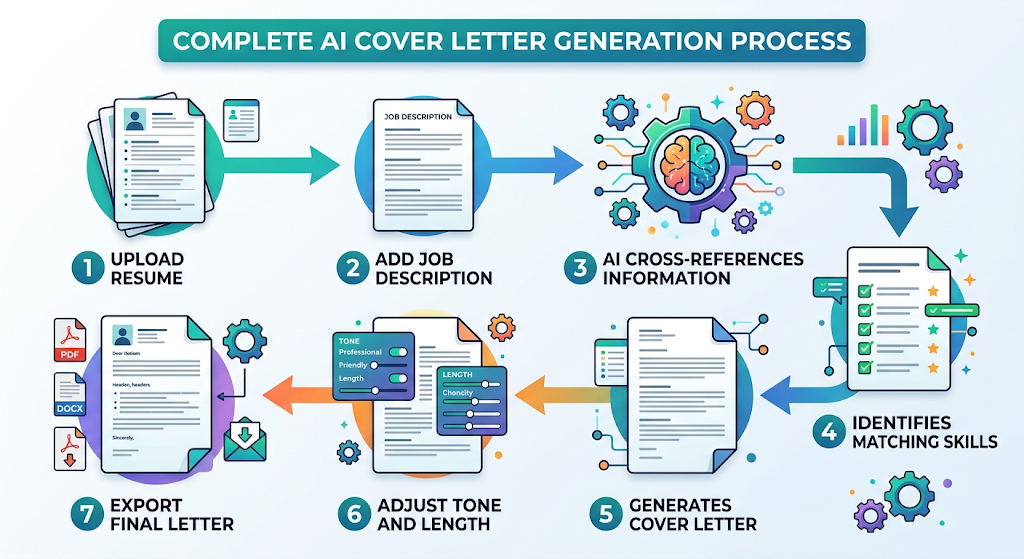 You typically start by uploading your resume or pasting your work history directly into the tool. From there, you paste in the job description you’re applying to, and the AI cross-references both to identify overlapping skills and requirements.
The tool then generates a structured letter, often letting you adjust tone, length, and formality before exporting or copying the final version for submission.
🏆 Best Free AI Cover Letter Tools to Try
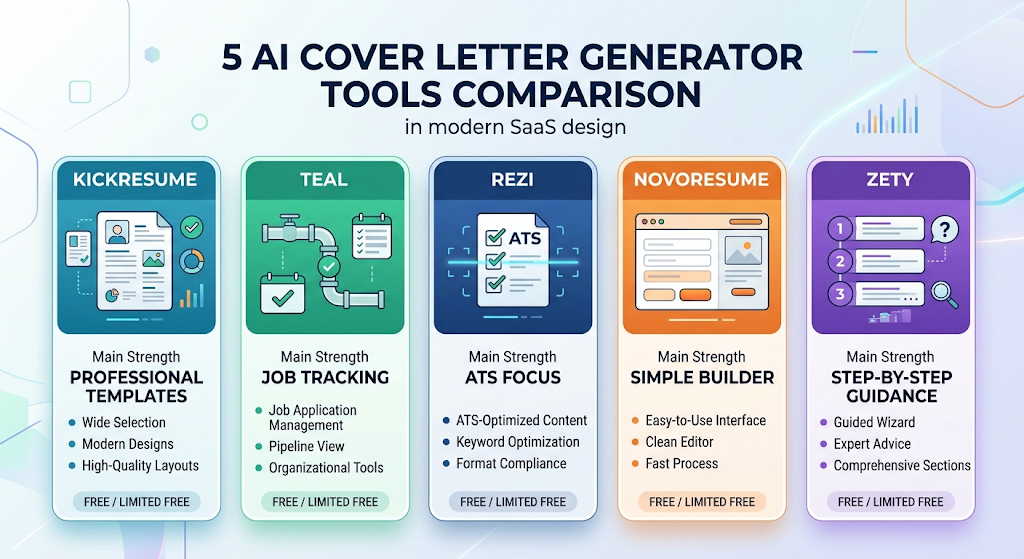 Here’s an honest look at solid free options worth trying for your next application.
|
Tool |
Best For |
Free Plan |
|---|---|---|
|
Kickresume |
Polished, professionally designed templates |
Free tier with limits |
|
Teal |
Job seekers already tracking applications in one place |
Free plan available |
|
Rezi |
ATS-optimized formatting focus |
Free tier available |
|
Novoresume |
Clean, simple cover letter builder |
Free with limits |
|
Zety |
Guided, step-by-step letter building |
Free trial, then paid |
Try generating a letter with two different tools using the same job posting. Comparing tone and structure side by side helps you pick the style that sounds most like you.
📝 How to Use an AI Cover Letter Generator (Step by Step)
Upload or paste your resume details into the tool first, so it has your full background to work from. Then paste the specific job description you’re applying to, since generic input produces a generic result.
Review the generated draft carefully, adjusting tone and swapping in specific details about the company or role. Always proofread the final version before submitting it anywhere.
🎯 Key Features Worth Looking For
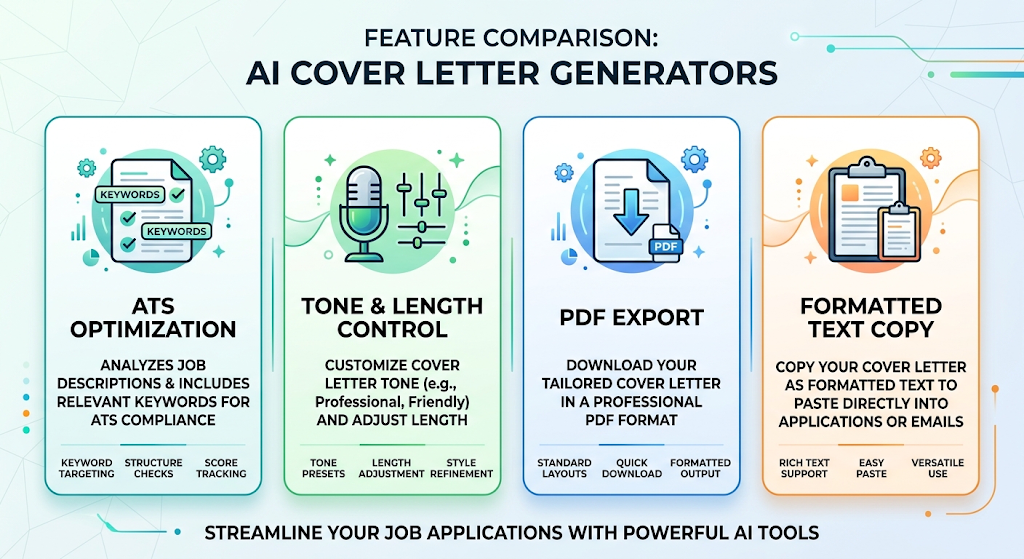 ATS optimization should be near the top of your checklist, since a beautifully written letter still needs to pass automated screening first. Tone and length customization matters too, letting you match formal corporate applications versus more casual startup roles.
Export flexibility, like downloading as a PDF or copying formatted text directly, saves time compared to tools that lock your letter into one rigid format.
💰 Free vs Paid AI Cover Letter Tools
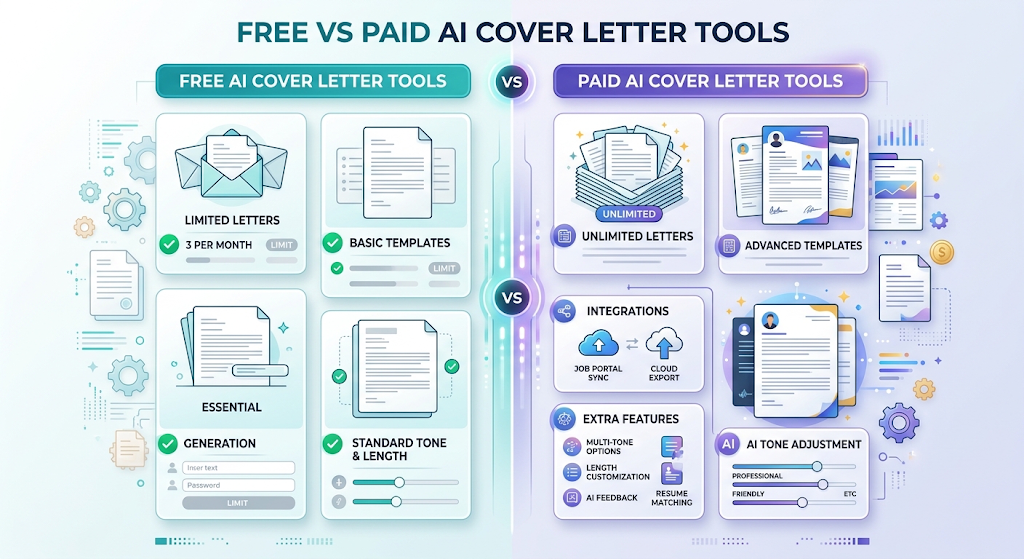 Free plans typically let you generate a limited number of letters per month, which is often enough for someone applying to a handful of roles at a time. This is a solid way to test a tool’s writing style before paying anything.
Paid plans usually remove those limits and add extras like advanced templates or direct integration with job-tracking features. Frequent job seekers applying to many roles tend to get the most value from upgrading.
🔒 How to Use These Tools Safely
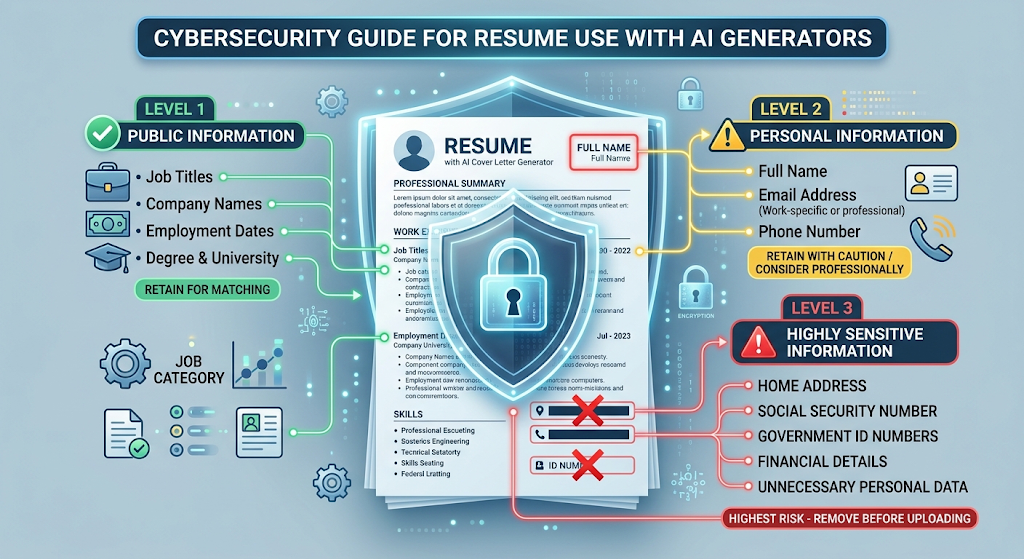 Since you’re uploading your resume and personal work history, it’s worth checking how a tool stores that information before using it. Stick to well-known, reputable platforms with a clear privacy policy you can actually read.
Avoid including highly sensitive personal details, like a full home address or ID numbers, in your uploaded resume when using any online tool, even a reputable one.
👥 Who Should Use These Tools?
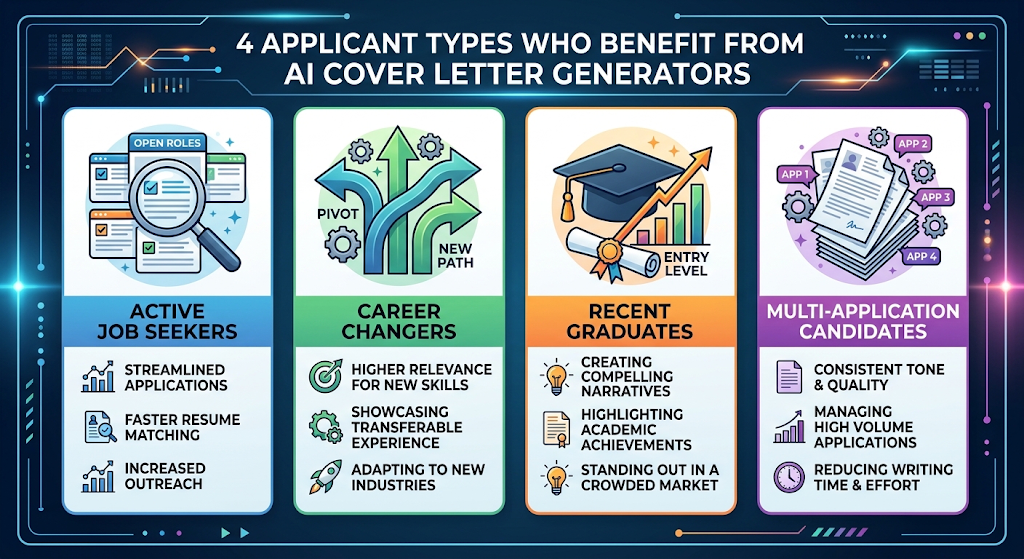 Active job seekers applying to multiple roles benefit the most, since tailoring letters manually for every application is genuinely time-consuming. Career changers also find real value here, since these tools help translate unrelated past experience into relevant-sounding language for a new field.
Recent graduates with limited work history benefit too, since the tool can help frame coursework and projects in a professional, job-ready tone.
✨ Tips for the Best Results
Always paste the actual job description rather than just a job title, since the tool needs real detail to tailor the letter meaningfully. Edit the opening line personally, since a strong, specific hook makes a bigger first impression than a generic AI-generated opener.
Keep a short list of your proudest achievements handy, then feed one into each letter to add a genuinely personal touch the AI wouldn’t invent on its own.
⚠️ Common Mistakes to Avoid
Submitting the AI-generated draft without any edits is one of the most common mistakes, since it often still needs a personal touch to feel authentic. Reusing the exact same generated letter for multiple different jobs defeats the entire purpose of tailoring it in the first place.
Forgetting to double-check company names and role titles before submitting is a small but embarrassing mistake that happens more often than you’d think when moving quickly between applications. 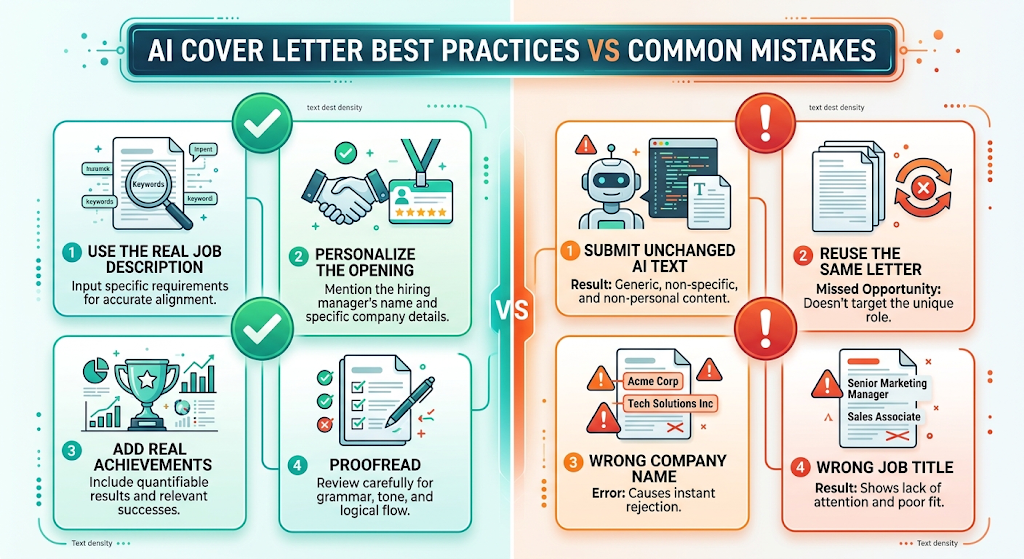
❓ FAQs
Are AI-generated cover letters actually effective? They can be genuinely effective when properly tailored and lightly edited, though a completely unedited generic draft rarely stands out to hiring managers.
Do I need to pay to use these tools? Most tools offer a usable free plan with some limits, making it possible to create a handful of quality letters without spending anything.
Will an AI cover letter pass automated screening systems? Many tools are specifically designed with applicant tracking system compatibility in mind, though final formatting still matters when exporting.
Is it safe to upload my resume to these tools? It’s generally safe with well-known, reputable platforms, though it’s worth reviewing their privacy policy before uploading sensitive personal details.
Can these tools write cover letters for any industry? Yes, most tools work across industries, though results tend to improve when you provide detailed, specific job descriptions and background information.
How long does it take to generate a cover letter this way? Most tools produce a full draft within a minute or two, though reviewing and personalizing it afterward is still worth the extra few minutes.
🎓 Conclusion
A free AI cover letter generator takes one of the most tedious parts of job hunting and makes it genuinely manageable, even when applying to many roles at once. Starting with a free tool and one real job posting is enough to see how much time it actually saves.
Just remember that the best results still come from pairing the AI draft with your own personal touch, since a quick, honest edit is what turns a good template into a letter that actually sounds like you. 🌟