


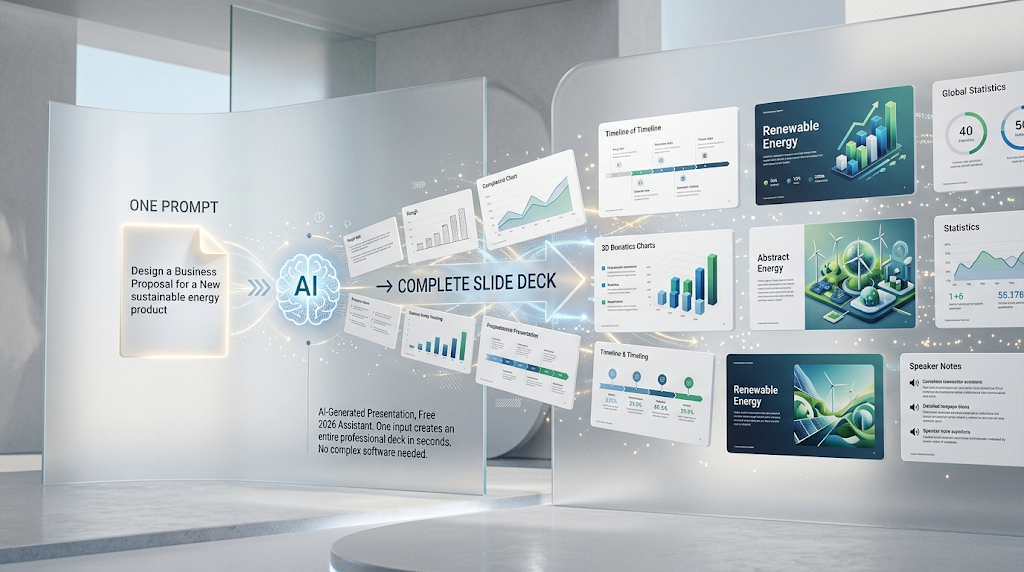
 A free AI presentation maker can turn a single sentence into a complete, designed slide deck in under a minute, something that used to take hours of manual formatting. Type something like “10-slide pitch deck for an eco-friendly sneaker brand,” and the tool builds outlines, visuals, and speaker notes automatically. This category has grown explosively too, with search interest around AI presentation tools climbing dramatically over the past year alone. In this guide, we’ll cover the best free options, how they actually work, and how to pick the right one for your next deck. 📊
🔍 What Does an AI Presentation Maker Actually Do?
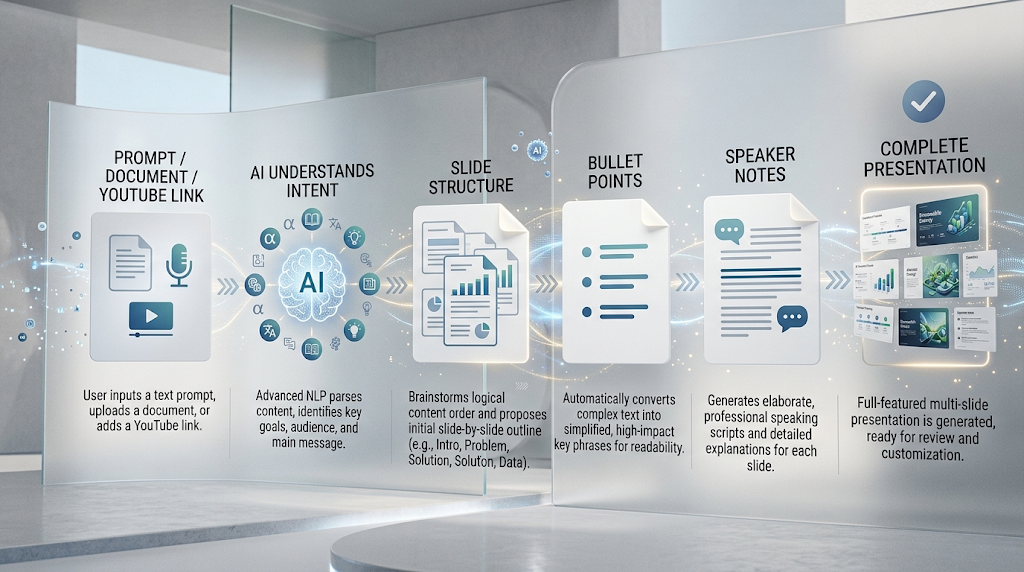 These tools read your prompt, document, or even a YouTube link, then generate a structured presentation automatically. Natural language processing detects the intent behind your input and organizes it into slide titles, bullet points, and often speaker notes.
An auto-layout engine then matches your content to appropriate designs, giving a statistic a bold number layout, a comparison a column layout, and a timeline a horizontal flow, all without you touching a single design tool. 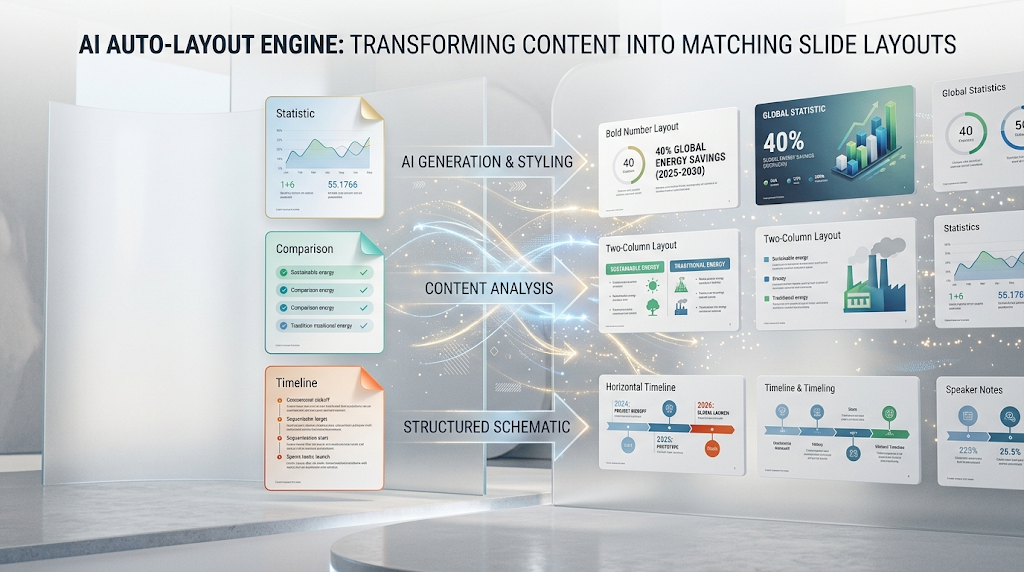
The end result usually still needs a quick human review, but the heavy lifting of structure and initial design is done for you almost instantly.
⚡ Why This Category Has Exploded in Popularity
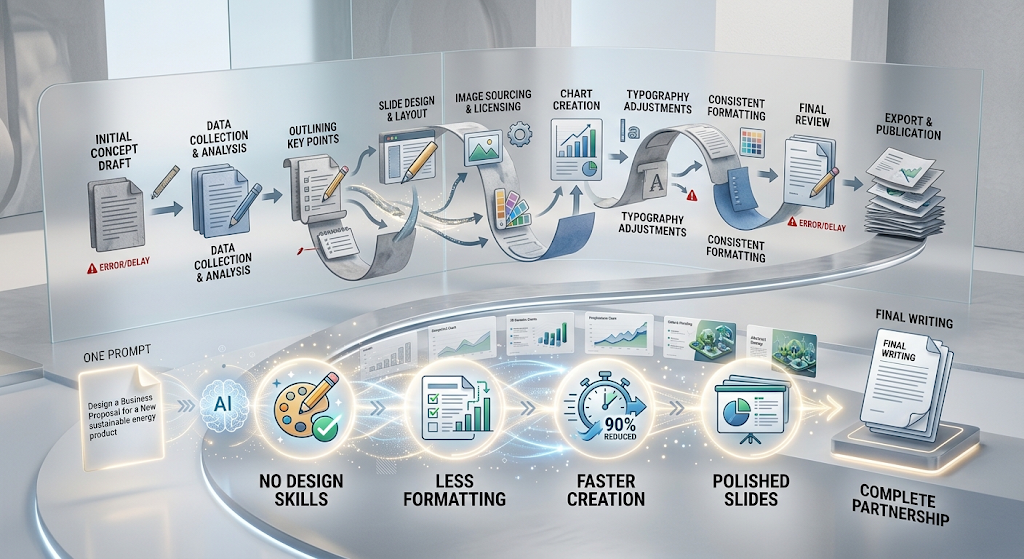 Traditional slide-building is genuinely tedious, and most people aren’t trained designers. These tools remove that entire barrier, letting anyone produce a polished-looking deck without design skills or hours of formatting work.
💡 Quick Tip: The clearer and more specific your starting prompt is, the better your first draft will look. Vague prompts tend to produce generic, forgettable slides.
🏆 Best Free AI Presentation Maker Tools to Try
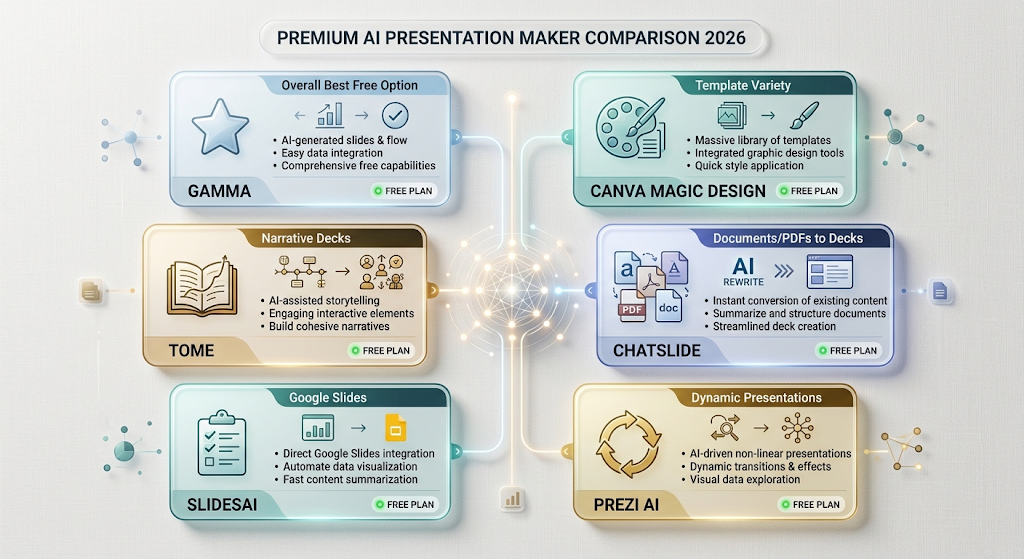 Here’s an honest comparison of the standout free options right now, based on real features and current pricing.
|
Tool |
Best For |
Free Plan |
|---|---|---|
|
Gamma |
Overall best free option, polished output |
400 AI credits at signup |
|
Canva Magic Design |
Users who want huge template variety |
Free with limits |
|
Tome |
Visually engaging, narrative-style decks |
Free tier available |
|
ChatSlide |
Turning documents/PDFs into decks |
Free plan, 175,000+ users |
|
SlidesAI |
Simple prompt-to-slides for Google Slides |
Limited free slide count |
|
Prezi AI |
Dynamic, non-linear presentations |
Unlimited free public decks |
Try two tools on the exact same prompt before committing. Output style varies more than you’d expect between platforms, even with identical instructions.
⚙️ How to Get Started With These Tools
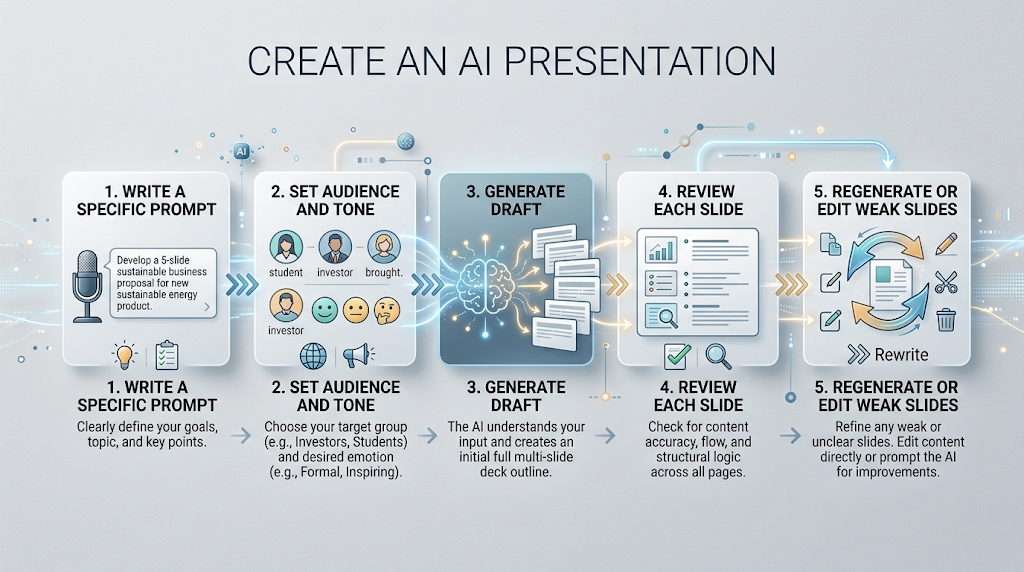 Start with a clear, specific prompt rather than a vague topic, since detail directly shapes quality. Include your audience, tone, and roughly how many slides you need for the best first result.
Once your draft appears, review each slide and swap out any generic stock content for information specific to your actual topic. Most tools let you regenerate individual slides without rebuilding the whole deck.
It also helps to pick a template style early on, since switching styles partway through sometimes resets some of your manual edits depending on the platform.
🧩 Key Features Worth Comparing
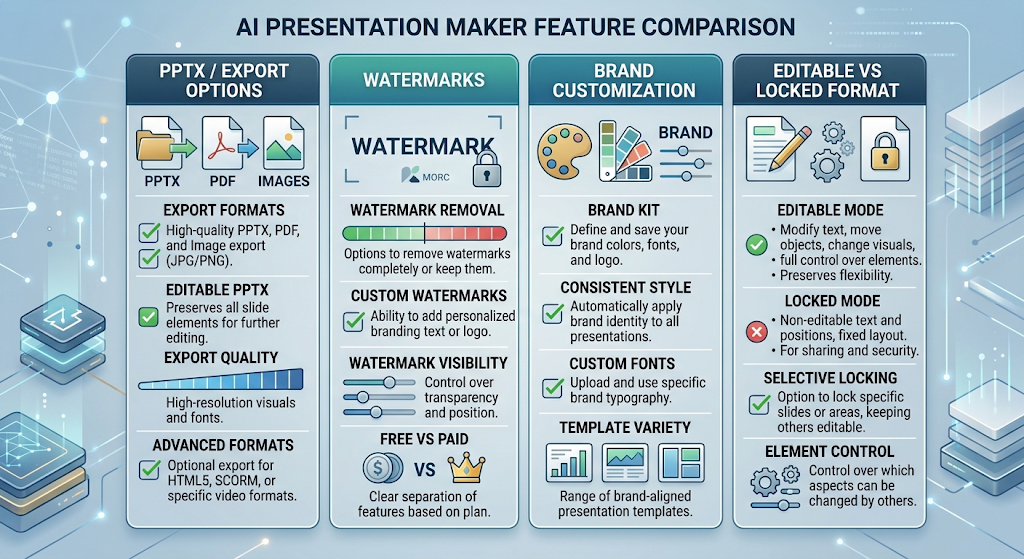 Export options matter a lot depending on your workflow, so check whether a tool exports to editable PowerPoint files or only a locked-down format. Watermarks on free exports are another detail worth checking before you commit to a tool for something important.
Brand customization, like applying your own logo and colors automatically, can save significant time for anyone building decks regularly for the same organization.
💰 Free vs Paid AI Presentation Tools
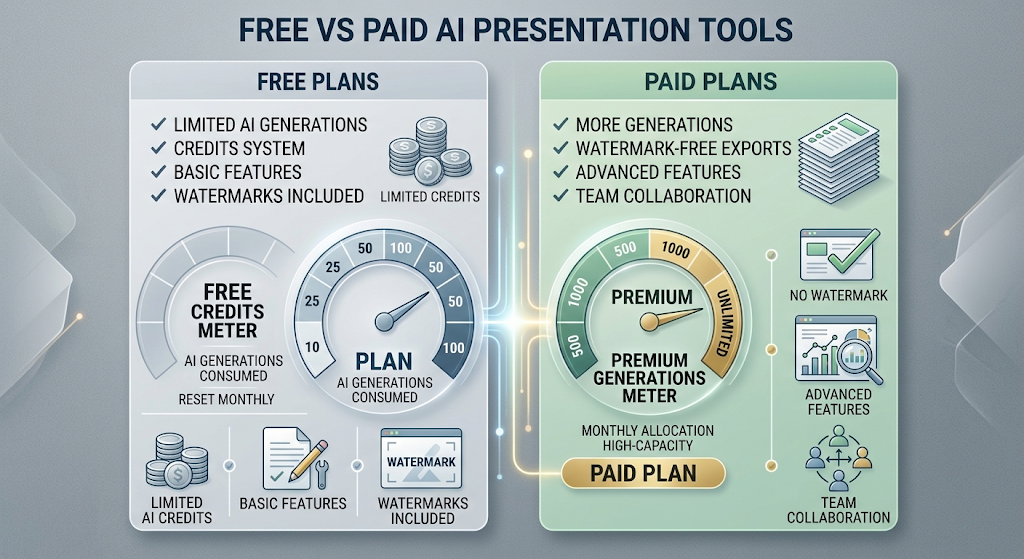 Free plans typically work through a credit system, giving you a set number of AI generations before requiring payment. Gamma, for example, offers 400 credits at signup, roughly enough for several full decks.
Paid plans usually start somewhere between $8 and $40 a month depending on the platform, unlocking unlimited generations, watermark-free exports, and team collaboration features.
🔒 How to Use These Tools Safely
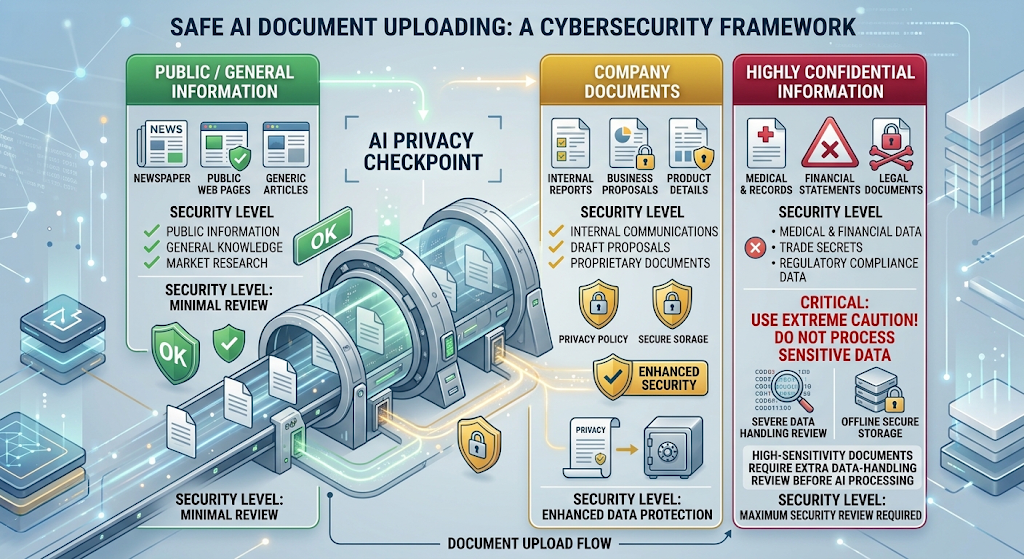 If you’re uploading company documents or client information to generate a deck, check how that tool stores and processes your files before uploading anything sensitive. Reputable platforms clearly explain their data handling in their privacy policy.
For decks containing confidential business details, it’s worth reviewing whether the platform offers a business plan with stronger data protection before relying on the free consumer version.
👥 Who Should Use These Tools?
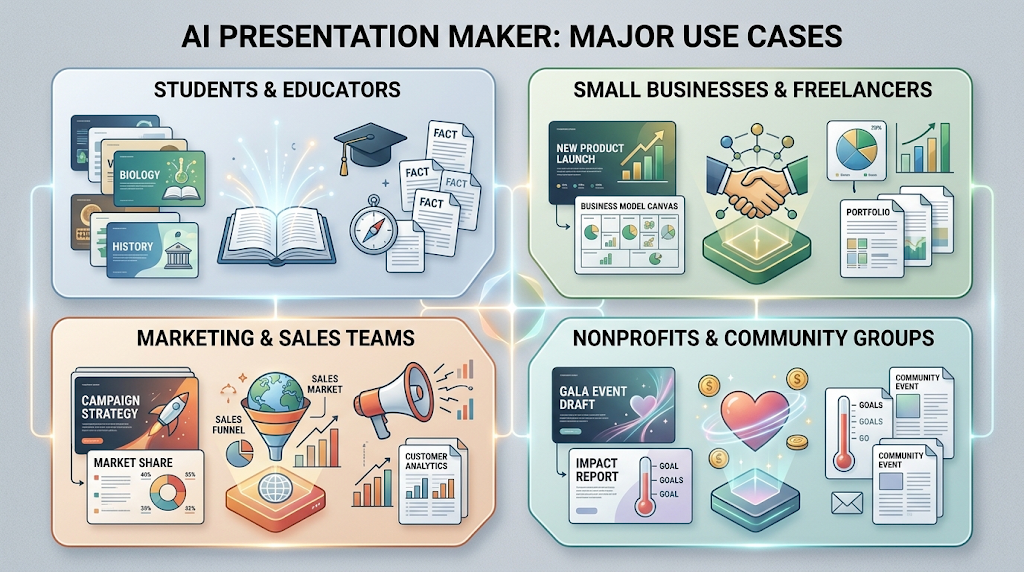 Students and educators use them to turn class material into presentation-ready slides in minutes instead of hours. Small business owners and freelancers use them to produce pitch decks and client presentations without hiring a designer.
Marketing and sales teams increasingly use these tools too, quickly turning a rough outline into a shareable, professional-looking deck before an important meeting.
Even nonprofits and community groups benefit here, producing polished fundraising or informational decks without the budget for a hired designer.
✨ Tips for the Best Results
Feed the tool a detailed outline or existing document rather than a single vague sentence when you can, since more context produces noticeably better structure. Regenerate individual slides that feel weak instead of starting the entire deck over.
Always give the final deck a manual review before presenting. AI tools are fast, but a human eye still catches awkward phrasing or mismatched visuals.
⚠️ Common Mistakes to Avoid
Accepting the first generated draft without any edits is a common mistake, since even strong AI decks often need small tweaks to match your specific voice and content. Overloading a single slide with too much AI-generated text is another frequent issue, since good slides usually need less text, not more.
Ignoring watermark or export limitations until the last minute can also cause a stressful scramble right before an important presentation. 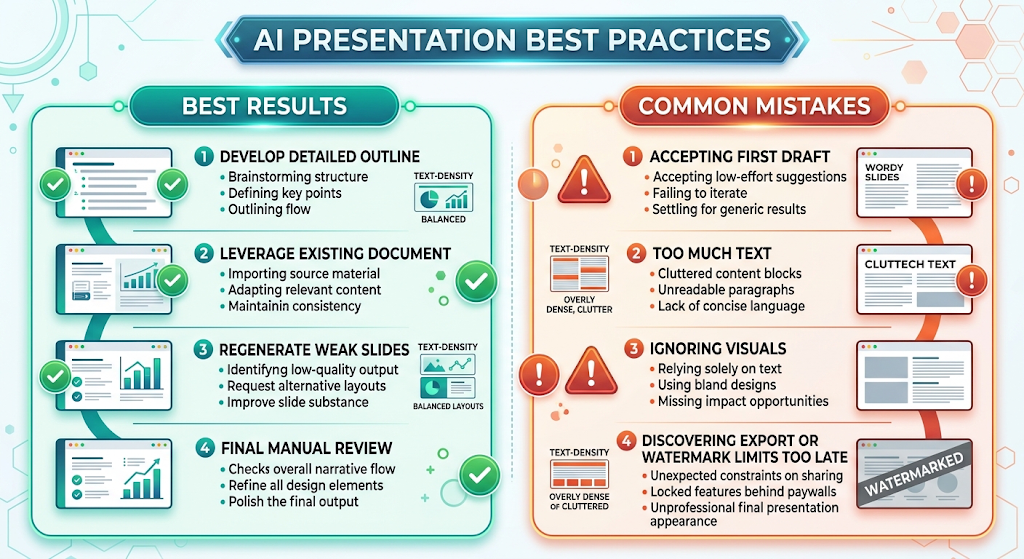
❓ FAQs
Which AI presentation maker is completely free? Gamma, Prezi, and SlidesAI all offer genuinely usable free tiers, with Gamma’s credit-based free plan considered one of the most generous.
Do these tools export to PowerPoint? Many tools support PPTX export, though some free plans limit format options or add a watermark to exported files.
Can I turn an existing document into a presentation? Yes, several tools, including ChatSlide and Gamma, let you upload a PDF, document, or URL to generate slides directly from it.
Are free AI presentation tools good enough for business use? For quick internal updates and simple pitches, yes, though important client-facing decks often benefit from a paid plan’s polish and export options.
Is it safe to upload company documents to these tools? It’s generally safe with reputable platforms, though it’s worth checking their privacy policy before uploading highly sensitive material.
How many slides can I generate for free? This varies by tool, with most free plans offering enough credits for a few complete decks before requiring an upgrade.
🎓 Conclusion
A free AI presentation maker has genuinely changed how quickly a rough idea can become a polished, shareable deck. Starting with a free tool like Gamma or SlidesAI is enough to see the time savings firsthand, often turning what used to be an hours-long task into just a few minutes.
Once you find a tool whose style matches how you like to present, it becomes hard to imagine going back to building every slide manually from scratch. 🌟