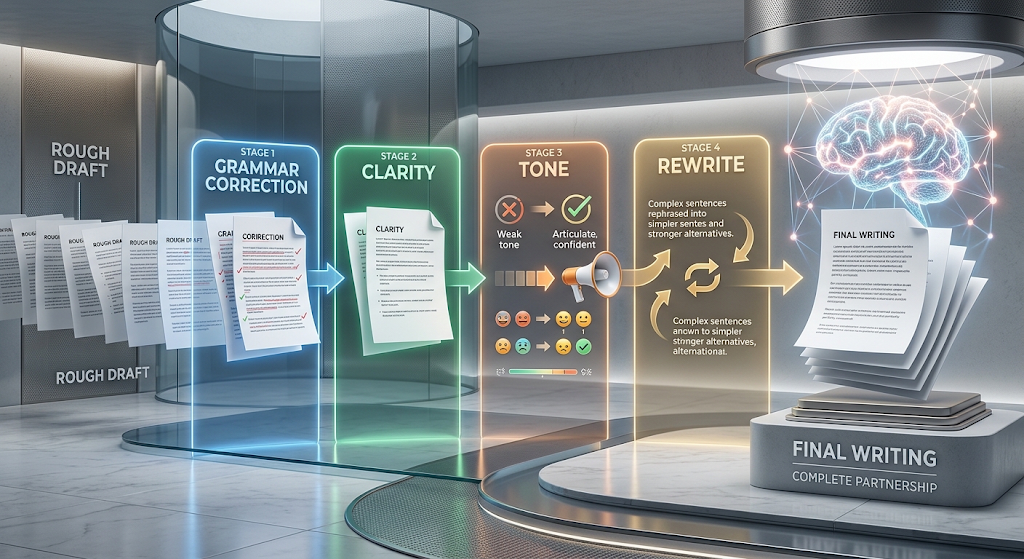
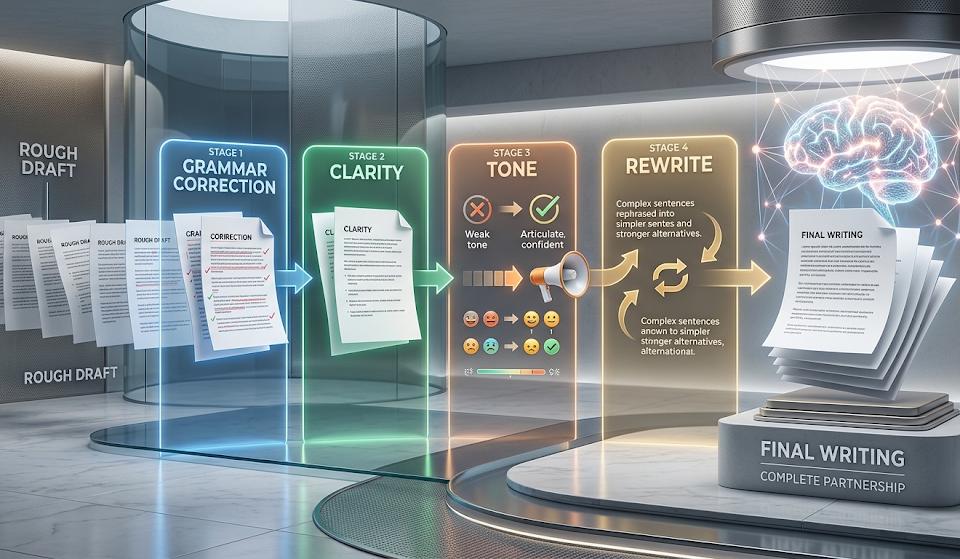

 The Grammarly AI writer has grown far beyond the simple red-underline spell checker most people remember from years ago. Today it can generate full sentences, rewrite entire paragraphs, and adjust your tone in seconds, all built into the same tool over 40 million people and 50,000 organizations already use daily. Grammarly first launched back in 2009, but its AI writing and rewriting features are a much newer addition, expanding quickly since generative AI became mainstream. In this guide, we’ll cover exactly what these features do, what they cost, and how they stack up against alternatives. 📝
🔍 What Is the Grammarly AI Writer?
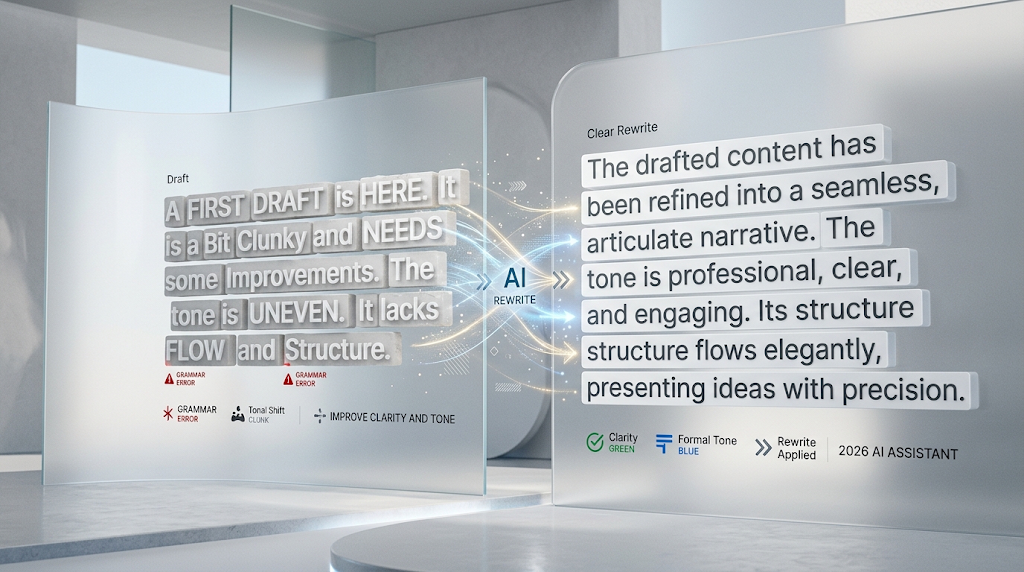
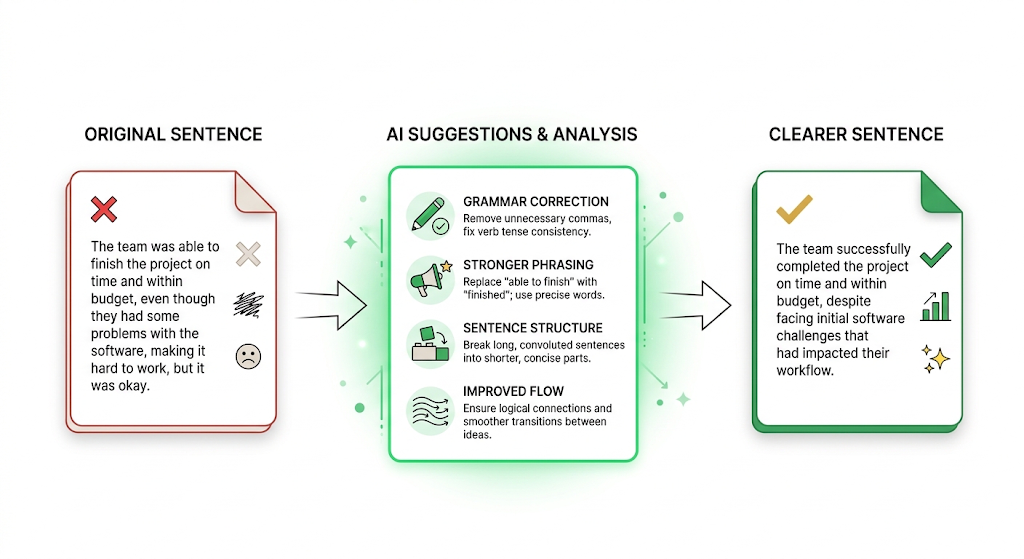 At its core, this feature helps you generate or refine sentences whenever your own wording feels stuck or unclear. Instead of just flagging an error, it actively suggests better phrasing, stronger structure, and clearer flow.
This sits alongside Grammarly’s original grammar-checking engine, meaning you get both correction and active writing help in the same tool, rather than needing two separate apps.
🔄 What Is Grammarly Rewrite, Exactly?
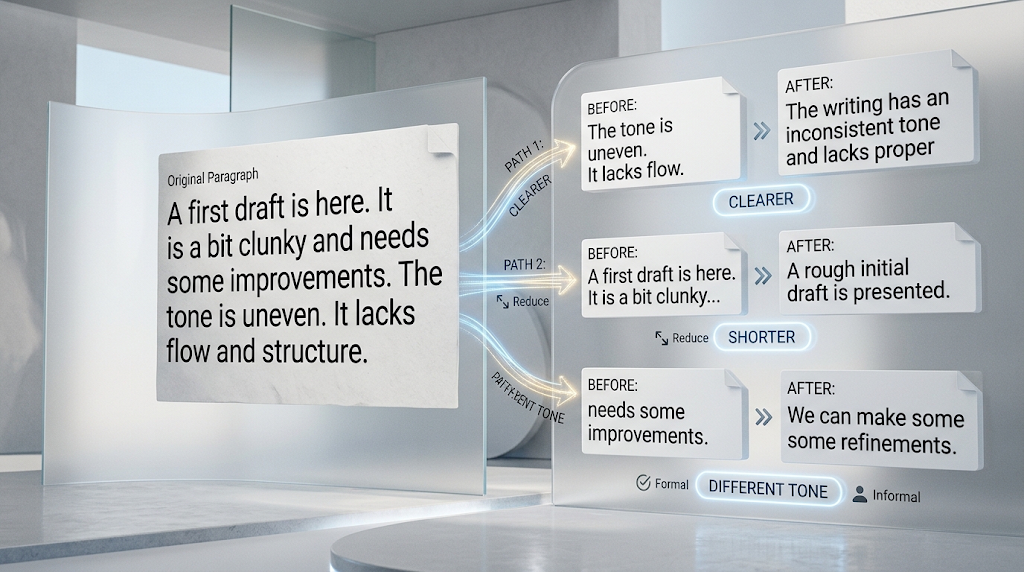 Grammarly Rewrite is the specific feature that takes an existing sentence or paragraph and rephrases it for you, adjusting clarity, tone, or length based on what you need. It’s one of the most searched Grammarly features on its own, often used by people who already have a draft but want it to sound sharper.
Unlike starting from a blank page, this tool works directly on text you’ve already written, making it especially useful for polishing an almost-finished email or report.
⚙️ How Do These Features Actually Work?
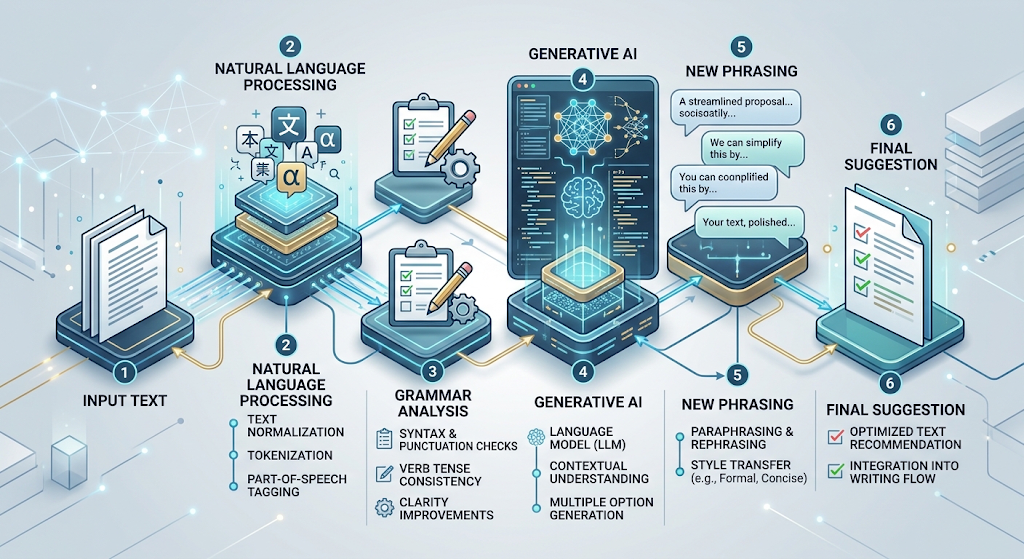 Grammarly combines traditional natural language processing with newer generative AI models trained on huge amounts of text. This combination lets it understand grammar rules precisely while also generating natural-sounding new phrasing.
As of early 2026, Grammarly introduced a new AI Rewriter agent specifically aimed at giving students a transparent view of AI detection risk, suggesting exactly which phrases might read as AI-generated and how to revise them. 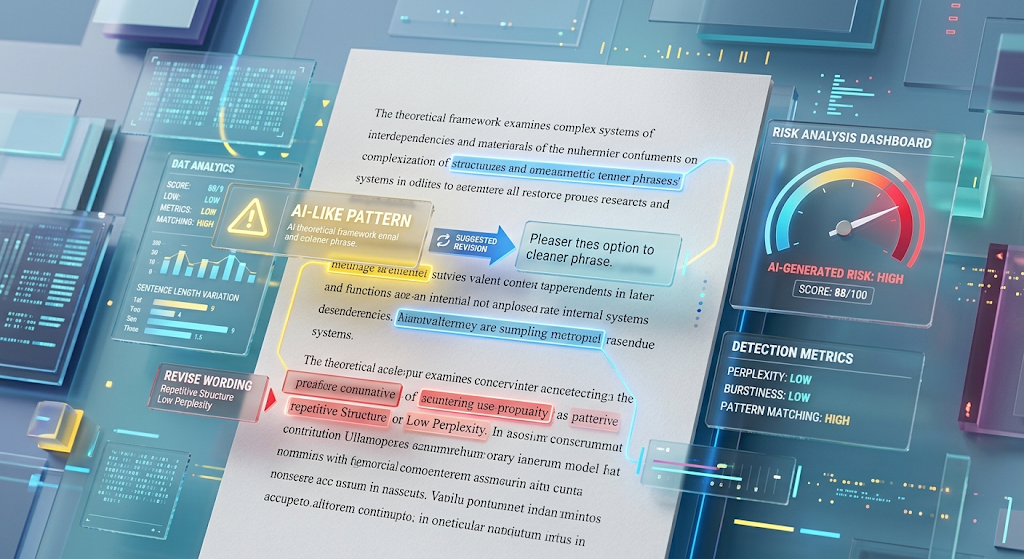
✨ Key Features Beyond Grammar Checking
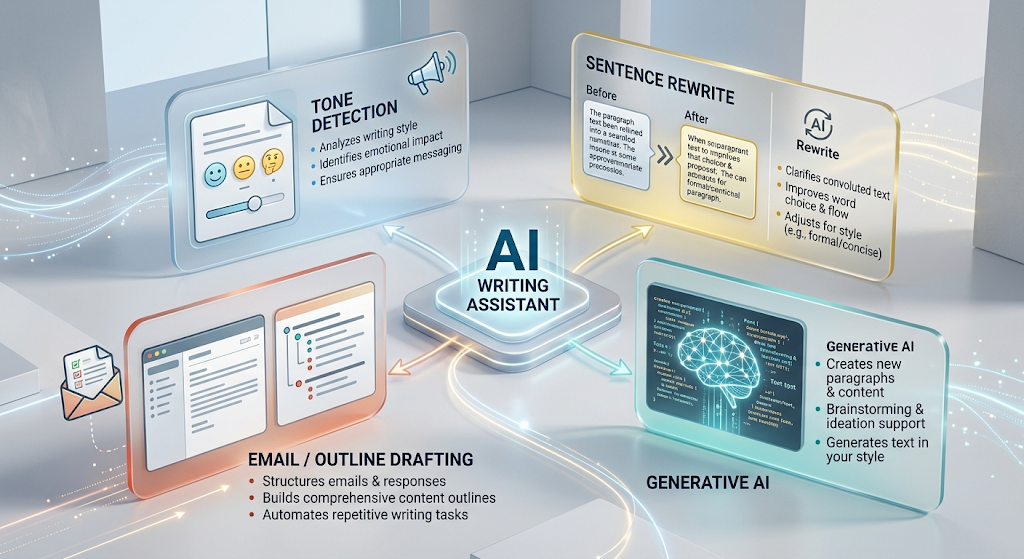 Tone detection analyzes your writing and flags when it might come across as too casual, too harsh, or unclear to your reader. Full-sentence rewrites let you highlight a clunky sentence and get an instantly improved version.
GrammarlyGO, the platform’s broader generative AI feature, extends this further, letting you draft entire emails or outlines from a short prompt rather than only refining existing text.
🎯 Who Each Feature Is Actually Built For
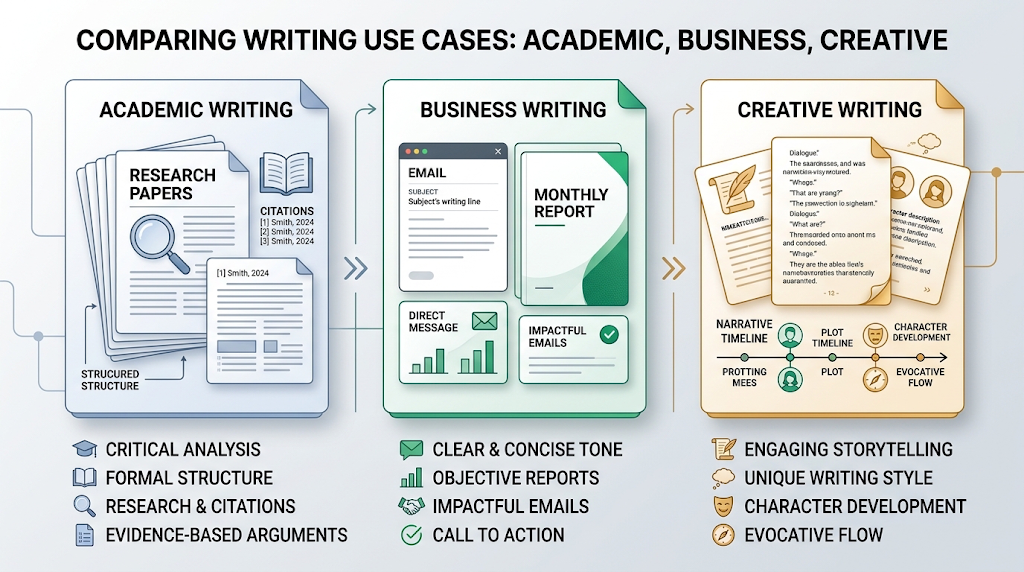 Academic writers get citation help and plagiarism detection alongside the writing tools, useful for research papers and essays. Business writers benefit most from the tone and clarity features, which help keep professional communication polished and consistent.
Creative writers can use the style and flow suggestions without losing their personal voice, since the tool adjusts phrasing rather than rewriting content into something generic.
🖥️ Where You Can Use Grammarly’s AI Writer
 The tool works as a browser extension, a desktop app, and a mobile keyboard, meaning it follows you across almost anywhere you type. It integrates directly with Google Docs, Microsoft Word, Gmail, Outlook, and Slack.
This wide compatibility is a big part of why it’s stayed popular for so long. You rarely need to copy and paste text into a separate tool just to get writing help.
💰 Grammarly AI Writer Pricing
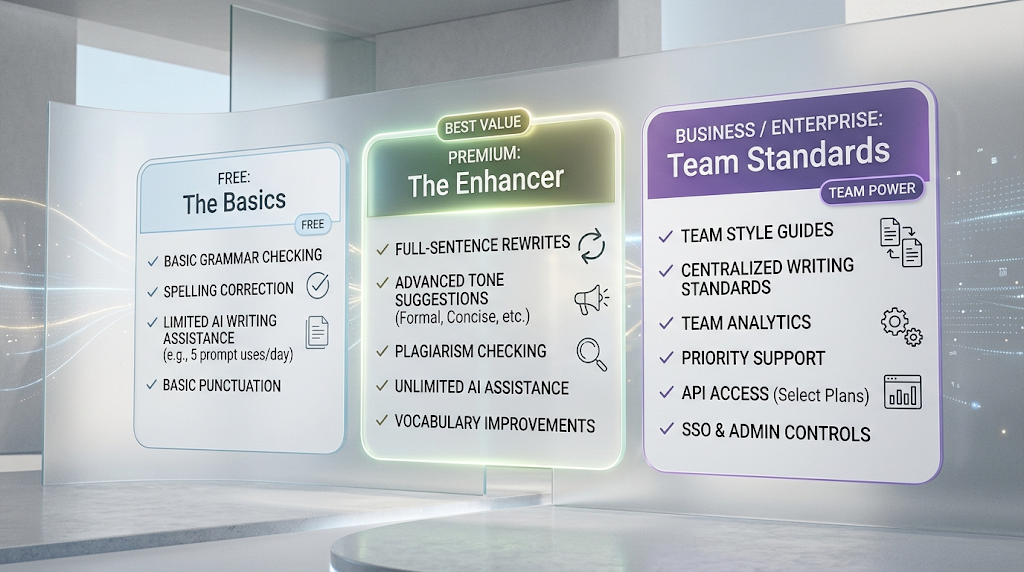 The free plan includes basic grammar checking along with limited AI writing suggestions, enough for casual, everyday use. Premium pricing sits around $12 a month when billed annually, which unlocks full-sentence rewrites, advanced tone suggestions, and plagiarism checking.
Business and enterprise plans exist too, typically priced per user per month, aimed at teams that want shared style guides and centralized writing standards.
🆚 Grammarly vs Other AI Writing Tools
|
|
Best For |
Starting Price |
|---|---|---|
|
Grammarly |
All-purpose writing, grammar, and tone |
Free / $12/mo |
|
ProWritingAid |
Long-form writing and detailed reports |
Free / lower annual cost |
|
QuillBot |
Paraphrasing and quick rewrites |
Free / paid plans |
|
Jasper |
Marketing and content generation |
Paid only |
 Tool
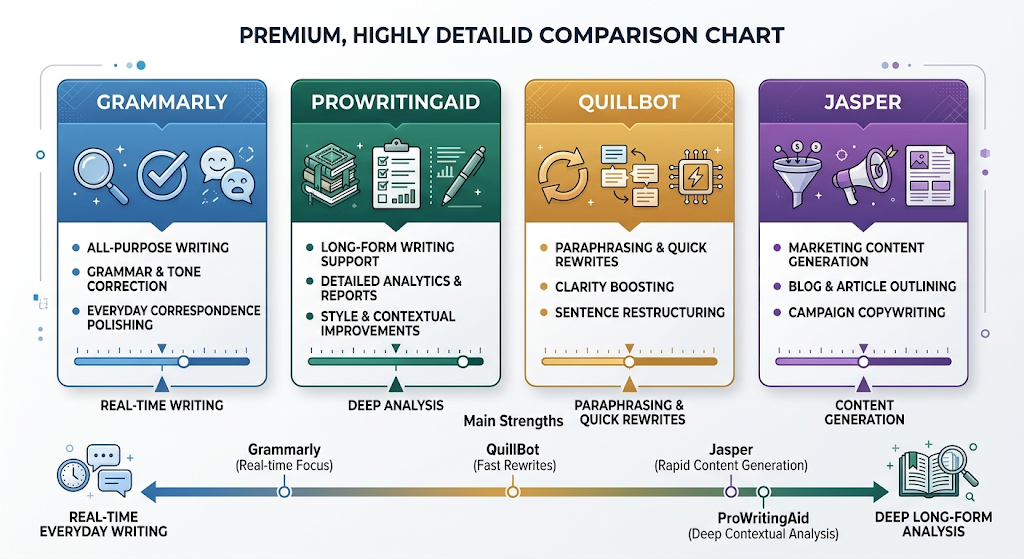
ToolGrammarly tends to win on everyday, real-time writing help across many platforms, while ProWritingAid is often preferred by authors wanting deeper long-form analysis.
🔒 How to Use These Tools Safely
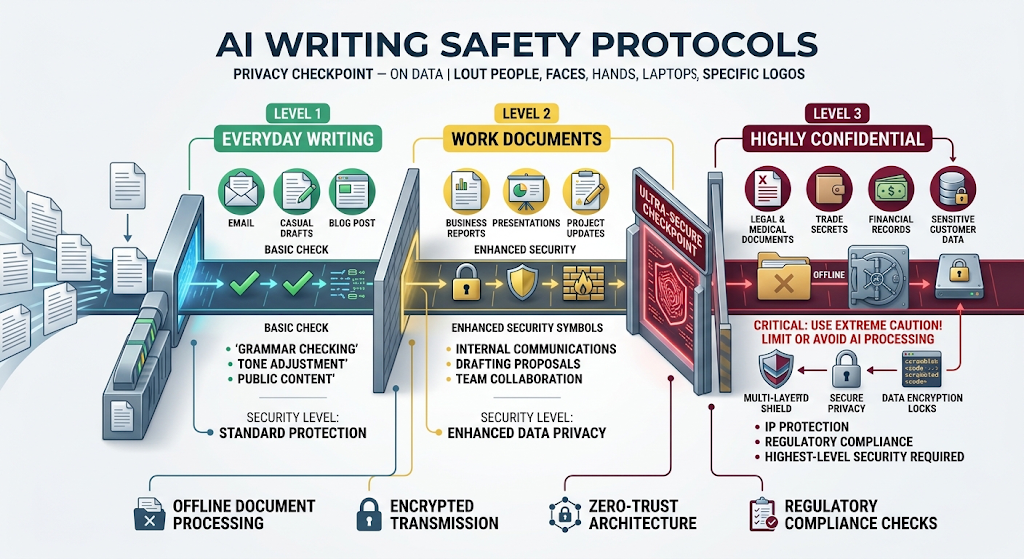 Since Grammarly processes whatever you type, it’s worth reviewing its privacy policy before using it for highly confidential legal, medical, or business documents. Sensitive material may be safer drafted in an offline tool first.
For everyday writing, like emails or general documents, Grammarly’s data handling is considered standard for the industry, though checking your organization’s own data policy is still a smart habit for work-related writing.
👥 Who Should Use the Grammarly AI Writer?
Students juggling essays and reports benefit from the combination of grammar checking and clarity suggestions in one place. Professionals writing daily emails and reports save real time with tone detection and quick rewrites.
Non-native English speakers often find it especially valuable, since it explains corrections rather than just applying them, helping build language skills over time rather than just fixing mistakes silently.
✨ Tips for Getting the Most Out of It
Use the tone detector before sending anything important, since it often catches a phrase that reads harsher or more casual than intended. Try the rewrite feature on your weakest sentence first, rather than your whole document, to keep your own voice intact.
Adjust the tool’s goals settings, like audience and formality, since generic settings sometimes produce suggestions that don’t match your specific context.
⚠️ Common Mistakes to Avoid
Accepting every suggestion without reading it carefully is a common mistake, since not every rewrite fits your intended meaning or tone. Relying on it entirely for highly technical or field-specific writing can also backfire, since it may flag correct specialized terminology as an error.
Using the free plan for high-stakes formal writing without a final personal review is another risk worth avoiding, especially for anything going to a client or employer. 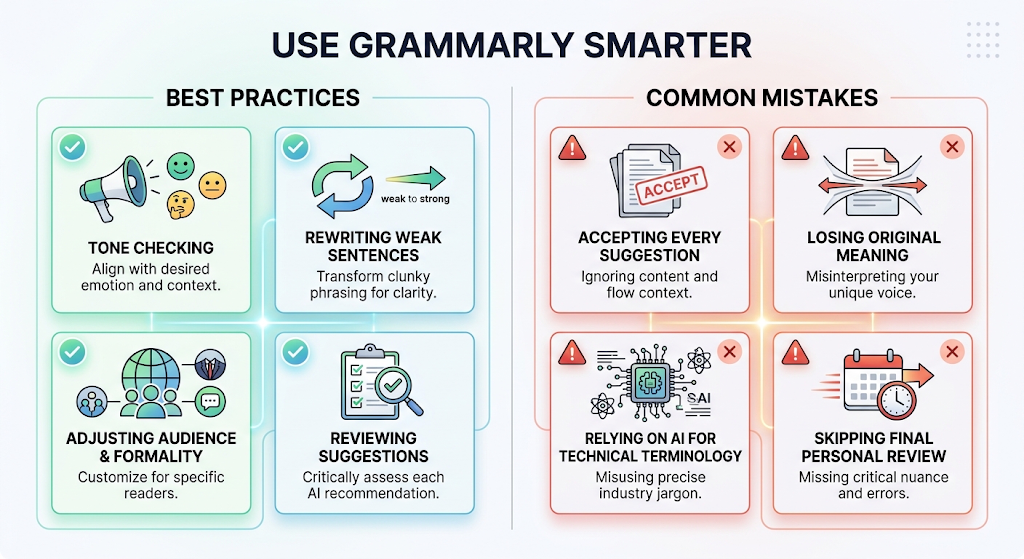
❓ FAQs
Is Grammarly’s AI writer free to use?
Yes, the free plan includes basic grammar checking and limited AI writing help, with full features available on the paid Premium plan.
What’s the difference between Grammarly AI writer and Grammarly Rewrite?
The AI writer helps generate or refine new sentences, while Rewrite specifically reworks existing text you’ve already written for clarity or tone.
Does Grammarly work inside Google Docs?
Yes, it integrates directly with Google Docs, along with Microsoft Word, Gmail, Outlook, and Slack, through its browser extension.
Is it safe to use Grammarly for confidential documents?
For highly sensitive legal, medical, or business content, it’s worth reviewing the privacy policy carefully or considering an offline alternative.
How much does Grammarly Premium cost?
Premium pricing runs around $12 a month when billed annually, with separate business and enterprise plans available for teams.
Is Grammarly better than ProWritingAid?
Grammarly is generally stronger for everyday, real-time writing across many platforms, while ProWritingAid suits authors wanting deeper long-form reports.
🎓 Conclusion
The Grammarly AI writer and its Rewrite feature have turned a once-simple grammar checker into a genuinely capable writing partner, handling everything from quick tone checks to full sentence rewrites. For most everyday writing, the free plan alone offers real value before you even consider upgrading.
Whether you’re a student, a professional, or someone writing in a second language, the combination of correction and active rewriting help is what makes this tool worth keeping open in the background of your daily work. 🌟