

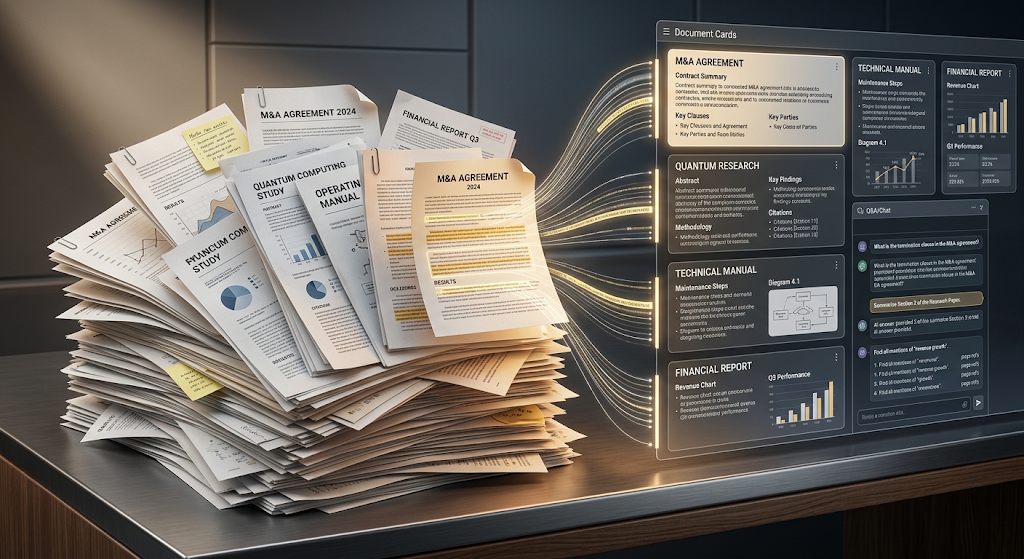
 AI PDF tools have turned one of the most boring parts of office life into something that barely takes a minute. Long contracts, research papers, and technical manuals used to mean endless scrolling just to find one small detail. Now you can upload a file, ask a plain question, and get an answer pulled straight from the document. This shift matters because PDFs remain the standard format for nearly every academic paper, legal document, and business report shared today. In this guide, we’ll cover the best tools to try, how they actually work, and how to pick the right one for your needs. 📚
🔍 What Are AI PDF Tools?
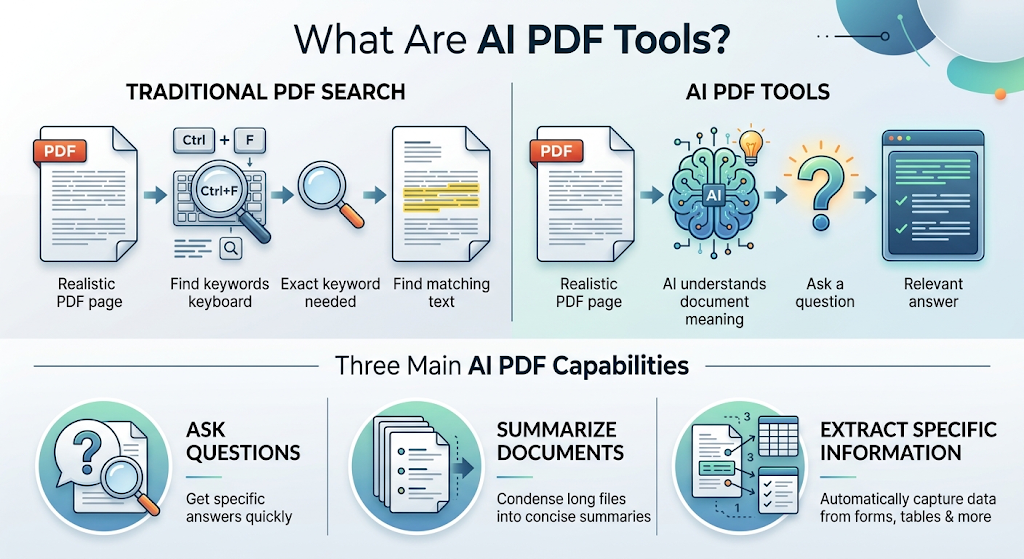 These are programs that let you upload a document and interact with it using plain language instead of manually searching page by page. You can ask a question, request a summary, or pull out specific data points in seconds.
Behind the scenes, the tool reads through the entire file and matches your question to the most relevant sections, then explains the answer in its own words rather than just returning a keyword match.
This is a big shift from the old-school “Ctrl+F” approach, which only works if you already know the exact wording used somewhere in the document. These tools understand what you actually mean, not just what you typed.
⚡ Why These Tools Have Become So Useful
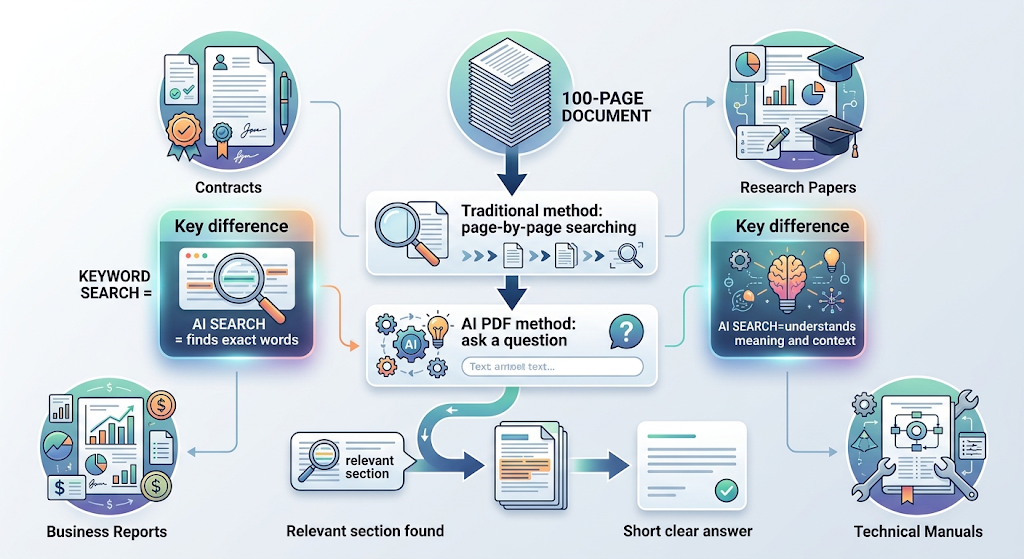 Traditional search inside a document only works if you know the exact wording you’re looking for. These tools understand meaning instead, so a vague question still gets a useful answer.
💡 Quick Tip: Longer, messier documents benefit the most from these tools, since manually searching a 100-page contract is exactly the kind of task they’re built to save you from.
🧠 How These Tools Actually Work
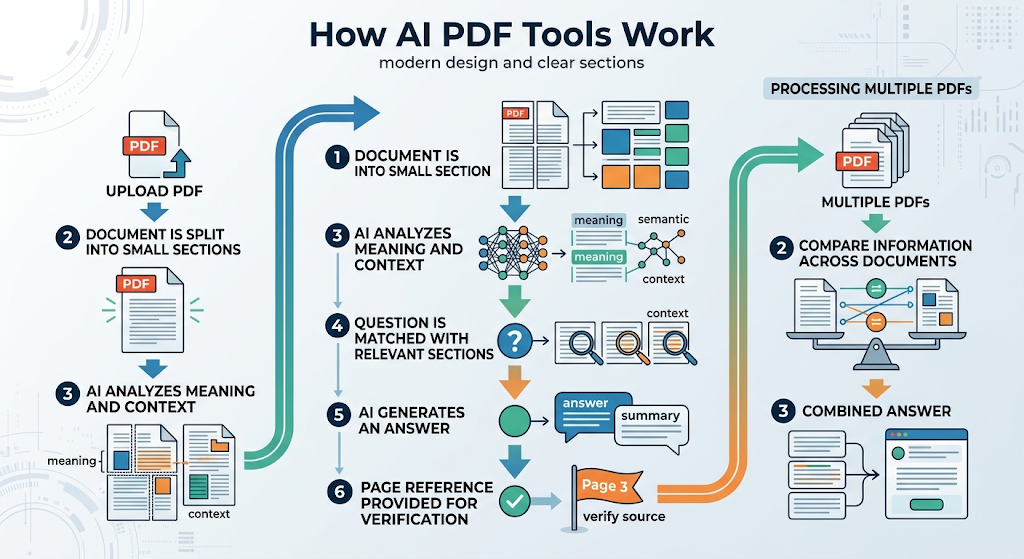
When you upload a file, the tool breaks it down into smaller sections and analyzes the meaning of each part, not just the raw text. This lets it understand context across the whole document, not just isolated words.
When you ask a question, it searches those sections for the most relevant match and generates a clear answer, often including a page reference so you can double-check the source yourself.
Some tools go further, letting you upload several documents at once and compare information across all of them. This is especially useful for research, where an answer might need context pulled from more than one source.
🏆 Best AI PDF Tools to Try
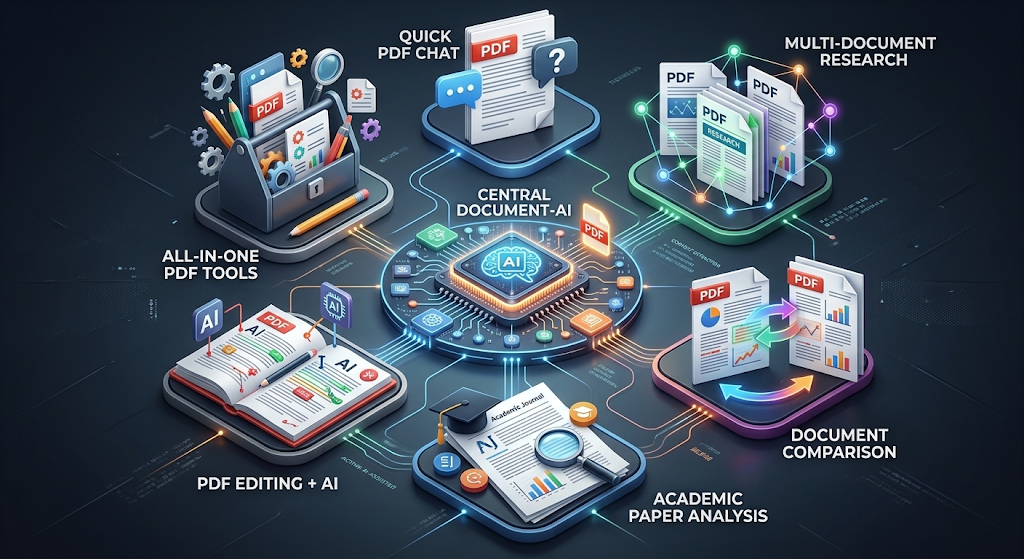 Here’s an honest comparison of the standout options, based on real user feedback and current pricing.
|
Tool |
Best For |
Free Plan |
|---|---|---|
|
ChatPDF |
Quick answers from a single document |
2 PDFs/day, 50 questions/day |
|
Google NotebookLM |
Multi-source research, completely free |
Fully free |
|
AskYourPDF |
Comparing multiple documents at once |
1 free upload/day |
|
SciSpace AI |
Academic and research papers |
Free plan available |
|
Adobe Acrobat AI |
Users already working in Adobe’s ecosystem |
Limited free features |
|
Smallpdf |
An all-in-one PDF toolkit beyond just AI chat |
Free with limits |
Try two tools side by side on the same document. Answer quality can vary noticeably depending on how a document is structured, especially with tables or scanned pages.
🎯 Choosing the Right Tool for Your Needs
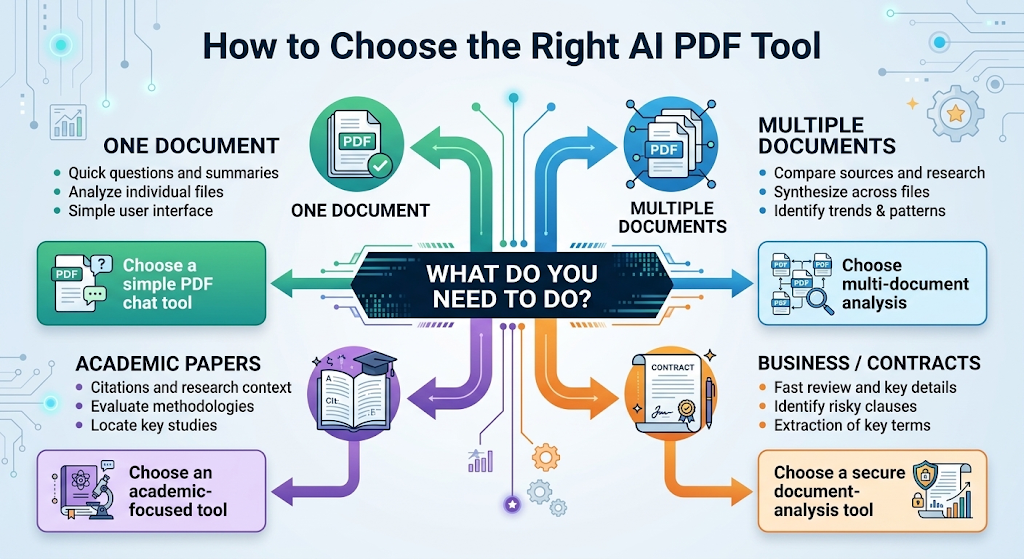 If you’re working with one document at a time, a simple, fast tool like ChatPDF usually gets the job done without any extra setup. If you’re comparing several sources, something built for multi-document research works far better.
Academic users benefit from tools with citation support, since accurately tracing an answer back to its source matters a lot more in research work than in everyday reading.
Business users often value speed and simplicity above everything else, especially when quickly reviewing a contract before a meeting that starts in ten minutes.
💰 Free vs Paid AI PDF Tools
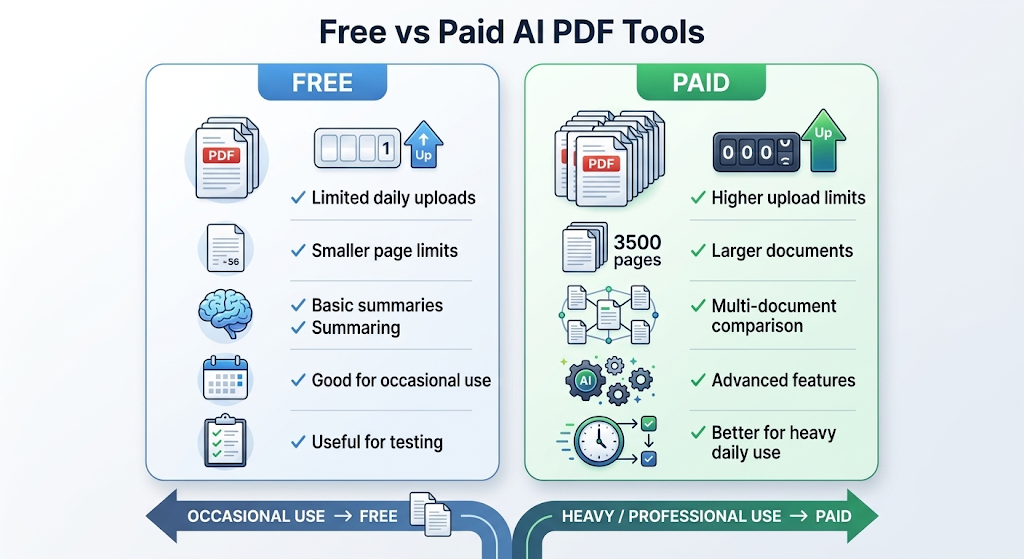 Most tools offer a genuinely usable free tier, often limited by daily upload counts or a maximum page length. This is enough for occasional, everyday use without spending anything.
Paid plans typically remove those daily caps and add features like larger file support, multi-document comparison, or team collaboration. Heavy users, like researchers or legal professionals, tend to get the most value from upgrading.
🔒 How to Use These Tools Safely
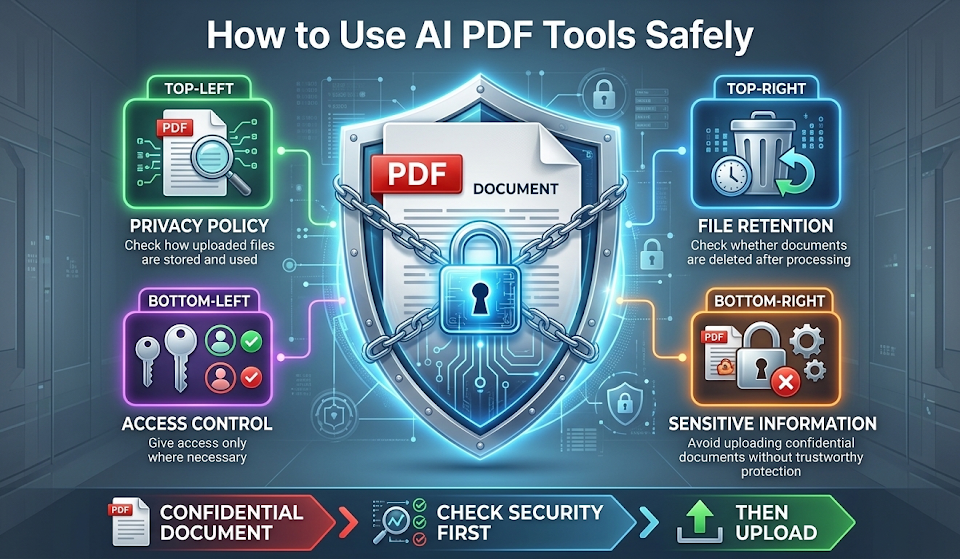
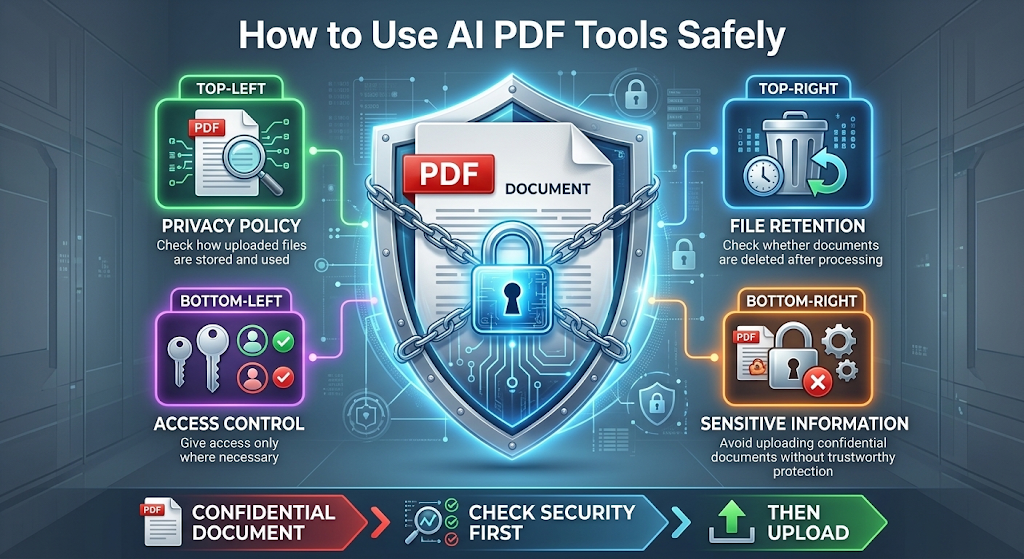 Documents often contain sensitive information, so it’s worth checking exactly how a tool stores and handles anything you upload. Some tools delete files shortly after processing, while others retain them to improve their systems.
Avoid uploading highly confidential contracts or personal records to tools without a clear, trustworthy privacy policy. When working with sensitive business documents, look specifically for tools that offer enterprise-grade security options.
👥 Who Should Use These Tools?
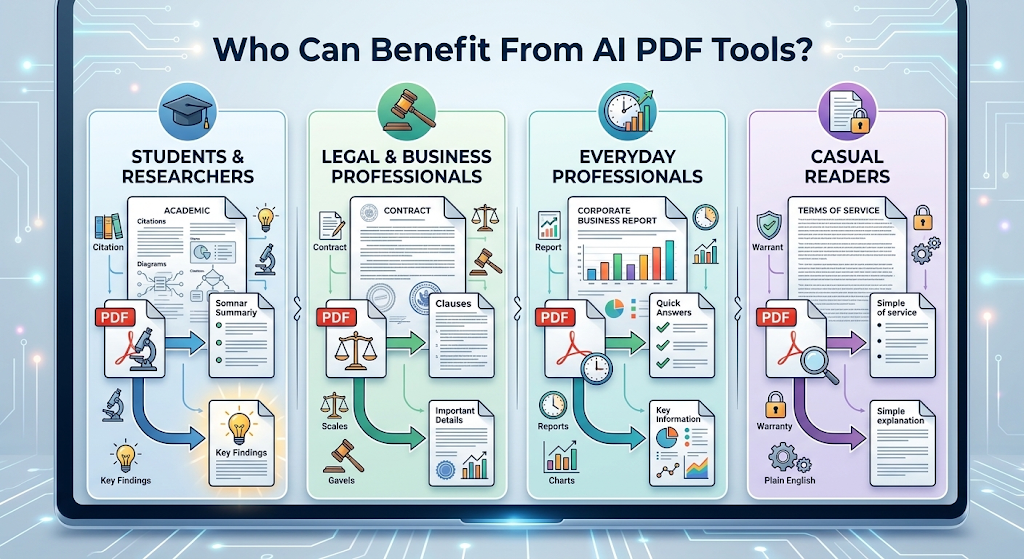 Students and researchers save enormous amounts of time digesting academic papers and long reading lists. Legal and business professionals use them to quickly review contracts and reports without reading every single page manually.
Everyday professionals benefit too, especially anyone who regularly receives lengthy documents and needs the key details fast, without dedicating an entire afternoon to reading.
Even casual readers get real value here, like quickly understanding a long terms-of-service agreement or a warranty document without wading through dense legal language line by line.
✨ Tips for the Best Results
Ask specific questions rather than vague ones, since a focused question almost always returns a more useful, accurate answer. Instead of asking “what is this about,” try asking exactly what detail you need.
Check the page references the tool provides, especially for anything important. This quick habit catches the rare moments when a tool misunderstands context or pulls from the wrong section.
⚠️ Common Mistakes to Avoid
Trusting a summary completely without skimming the original document is a common mistake, especially for anything with legal or financial consequences. These tools are helpful, but they can still miss nuance.
Another mistake is uploading scanned, low-quality PDFs and expecting perfect results. Text quality directly affects how well these tools can read and understand a document.
❓ FAQs
Are AI PDF tools accurate for legal documents?
They’re helpful for a quick overview, but important legal documents should always get a careful human read before making any final decisions.
Can these tools handle very long documents?
Many tools handle longer files well, though free plans often cap the page count, so checking those limits first helps avoid surprises.
Is it safe to upload personal or business documents?
It’s generally safe with well-known, reputable tools, as long as you review their privacy policy before uploading anything sensitive.
Do I need to pay to use these tools regularly?
Not necessarily, since several tools offer genuinely useful free plans, though heavy daily use may eventually benefit from a paid upgrade.
Can these tools summarize documents in other languages?
Many tools support multiple languages, though accuracy is often strongest when working with English-language documents.
What’s the difference between these tools and just using ChatGPT?
Dedicated PDF tools are often faster and better organized for document-specific tasks, though general chatbots can handle simpler PDF questions too.
🎓 Conclusion
AI PDF tools have quietly become one of the most practical productivity upgrades available today, turning hours of manual reading into a quick, focused conversation with your document. Starting with a free tool like ChatPDF or NotebookLM is enough to see the time savings firsthand.
Once you find a tool that fits your specific type of documents, whether that’s contracts, research papers, or business reports, it becomes hard to imagine going back to scrolling through pages manually. 🌟