


 There are many different types of AI tools out there, and it can feel confusing to know where to start. Each type helps you do something different, like writing, drawing, or organizing your work. AI tools started becoming popular around 2022, when simple chatbots showed everyone what this technology could really do. Since then, hundreds of new tools have appeared, each built for a specific job. In this guide, we’ll break down every major type in plain, simple words, so you know exactly what each one does. 🚀
🔍 What Are AI Tools?
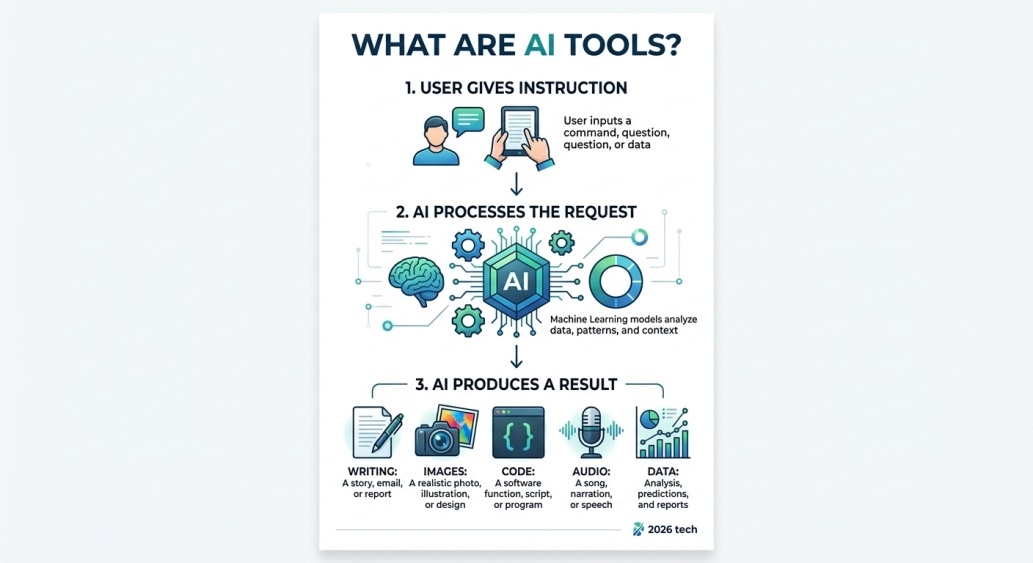 AI tools are computer programs that can think, write, or create in ways that used to need a human. You give the tool an instruction, and it does the work for you in seconds. Some tools write text, some make pictures, and some even fix your code.
The best part is you don’t need to be a tech expert to use most of them. Just type what you want, and the tool handles the hard part behind the scenes.
There’s also a reason this topic feels so big right now. New types of AI tools keep launching almost every month, each one trying to solve a slightly different problem. That’s exactly why a clear, simple breakdown like this one actually helps.
🎯 Why Should You Know the Different Types of AI Tools?
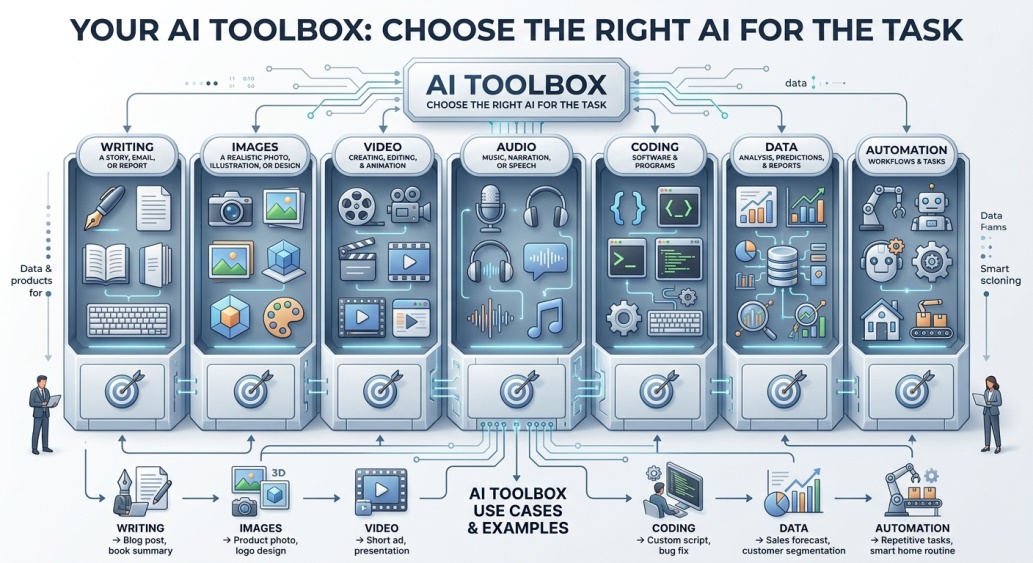 Knowing the different types of AI tools helps you pick the right one for your task, instead of wasting time on the wrong tool. Each type is built for a specific job, so using the correct one gives you much better results.
💡 Quick Tip: Think of AI tools like a toolbox. You wouldn’t use a hammer to cut wood, and the same idea applies here.
✍️ Writing & Content Tools
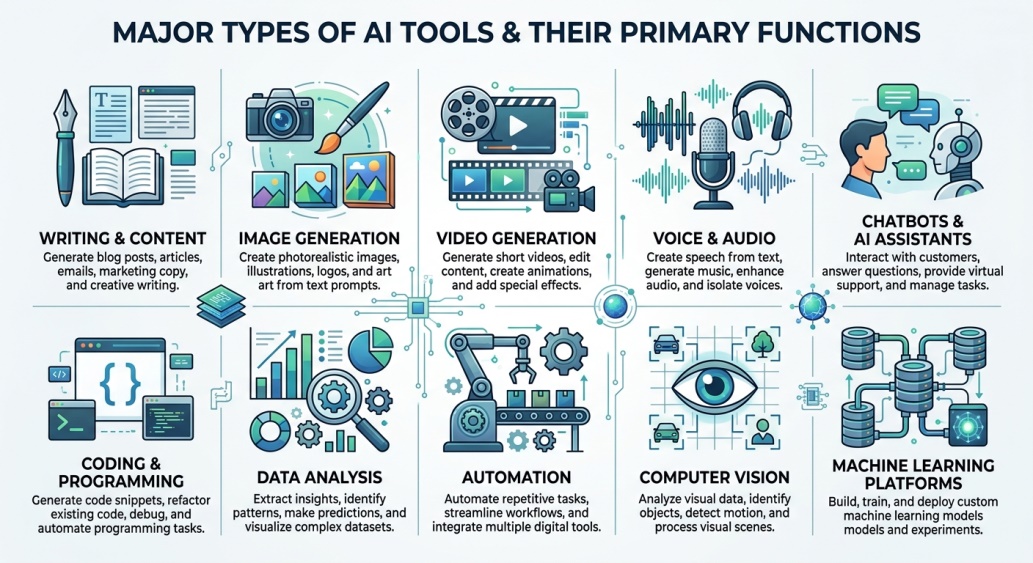 These are one of the most popular types of AI tools today. You give them a topic, and they write articles, emails, or social posts for you. Tools like ChatGPT and Jasper fall into this group.
They’re great for beginners because they save time on blank-page struggles. Most writing tools also help fix grammar and improve your tone.
Bloggers, students, and small business owners all rely on this category the most out of every type on this list. It’s usually the first type people try when they’re new to AI.
🎨 Image Generation Tools
This type turns simple text into pictures. You describe what you want, like “a cat wearing sunglasses,” and the tool draws it for you in seconds.
Popular examples include Midjourney and DALL-E. These tools are widely used by designers, marketers, and even hobbyists who just want to have fun.

🎬 Video Generation Tools
Among the newer types of AI tools, video generators let you create short clips from just a text description. No camera or editing skills needed.
Tools like Runway and Pika Labs are leading this space right now. They’re especially useful for social media content and quick ads.
🎙️ Voice & Audio Tools
These tools turn text into realistic speech, or clean up messy audio recordings. Some can even clone a voice from a short sample.
They’re commonly used by podcasters, YouTubers, and businesses that need voiceovers without hiring a studio.
💬 Chatbot & AI Assistant Tools
This is probably the most familiar type of AI tool for most people. You chat with it just like texting a friend, and it answers questions or helps you plan things.
ChatGPT, Claude, and Gemini are the biggest names here. They can write, explain, brainstorm, and even help with homework.
💻 Code & Programming Tools
Among all the types of AI tools, this one is a favorite for developers. These tools write, fix, or explain computer code for you.
GitHub Copilot is a well-known example. Even people learning to code use these tools to understand tricky error messages faster.
📊 Data Analysis Tools
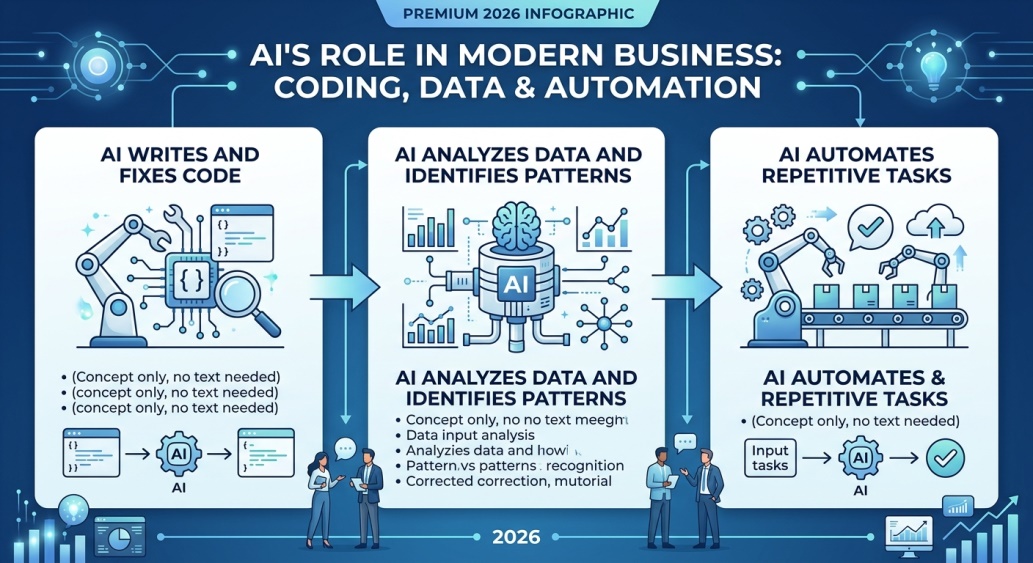 These tools look at large amounts of numbers and information, then explain what it all means in plain language. No spreadsheet headaches required.
Businesses use them to spot trends and make smarter decisions quickly. They save hours compared to manually digging through data, and they often catch patterns a person might miss entirely.
⚙️ Automation Tools
This type handles repetitive tasks for you, like sorting emails or updating spreadsheets automatically. You set the rule once, and the tool does it forever.
Tools like Zapier combine AI with automation to connect different apps together. This saves a huge amount of manual work over time, especially for small teams juggling many tasks at once.
👁️ Computer Vision Tools
These tools help computers “see” and understand pictures or videos. They can recognize faces, read text from an image, or spot objects.
This type of AI tool is behind things like phone face unlock and self-driving car cameras. It’s one of the more technical categories, but very powerful.
🧠 Machine Learning Platforms
This is a more advanced type, mainly used by developers and companies. These platforms let you build and train your own custom AI models.
Tools like TensorFlow and Google’s Vertex AI fall here. Regular users don’t usually need this type, but it’s the engine behind many other tools.
🧩 How to Choose the Right Type of AI Tool
 Start by asking yourself exactly what task you need help with. Once you know your goal, matching it to one of the types of AI tools above becomes much easier.
Try the free version of a tool before committing to anything paid. Most categories have at least one solid free option worth testing first.
If you’re still unsure, start with a chatbot tool. It can actually help explain which other type of AI tool might fit your specific need best.
🔒 Why Should It Be Safe?
 Before using any AI tool, check what happens to the information you type in or upload. Some tools store your data to improve their systems, while others delete it quickly.
Avoid pasting private details like passwords or financial information into any tool. Stick to well-known names with a clear privacy policy you can actually read and understand.
💰 Free vs Paid AI Tools
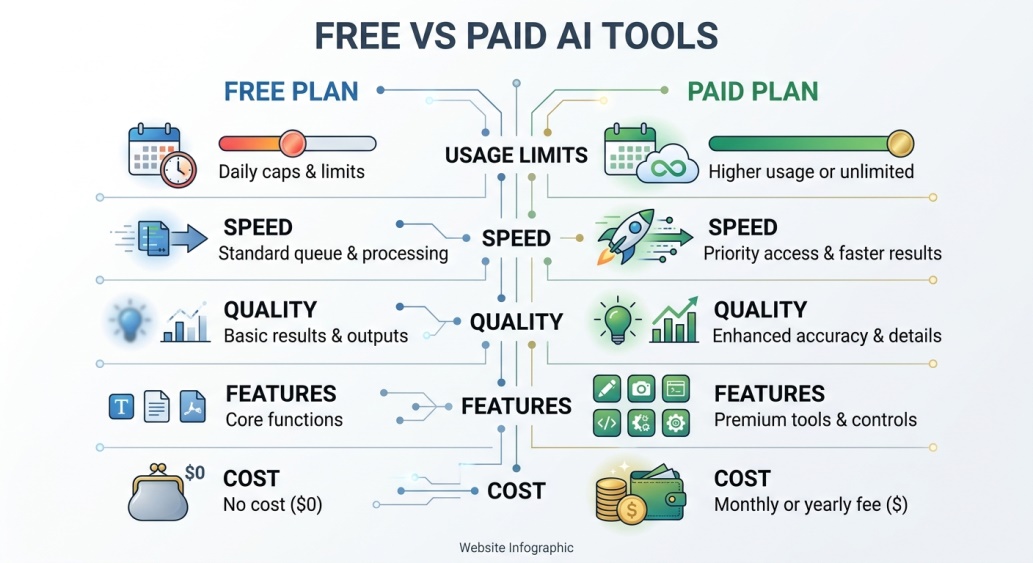 Most types of AI tools offer a free version with some limits, like fewer uses per day. This is a great way to test a tool before spending money.
Paid versions usually unlock faster results, higher quality, or no daily limits. Beginners should almost always start free and upgrade only if they truly need more.
👥 Who Should Use These Tools?
Students use writing and research tools to study faster and understand tough topics. Small business owners use automation and data tools to save time every single week.
Content creators lean on image, video, and voice tools to produce work without a big budget. Developers rely on code tools to build software faster than ever before.
Even complete beginners with no technical background benefit here. Most types of AI tools are built with simple, everyday people in mind, not just professionals.
✨ Tips for Getting the Best Results
Be specific when you give instructions to any AI tool, since vague requests give vague results. The clearer your request, the better the output usually turns out.
Don’t be afraid to try the same task in two different tools. Comparing results helps you learn which type actually fits your style best.
⚠️ Common Mistakes to Avoid
A lot of beginners try one tool, get a bad result, and give up on AI tools completely. Different types of AI tools work very differently, so one bad experience doesn’t mean they’re all useless.
Another mistake is trusting every result blindly without double-checking it. AI tools are helpful, but they can still make mistakes, so a quick human review always helps.
A smaller but common slip is sticking with just one tool for every task. Using the wrong type of AI tool for a job usually gives weak results, even if the tool itself is genuinely good at what it’s meant for.
🎓 Conclusion
Understanding the different types of AI tools makes the whole AI world feel a lot less confusing. Once you know which category matches your task, picking the right tool becomes simple.
Start small. Pick one type from this guide that matches something you already need help with, and try the free version today. You might be surprised how much time it saves you. 🌟
❓ FAQs
How many types of AI tools are there in total?
There are many broad categories, but most tools fall into groups like writing, image, video, voice, chatbot, code, data, and automation tools.
Which type of AI tool is best for beginners?
Chatbot and writing tools are usually the easiest starting point, since you just type what you need in plain language.
Do I need technical skills to use these tools?
No, most popular types of AI tools are designed for regular people and don’t require any coding knowledge at all.
Are all types of AI tools free to use?
Most offer a free plan with some limits, though advanced features often require a paid upgrade.
Can I use more than one type of AI tool together?
Yes, many people combine tools, like using a writing tool alongside an image tool for the same project.
Is it safe to rely on AI tools for important work?
It’s best to treat AI tools as helpful assistants and always review important results yourself before using them.
Will learning about these tool types take a long time?
Not really, since most tools are simple to try once you know which category matches your need.
How often do new types of AI tools appear?
New tools and even new categories show up regularly, so it’s worth checking back every few months.
🤖 Types of AI Tools: The Complete Simple Guide (2026)
 There are many different types of AI tools out there, and it can feel confusing to know where to start. Each type helps you do something different, like writing, drawing, or organizing your work. AI tools started becoming popular around 2022, when simple chatbots showed everyone what this technology could really do. Since then, hundreds of new tools have appeared, each built for a specific job. In this guide, we’ll break down every major type in plain, simple words, so you know exactly what each one does. 🚀
🔍 What Are AI Tools?
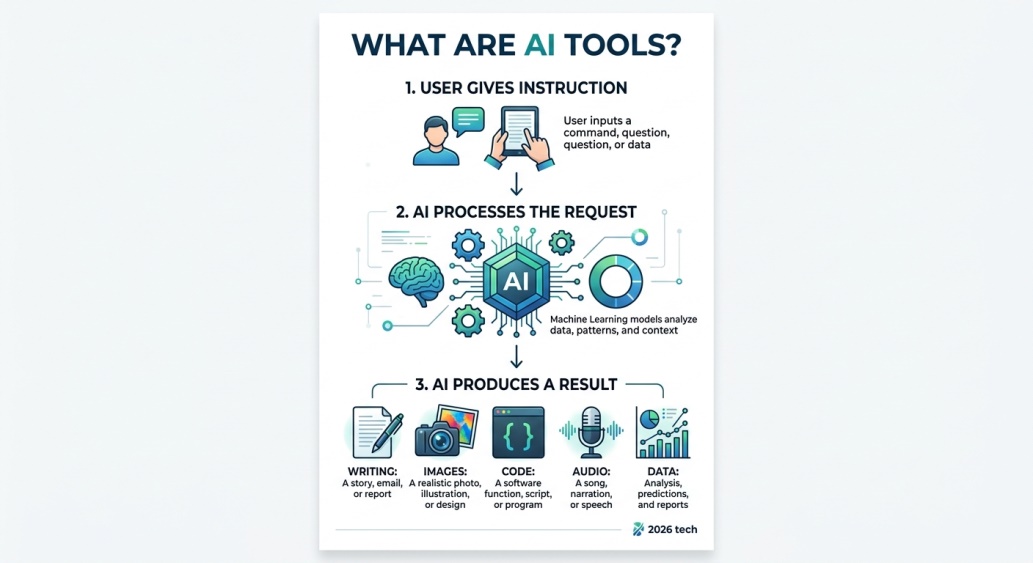 AI tools are computer programs that can think, write, or create in ways that used to need a human. You give the tool an instruction, and it does the work for you in seconds. Some tools write text, some make pictures, and some even fix your code.
The best part is you don’t need to be a tech expert to use most of them. Just type what you want, and the tool handles the hard part behind the scenes.
There’s also a reason this topic feels so big right now. New types of AI tools keep launching almost every month, each one trying to solve a slightly different problem. That’s exactly why a clear, simple breakdown like this one actually helps.
🎯 Why Should You Know the Different Types of AI Tools?
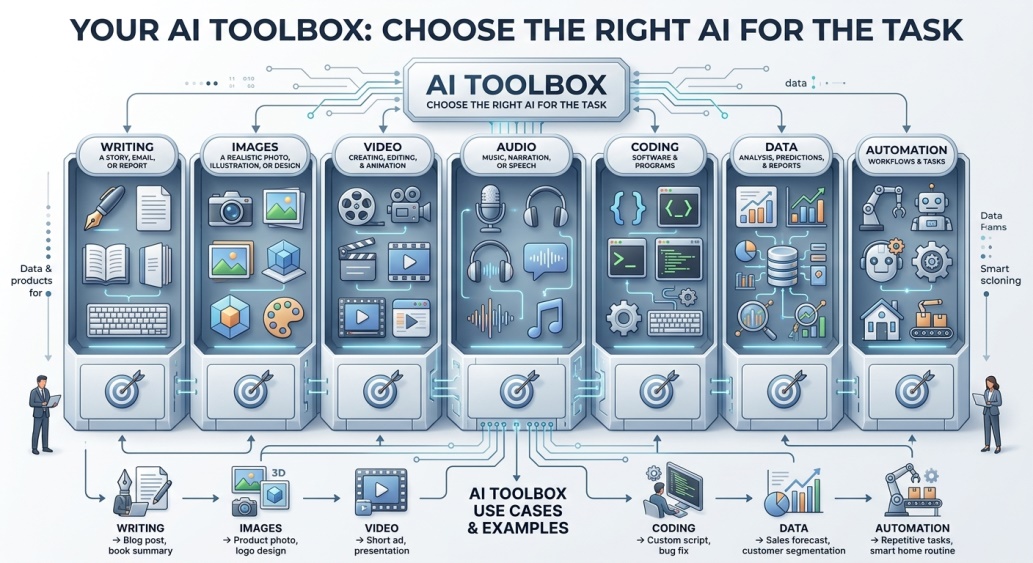 Knowing the different types of AI tools helps you pick the right one for your task, instead of wasting time on the wrong tool. Each type is built for a specific job, so using the correct one gives you much better results.
💡 Quick Tip: Think of AI tools like a toolbox. You wouldn’t use a hammer to cut wood, and the same idea applies here.
✍️ Writing & Content Tools
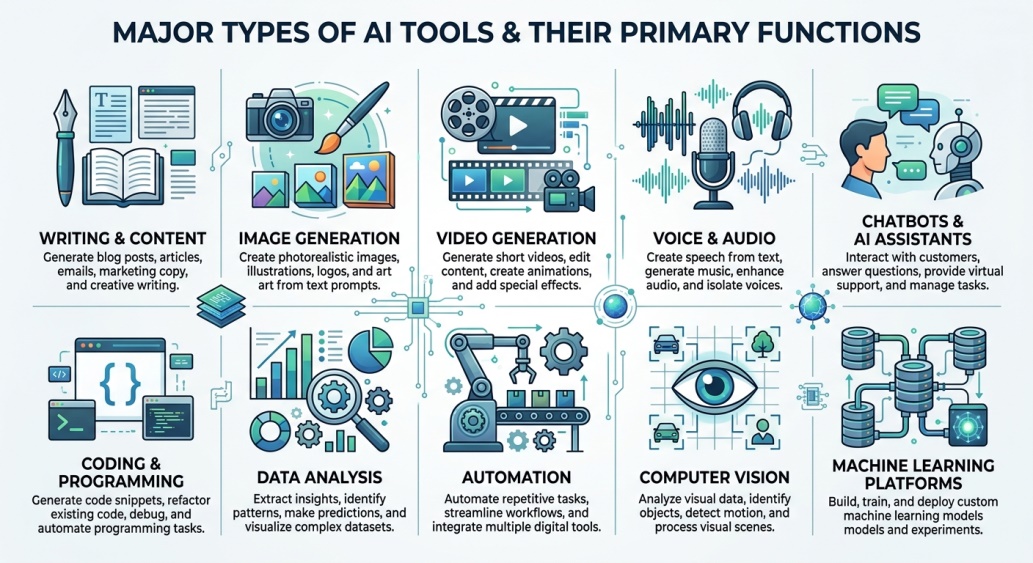 These are one of the most popular types of AI tools today. You give them a topic, and they write articles, emails, or social posts for you. Tools like ChatGPT and Jasper fall into this group.
They’re great for beginners because they save time on blank-page struggles. Most writing tools also help fix grammar and improve your tone.
Bloggers, students, and small business owners all rely on this category the most out of every type on this list. It’s usually the first type people try when they’re new to AI.
🎨 Image Generation Tools
This type turns simple text into pictures. You describe what you want, like “a cat wearing sunglasses,” and the tool draws it for you in seconds.
Popular examples include Midjourney and DALL-E. These tools are widely used by designers, marketers, and even hobbyists who just want to have fun.

🎬 Video Generation Tools
Among the newer types of AI tools, video generators let you create short clips from just a text description. No camera or editing skills needed.
Tools like Runway and Pika Labs are leading this space right now. They’re especially useful for social media content and quick ads.
🎙️ Voice & Audio Tools
These tools turn text into realistic speech, or clean up messy audio recordings. Some can even clone a voice from a short sample.
They’re commonly used by podcasters, YouTubers, and businesses that need voiceovers without hiring a studio.
💬 Chatbot & AI Assistant Tools
This is probably the most familiar type of AI tool for most people. You chat with it just like texting a friend, and it answers questions or helps you plan things.
ChatGPT, Claude, and Gemini are the biggest names here. They can write, explain, brainstorm, and even help with homework.
💻 Code & Programming Tools
Among all the types of AI tools, this one is a favorite for developers. These tools write, fix, or explain computer code for you.
GitHub Copilot is a well-known example. Even people learning to code use these tools to understand tricky error messages faster.
📊 Data Analysis Tools
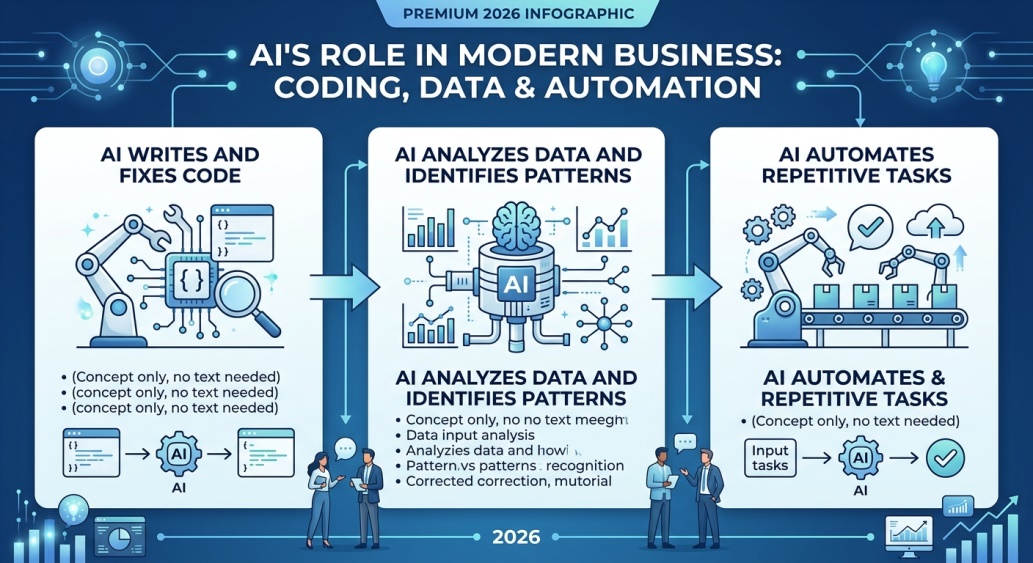 These tools look at large amounts of numbers and information, then explain what it all means in plain language. No spreadsheet headaches required.
Businesses use them to spot trends and make smarter decisions quickly. They save hours compared to manually digging through data, and they often catch patterns a person might miss entirely.
⚙️ Automation Tools
This type handles repetitive tasks for you, like sorting emails or updating spreadsheets automatically. You set the rule once, and the tool does it forever.
Tools like Zapier combine AI with automation to connect different apps together. This saves a huge amount of manual work over time, especially for small teams juggling many tasks at once.
👁️ Computer Vision Tools
These tools help computers “see” and understand pictures or videos. They can recognize faces, read text from an image, or spot objects.
This type of AI tool is behind things like phone face unlock and self-driving car cameras. It’s one of the more technical categories, but very powerful.
🧠 Machine Learning Platforms
This is a more advanced type, mainly used by developers and companies. These platforms let you build and train your own custom AI models.
Tools like TensorFlow and Google’s Vertex AI fall here. Regular users don’t usually need this type, but it’s the engine behind many other tools.
🧩 How to Choose the Right Type of AI Tool
 Start by asking yourself exactly what task you need help with. Once you know your goal, matching it to one of the types of AI tools above becomes much easier.
Try the free version of a tool before committing to anything paid. Most categories have at least one solid free option worth testing first.
If you’re still unsure, start with a chatbot tool. It can actually help explain which other type of AI tool might fit your specific need best.
🔒 Why Should It Be Safe?
 Before using any AI tool, check what happens to the information you type in or upload. Some tools store your data to improve their systems, while others delete it quickly.
Avoid pasting private details like passwords or financial information into any tool. Stick to well-known names with a clear privacy policy you can actually read and understand.
💰 Free vs Paid AI Tools
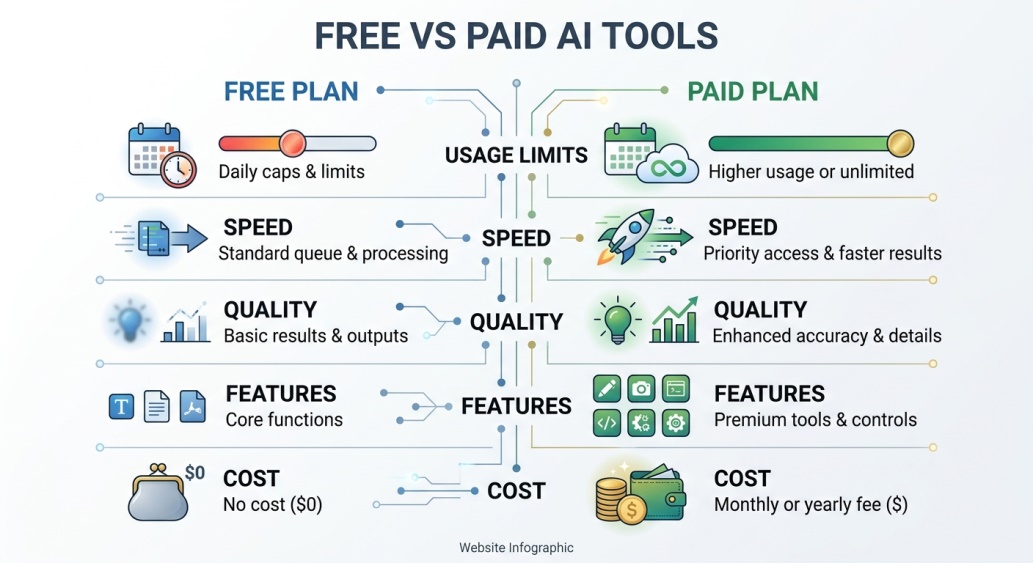 Most types of AI tools offer a free version with some limits, like fewer uses per day. This is a great way to test a tool before spending money.
Paid versions usually unlock faster results, higher quality, or no daily limits. Beginners should almost always start free and upgrade only if they truly need more.
👥 Who Should Use These Tools?
Students use writing and research tools to study faster and understand tough topics. Small business owners use automation and data tools to save time every single week.
Content creators lean on image, video, and voice tools to produce work without a big budget. Developers rely on code tools to build software faster than ever before.
Even complete beginners with no technical background benefit here. Most types of AI tools are built with simple, everyday people in mind, not just professionals.
✨ Tips for Getting the Best Results
Be specific when you give instructions to any AI tool, since vague requests give vague results. The clearer your request, the better the output usually turns out.
Don’t be afraid to try the same task in two different tools. Comparing results helps you learn which type actually fits your style best.
⚠️ Common Mistakes to Avoid
A lot of beginners try one tool, get a bad result, and give up on AI tools completely. Different types of AI tools work very differently, so one bad experience doesn’t mean they’re all useless.
Another mistake is trusting every result blindly without double-checking it. AI tools are helpful, but they can still make mistakes, so a quick human review always helps.
A smaller but common slip is sticking with just one tool for every task. Using the wrong type of AI tool for a job usually gives weak results, even if the tool itself is genuinely good at what it’s meant for.
🎓 Conclusion
Understanding the different types of AI tools makes the whole AI world feel a lot less confusing. Once you know which category matches your task, picking the right tool becomes simple.
Start small. Pick one type from this guide that matches something you already need help with, and try the free version today. You might be surprised how much time it saves you. 🌟
❓ FAQs
How many types of AI tools are there in total?
There are many broad categories, but most tools fall into groups like writing, image, video, voice, chatbot, code, data, and automation tools.
Which type of AI tool is best for beginners?
Chatbot and writing tools are usually the easiest starting point, since you just type what you need in plain language.
Do I need technical skills to use these tools?
No, most popular types of AI tools are designed for regular people and don’t require any coding knowledge at all.
Are all types of AI tools free to use?
Most offer a free plan with some limits, though advanced features often require a paid upgrade.
Can I use more than one type of AI tool together?
Yes, many people combine tools, like using a writing tool alongside an image tool for the same project.
Is it safe to rely on AI tools for important work?
It’s best to treat AI tools as helpful assistants and always review important results yourself before using them.
Will learning about these tool types take a long time?
Not really, since most tools are simple to try once you know which category matches your need.
How often do new types of AI tools appear?
New tools and even new categories show up regularly, so it’s worth checking back every few months.