
 AI testing tools have quickly moved from a nice extra to something most software teams genuinely rely on. Release cycles keep getting tighter, and manual testing simply can’t keep pace with constant UI changes and growing product complexity anymore. The stakes are real too, since AI-generated code has been found to contain roughly 1.7 times more defects than code written by hand. In this guide, we’ll break down what these tools actually do, the best options worth trying, and how to pick the right one for your team. 🚀
🔍 What Are AI Testing Tools?
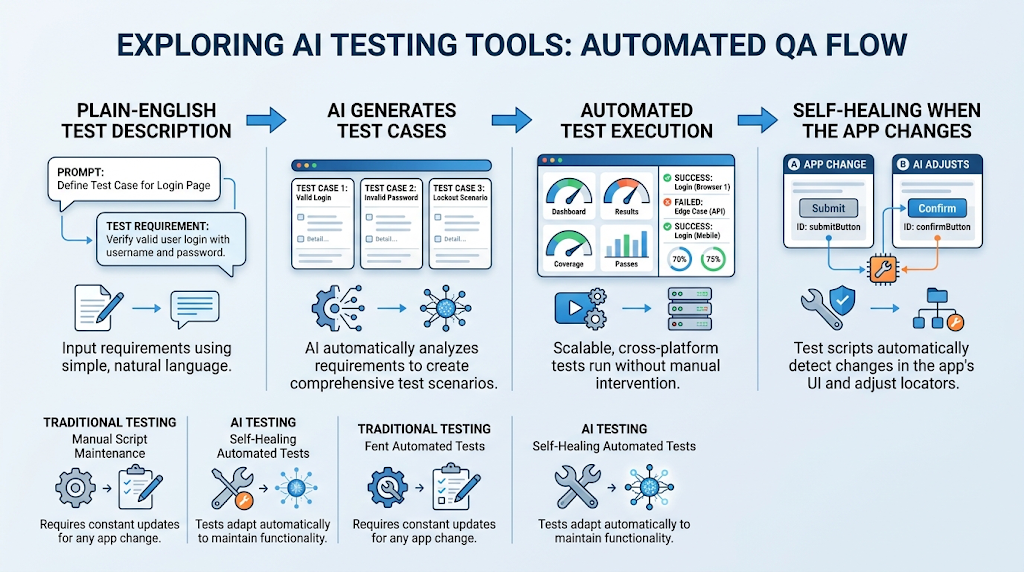 These are programs that use artificial intelligence to plan, write, run, and even fix software tests with far less manual effort. Instead of a person writing every test script by hand, the tool can generate tests directly from plain English descriptions.
Many of these platforms also include self-healing scripts, meaning tests automatically adjust when small changes happen in the app, instead of breaking every time a button moves.
This matters more than it sounds. Traditional automated tests used to require constant babysitting just to keep up with normal app updates, and that maintenance burden is exactly what modern AI tools are built to remove.
⚡ Why This Technology Matters Right Now
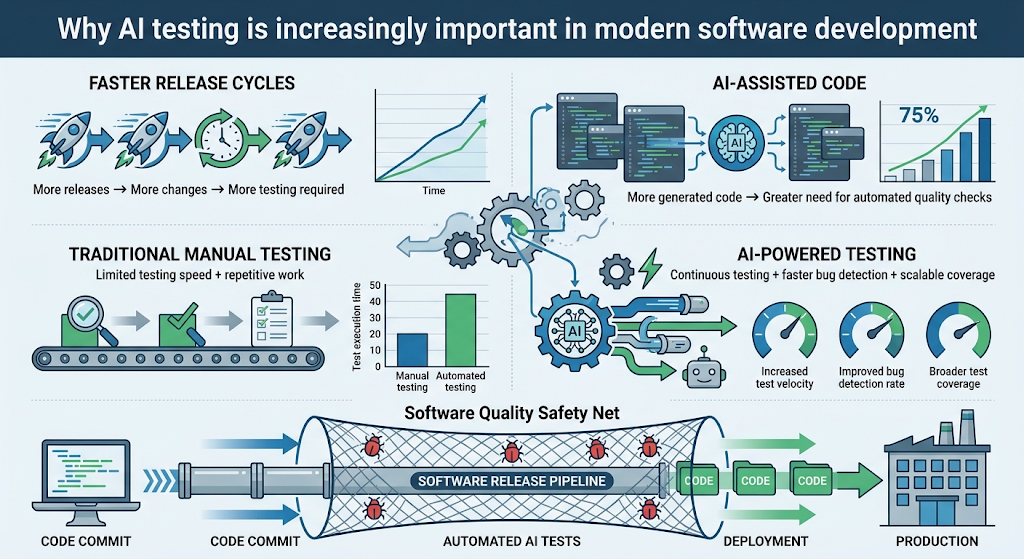 Teams shipping AI-assisted code are producing more bugs than before, which makes reliable testing more important than ever. Traditional manual testing simply can’t scale fast enough to catch everything at today’s release speed.
💡 Quick Tip: Think of these tools as a safety net that grows alongside your codebase, catching issues before they ever reach real users.
⚙️ How These Tools Actually Work
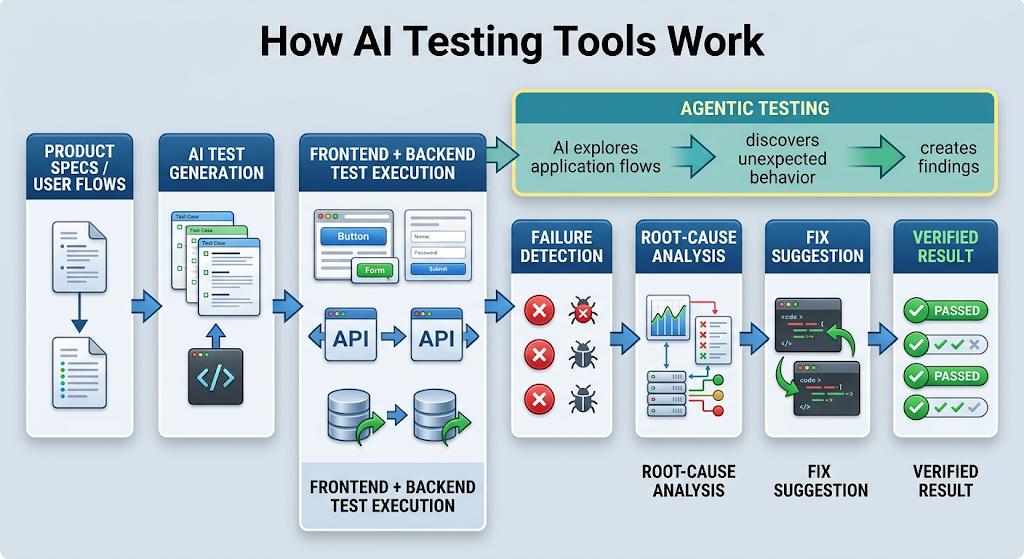 Most platforms start by generating test cases directly from your product specs or existing user flows. From there, they execute those tests across both the frontend interface and backend systems.
When something fails, many tools go a step further, using root-cause analysis to explain exactly why, sometimes even suggesting or applying a fix automatically. This closes the loop between writing code and actually verifying it works.
Some newer platforms take this even further with what’s called agentic testing, where the AI doesn’t just run a fixed script but actually explores the app on its own, similar to how a curious human tester might click around looking for problems.
🏆 Best AI Testing Tools to Try
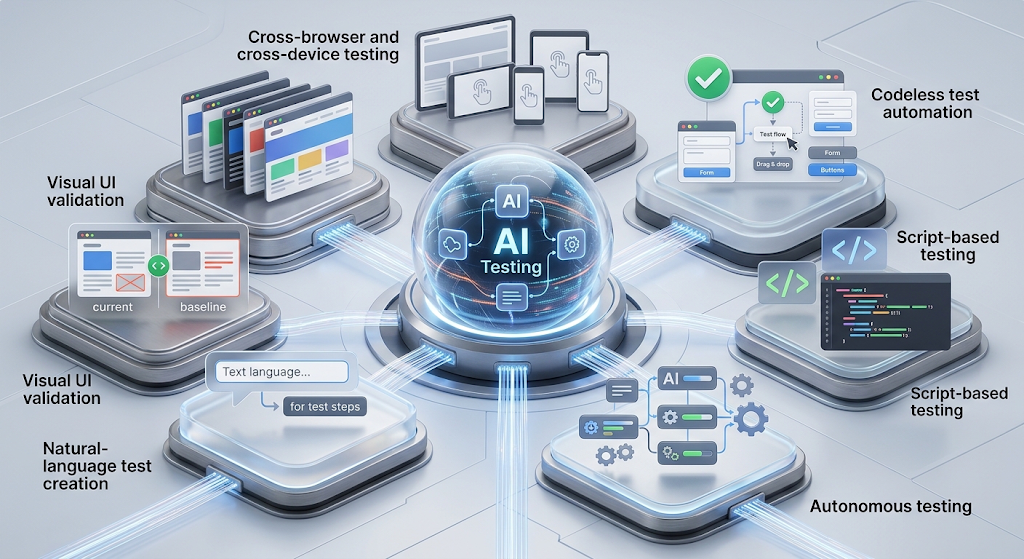 Here’s an honest look at the standout platforms right now, based on real reviews and reported capabilities.
|
Tool |
Best For |
User Rating |
|---|---|---|
|
BrowserStack |
Cross-device compatibility testing |
4.4/5 (3,300+ reviews) |
|
ACCELQ |
Codeless testing with self-healing |
4.8/5 (30+ reviews) |
|
Katalon Studio |
Teams wanting a script-based + AI hybrid |
Widely used, established |
|
TestSprite |
Full-lifecycle autonomous testing |
5/5 (featured guide) |
|
Testsigma |
NLP-driven cross-platform automation |
4.4/5 (100+ reviews) |
|
Applitools |
Visual validation and UI testing |
Popular for visual quality checks |
Try the free trial of two or three before committing. Teams often find one tool fits their frontend needs better while another handles backend testing more smoothly.
🔑 Key Features Worth Looking For
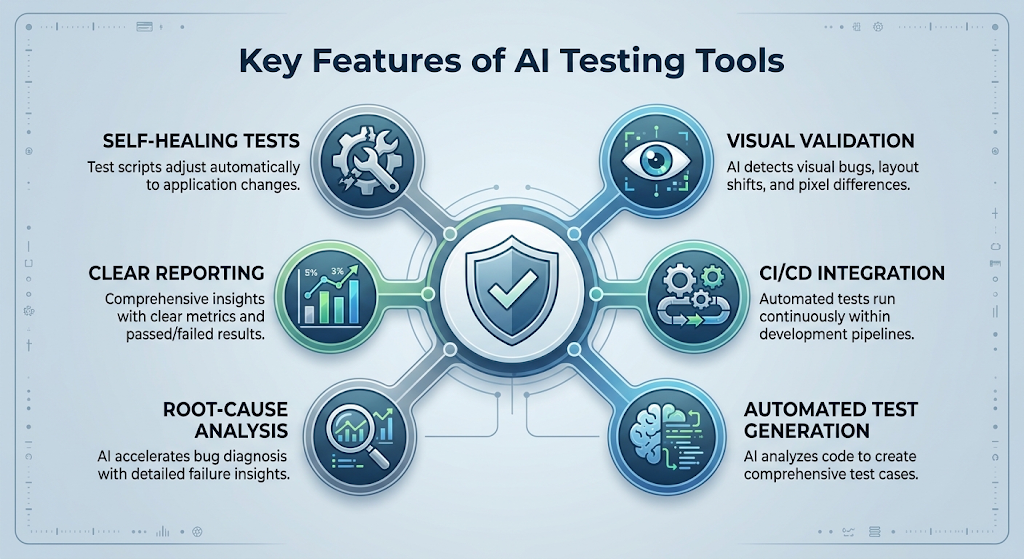 Self-healing capability should be near the top of your checklist, since it dramatically cuts down on maintenance time as your app changes. Visual validation matters too, catching layout issues a script-only tool might completely miss.
Integration with your existing CI/CD pipeline is another must-check item. A powerful tool that doesn’t fit your current workflow ends up creating more friction than it saves.
Reporting quality is worth considering too. Clear, readable dashboards make it much easier for the whole team, not just quality assurance specialists, to understand what’s actually being tested and how healthy the codebase looks over time.
🧭 How to Get Started With AI Testing
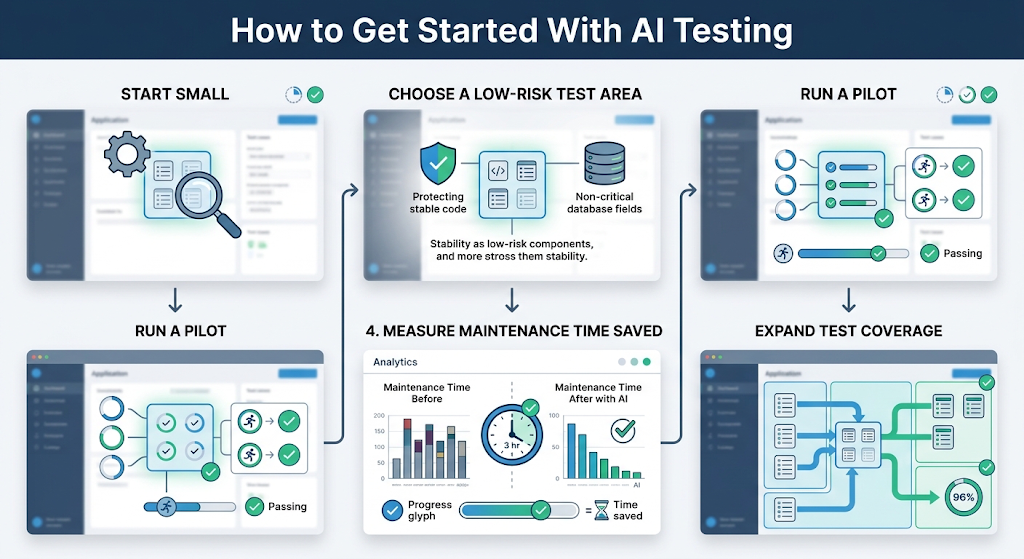 Begin with a small, low-risk part of your app rather than trying to convert your entire test suite overnight. This lets your team learn the tool’s quirks without putting a major release at risk.
Once that pilot proves reliable, gradually expand coverage to more critical parts of your product, keeping an eye on how much manual maintenance time you’re actually saving along the way.
💰 Free vs Paid AI Testing Tools
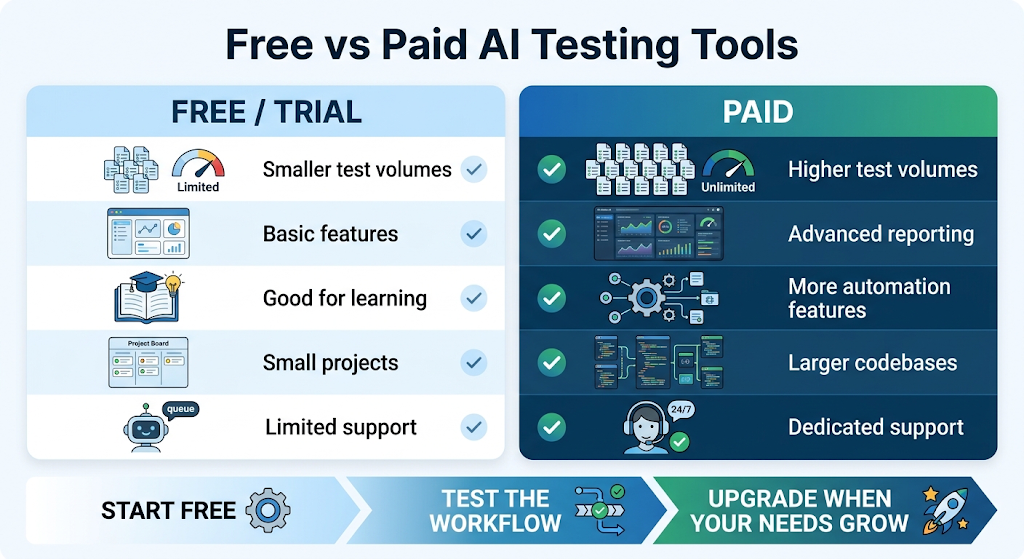 Several platforms offer a free tier or trial period that’s genuinely useful for smaller projects or personal learning. This makes it easy to test the waters before any real financial commitment.
Paid plans usually unlock higher test volumes, advanced reporting, and dedicated support, which becomes worthwhile once your team is running tests regularly across a growing codebase.
🔒 How to Use These Tools Safely
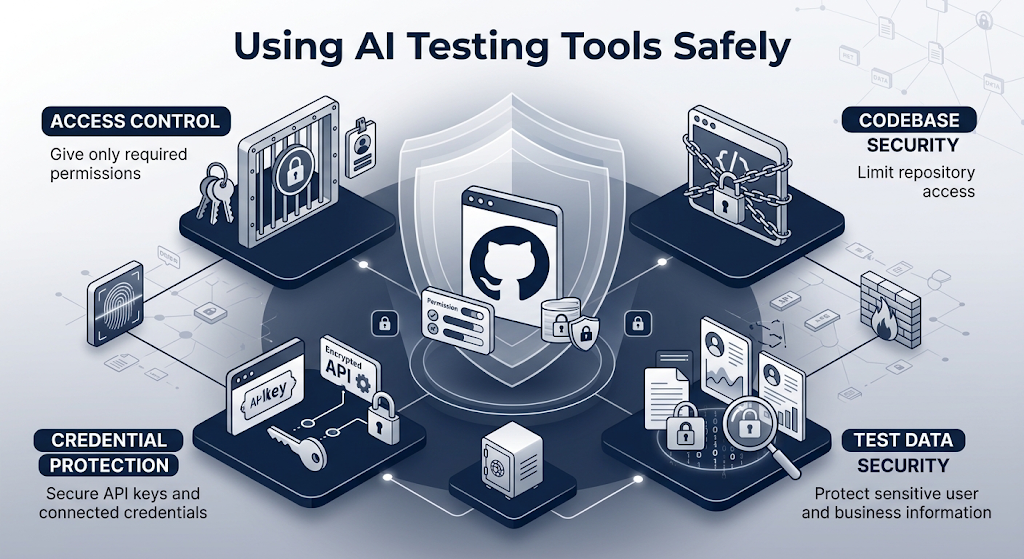 Since many of these platforms connect directly to your codebase and CI/CD pipeline, access control deserves real attention. Only give the tool the permissions it actually needs to do its job.
Check where test data and any connected credentials are stored too, especially if your app handles sensitive user information. A reputable tool will clearly explain its security practices upfront.
👥 Who Should Use These Tools?
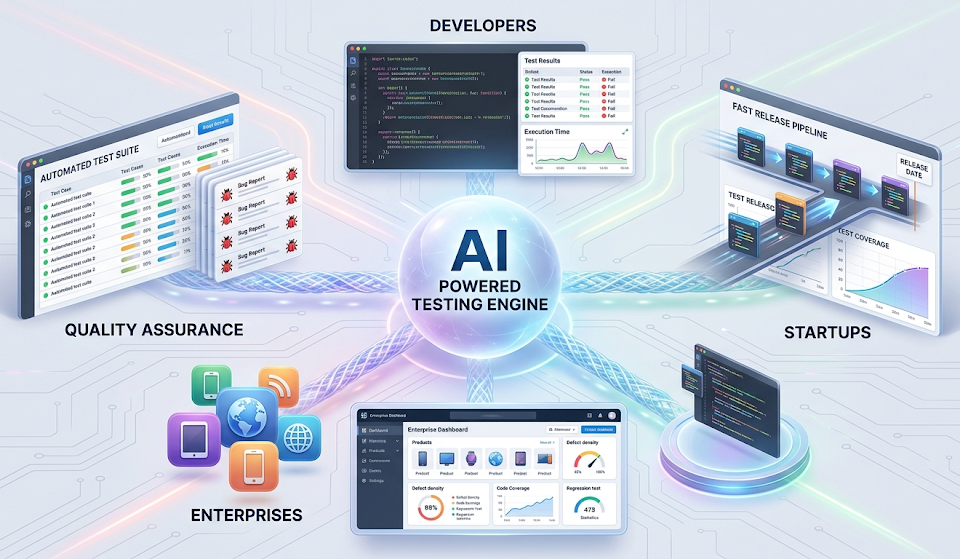
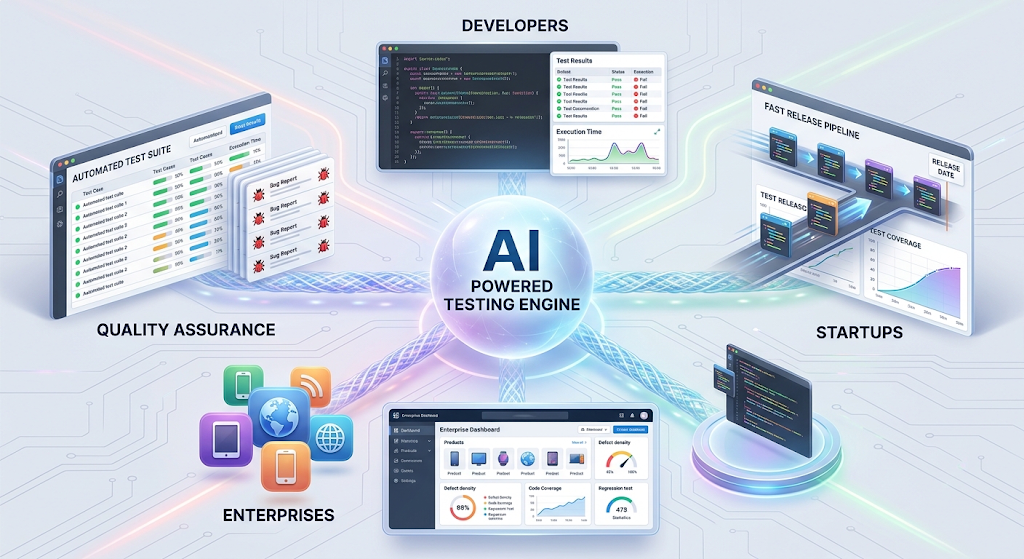 Quality assurance teams are the most obvious fit, since these tools directly reduce the repetitive scripting work that eats up most of their time. Developers benefit too, especially on smaller teams without a dedicated quality assurance department.
Startups moving fast without a large testing budget often find these tools especially valuable, since they get enterprise-level test coverage without needing to hire a full quality assurance team right away.
Larger enterprises benefit differently, using these tools to maintain consistency and speed across many teams and products at once, where manual coordination alone would quickly become unmanageable.
✨ Tips for Getting the Best Results
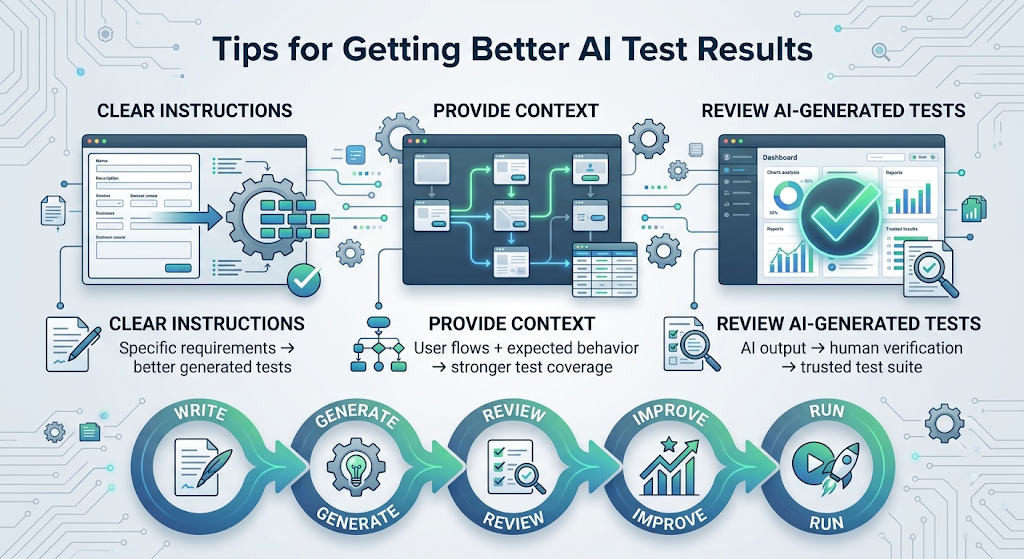 Write clear, specific descriptions when generating tests, since vague instructions tend to produce weak or incomplete test coverage. The more context the tool has, the more useful its output becomes.
Review AI-generated tests before trusting them fully, at least early on. This helps you understand exactly what the tool is checking and builds confidence in its results over time.
⚠️ Common Mistakes to Avoid
Rushing to automate everything at once is a common early mistake, often leading to a messy, hard-to-maintain test suite. A gradual rollout almost always works better.
Another mistake is treating these tools as a total replacement for human judgment. AI-generated tests are a strong starting point, but a skilled tester still catches issues an algorithm might miss entirely.
❓ FAQs
Do AI testing tools replace human quality assurance testers? No, most teams use them to handle repetitive testing work while human testers focus on judgment-based checks and edge cases the AI might miss.
Are these tools difficult to set up for a small team? Not usually, since many modern platforms are designed with simple onboarding and don’t require deep coding expertise to get started.
How much do AI testing tools typically cost? Pricing varies widely, though many offer a free trial or tier, with paid plans scaling based on test volume and team size.
Can these tools test both websites and mobile apps? Many leading platforms support both, though it’s worth checking a specific tool’s coverage before committing to one for mixed testing needs.
What does self-healing actually mean in this context? It means a test automatically adjusts itself when small app changes happen, instead of breaking and requiring a manual fix every time.
Is it safe to connect these tools to my company’s codebase? It’s generally safe with reputable, well-reviewed tools, as long as you carefully review their access permissions and security practices first.
🎓 Conclusion
AI testing tools have become a genuinely practical way to keep up with faster release cycles without sacrificing software quality. Starting small with one part of your test suite is the easiest way to see real results before expanding further.
As AI-assisted coding keeps growing, having a reliable AI-powered testing layer isn’t just convenient anymore, it’s quickly becoming essential for any team that wants to ship fast without shipping broken features. 🌟