


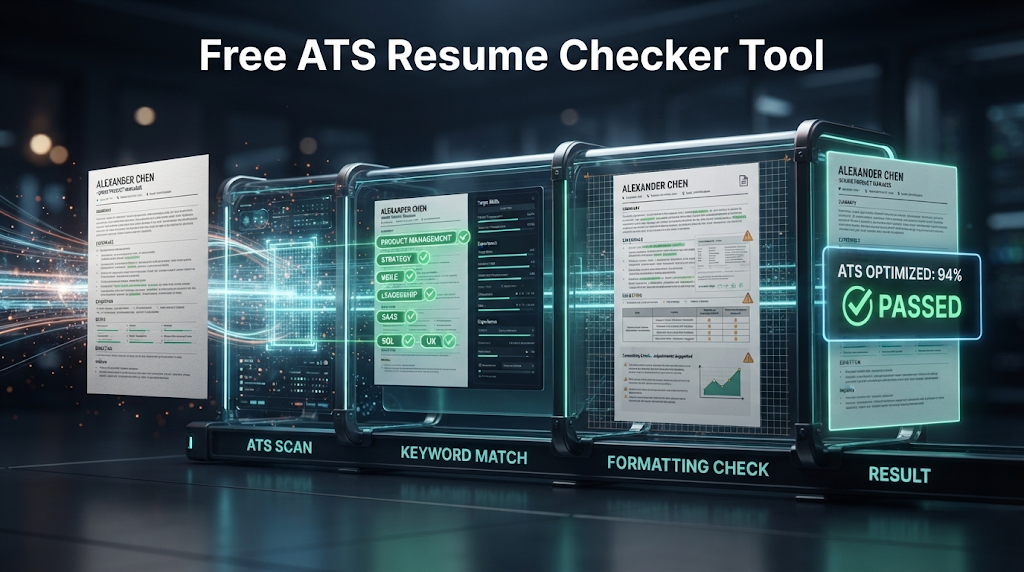
 A great resume can still get rejected without a single person ever reading it. According to Jobscan’s own 2026 Applicant Tracking System Usage Report, 97.4 percent of Fortune 500 companies now use a detectable Applicant Tracking System, often shortened to ATS, to sort and filter resumes before they reach a hiring manager. If the software can’t read your resume correctly, or can’t find the right keywords on it, a strong candidate can be filtered out automatically. This guide covers the free tools that check your resume against these systems, and which ones actually let you see your results without handing over an email address first.
What Is an ATS Resume Checker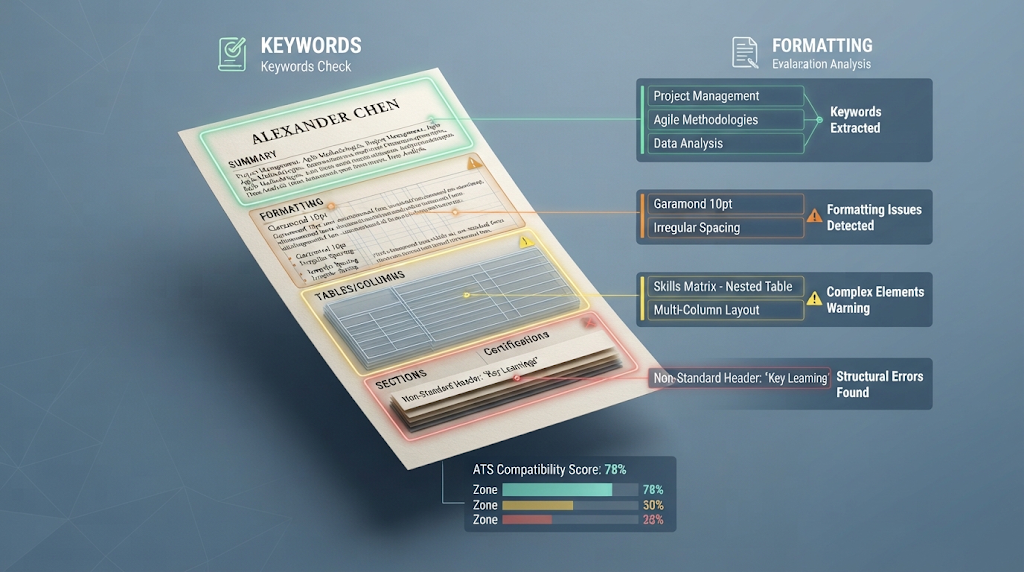
An ATS resume checker is a tool that scans your resume the same rough way hiring software does, then tells you what might trip it up. It looks for things like missing keywords from the job posting, confusing formatting, tables or columns that don’t read correctly, and sections the software might misread or skip entirely.
Most checkers ask you to paste in or upload your resume, and many also ask for the specific job description you’re applying to, since an ATS checker works best when it’s comparing your resume against one real job rather than scoring it in a vacuum. The output is usually a score, often out of 10 or 100, along with a list of specific fixes.
🔍 The “Free Score, Paid Details” Pattern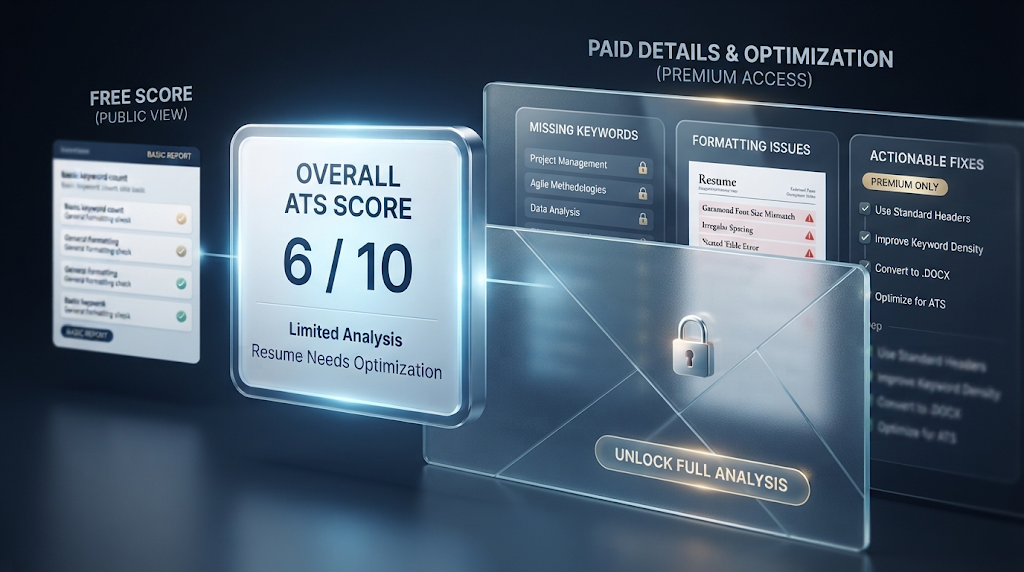
Many tools marketed as free ATS checkers will give you an overall score for free, but hide most of the useful detail behind a paywall or a signup wall. According to a 2026 review by Kickresume, one popular free checker previews only about two missing keywords before asking users to upgrade for the full list, even though the free scan implies a complete report.
This matters because the score alone isn’t very useful without knowing exactly what to fix. A tool that tells you “6 out of 10” but won’t say why is a different experience than one that shows you the actual missing keywords and formatting problems for free.
💡 Quick Tip: Before trusting any free score, check whether the tool shows you the specific keywords or issues behind it. A score with no detail is hard to act on.
🏆 Free ATS Resume Checkers Worth Trying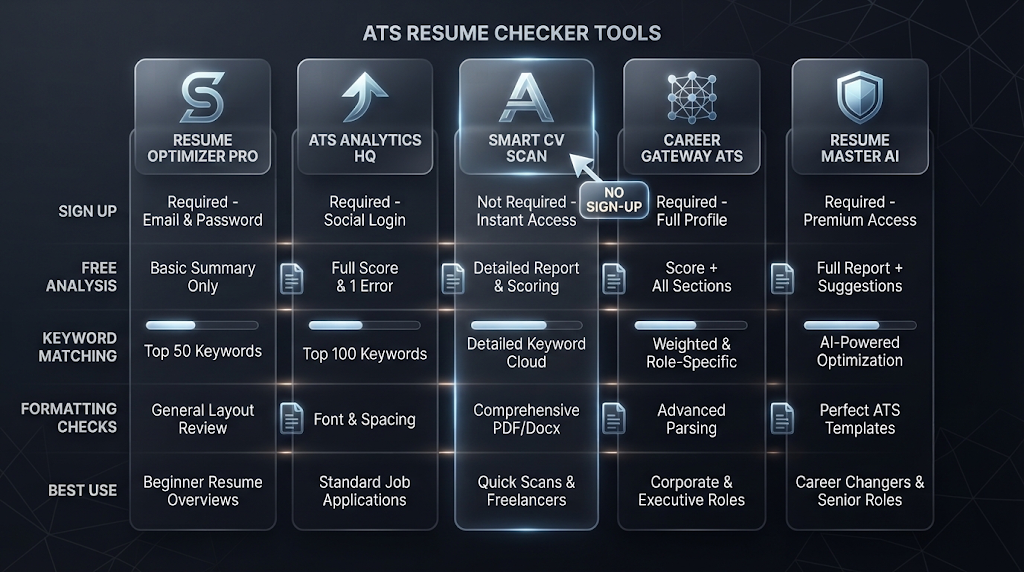
|
Tool |
Sign Up Needed? |
Free Plan Includes |
Best For |
|---|---|---|---|
|
Jobscan |
Yes |
Unlimited resumes, 24-metric ATS analysis |
Deep, job-specific keyword matching |
|
Enhancv ATS Checker |
Yes (email) |
27 checks across 7 categories |
A broad, detailed free report |
|
Resume.io Checker |
Yes (email) |
16-check ATS score and breakdown |
Quick formatting and keyword checks |
|
Teal |
Yes |
Unlimited resumes, limited AI |
Ongoing resume management across many applications |
|
Roast My Resume |
No |
Free, blunt section-by-section feedback |
Fast, no-account feedback |
Free-tier limits and signup requirements shift often across this category — confirm current details on each tool’s own site before relying on it for an application that matters.
Roast My Resume stands out as one of the only genuinely no-signup options here, giving direct feedback without an email first. Jobscan’s free tier is unusually generous for a tool that normally charges, offering unlimited resume scans and a detailed 24-metric breakdown at no cost.
⚙️ How These Tools Actually Work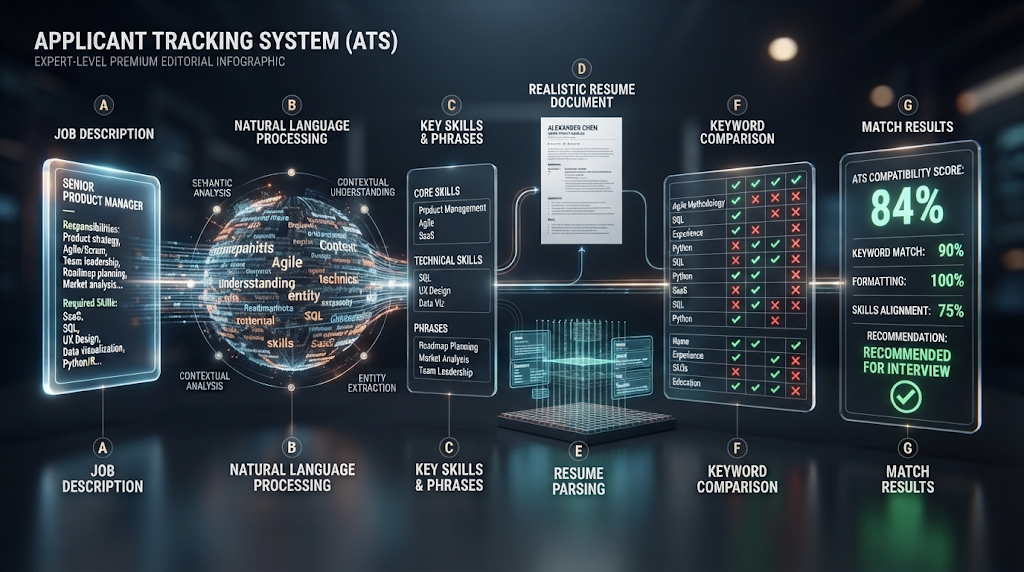
You paste or upload your resume, often alongside a specific job description. The tool uses natural language processing to pull out the key skills, job titles, and phrases from the job posting, then compares that list against what actually appears in your resume.
Behind the scenes, these tools try to mimic how a real ATS parses a document, since actual systems like Workday or iCIMS often struggle with resumes that use tables, columns, graphics, or unusual fonts. A checker that flags “avoid using a table in your skills section” is warning you about a real parsing failure that happens inside actual hiring software, not just a stylistic opinion.
📝 Step by Step: Getting a Useful ATS Check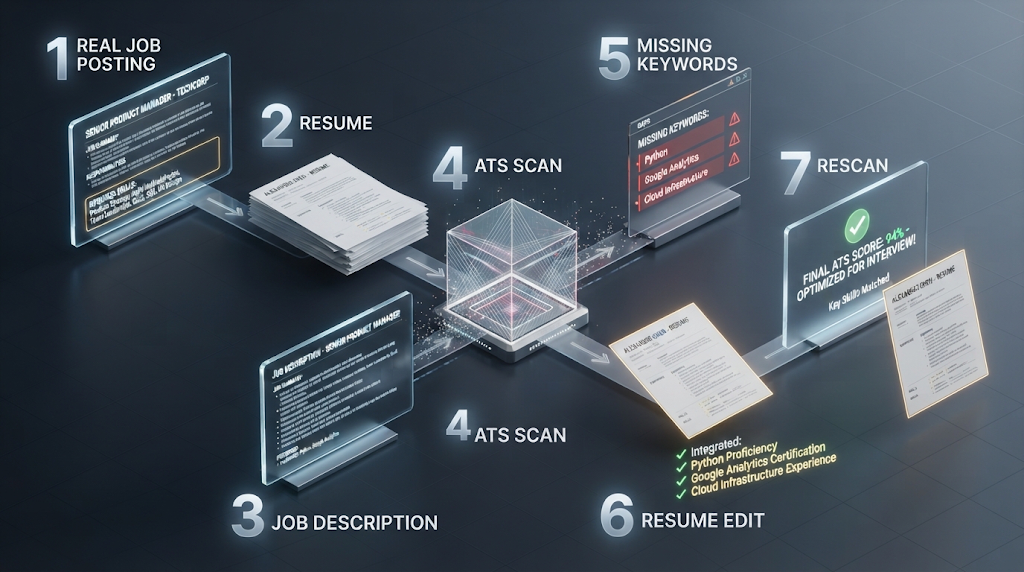
Have the real job posting open before you start, since a checker that compares your resume against a specific job gives far more useful feedback than a generic scan. Paste in your resume and the job description, then review the specific missing keywords rather than just the overall score.
Add the missing keywords naturally into your resume’s existing bullet points rather than pasting them into a separate list at the bottom, since real ATS software and human reviewers both respond better to keywords used in context. Run the check again after editing to confirm your score actually improved.
Save a separate, slightly different version of your resume for each distinct type of role you apply to, rather than sending one generic version everywhere. A resume tuned for a marketing coordinator role will naturally score lower against a data analyst posting, and that’s expected, not a flaw in the checker.
🎯 Building the Rest of Your Application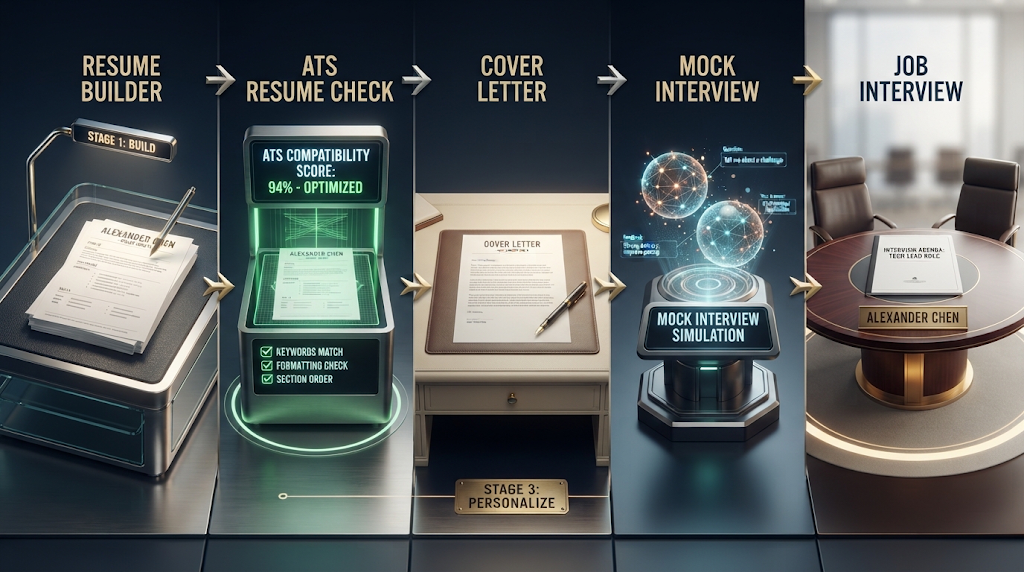
Checking your resume is only one piece of a full job application. If you haven’t built your resume yet, a free AI resume builder can help you draft one from scratch before running it through an ATS checker. Once your resume passes, a free AI cover letter generator can help you write a matching letter, and a free AI mock interview tool can get you ready for the conversation that follows if your application makes it through.
💰 Free Plans vs Paid Plans
Free plans are usually enough if you’re applying to a handful of jobs and just want a general sense of where your resume stands. Jobscan’s free tier is unusually generous here, offering unlimited scans with a detailed breakdown rather than a single preview. Tools like Enhancv and Resume.io typically give a solid free report but may limit how many times you can rescan after making edits.
Paid plans generally add unlimited rescans, side-by-side keyword comparisons across multiple job postings at once, and sometimes a direct resume-building feature alongside the checker. If you’re applying to dozens of jobs across different industries, a paid plan can save real time by letting you quickly tailor one resume against many postings. For someone applying to a handful of specific roles, the free tier of a generous tool like Jobscan is usually enough.
🧩 Why the Same Resume Can Score Differently on Different Checkers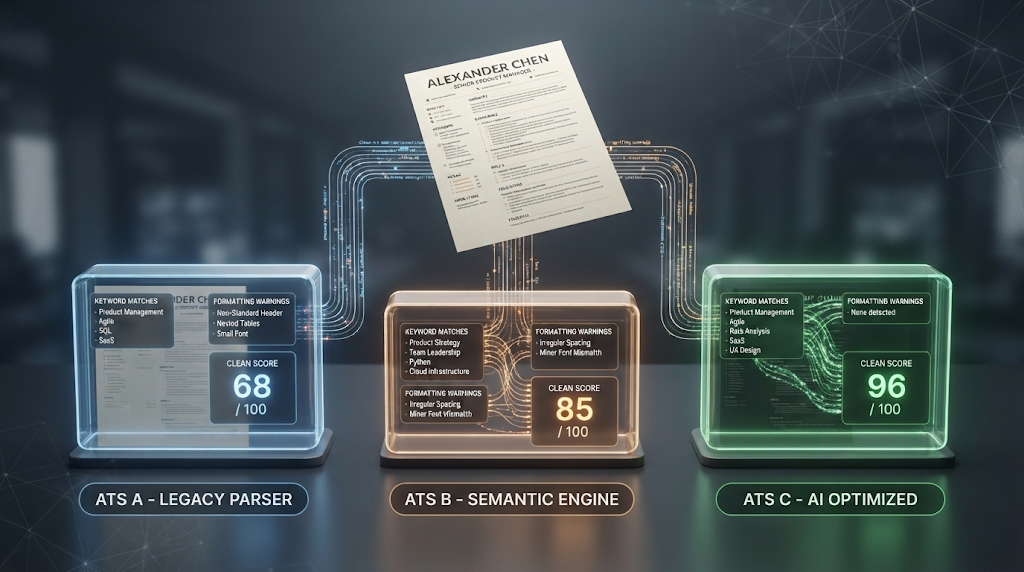
It can be confusing to run the same resume through two different checkers and get two different scores. This happens because each tool simulates ATS behavior slightly differently, and because real companies use over 300 different ATS platforms, according to Jobscan’s own research, each with its own quirks in how it reads a document.
A checker built mainly around Workday’s parsing style might flag different issues than one built around iCIMS or Greenhouse. This doesn’t mean one checker is wrong and the other right. It means no single free tool can perfectly represent every ATS a real employer might be using, which is exactly why reading the specific feedback matters more than chasing a particular number.
🔒 Using These Tools Safely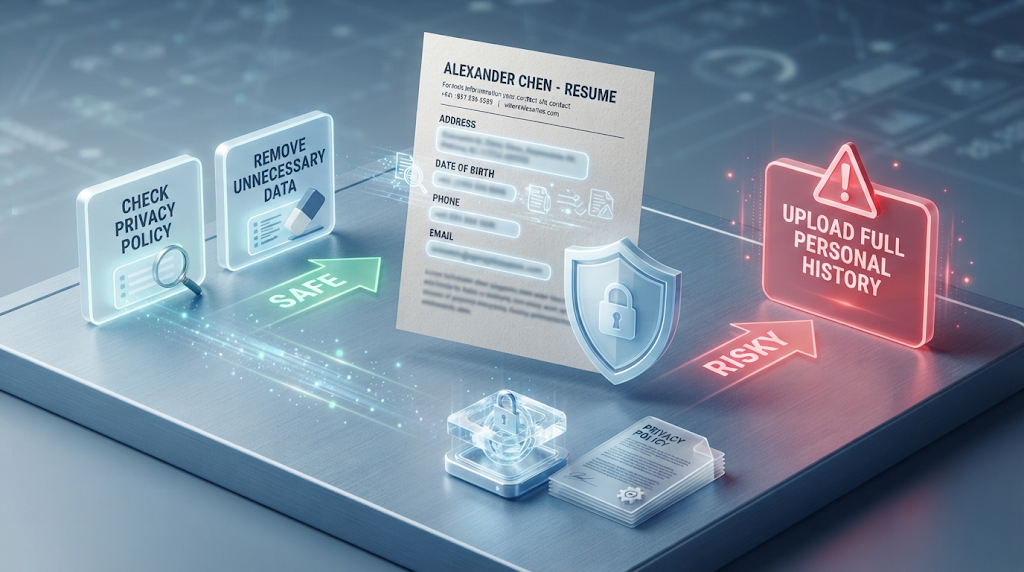
Be careful about uploading a resume with your full address, date of birth, or other sensitive personal details to a tool you haven’t checked the privacy policy for, since some free ATS checkers store uploaded documents to improve their systems. Tools that require only pasted text, rather than a full file upload, generally carry less risk than ones asking for a document with your complete history attached.
Avoid reusing the exact same account across many job applications if a tool logs your scan history somewhere a future employer could somehow access, though this remains a fairly rare concern with most reputable checkers.
⚠️ Common Mistakes to Avoid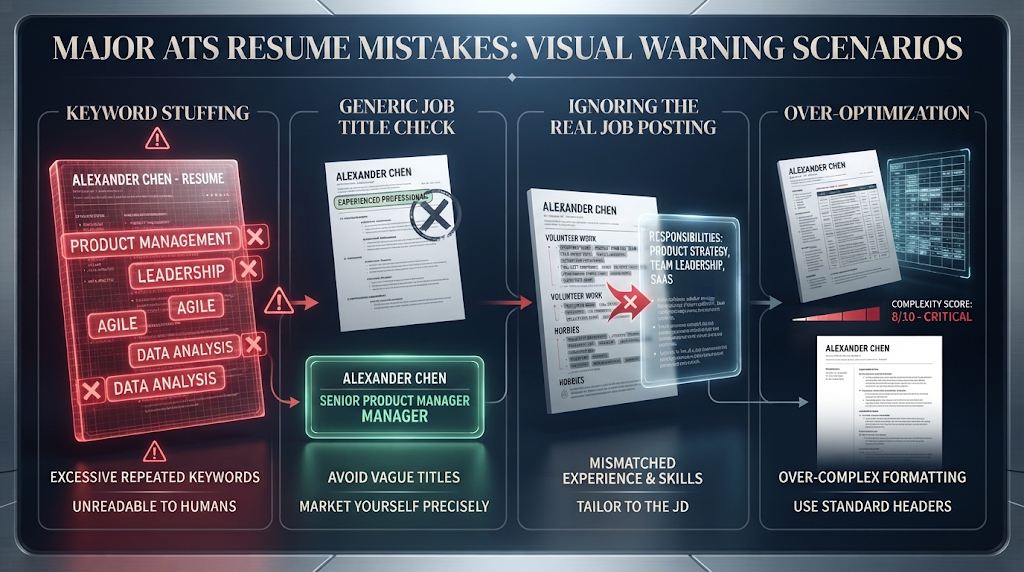
Stuffing a resume with keywords that don’t reflect your actual experience is the most common and most damaging mistake, since even if it passes the software, a human reader will notice the mismatch immediately in an interview. Checking your resume against a generic job title instead of the real posting you’re applying to is another common slip, since generic checks miss the specific keywords that one particular employer’s ATS is actually looking for.
Trusting a free score without reading the specific feedback behind it, based on the “free score, paid details” pattern covered earlier, can leave you with a number that doesn’t actually help you improve anything.
👥 Who Should Use an ATS Resume Checker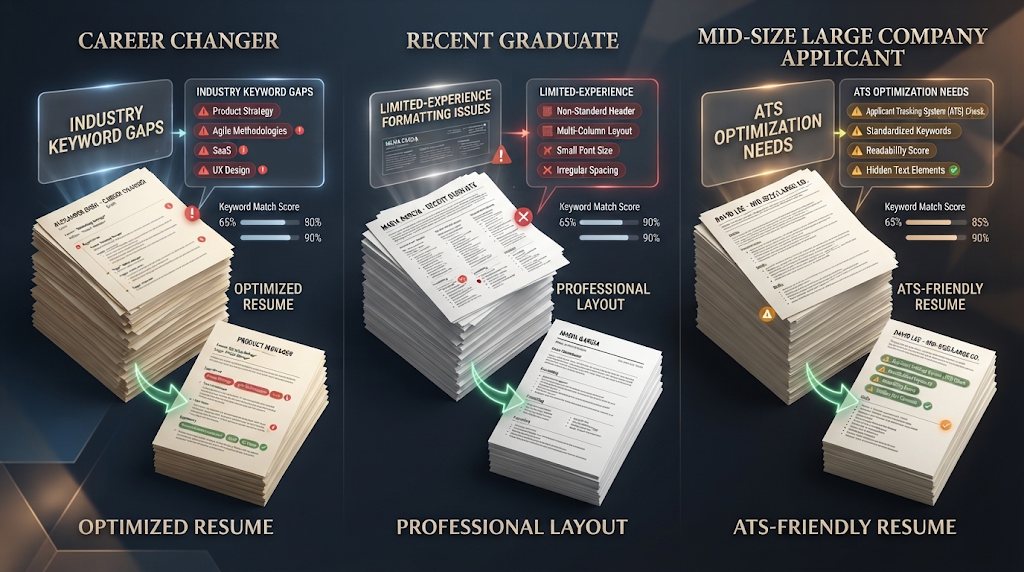
Anyone applying to a mid-size or large company should run their resume through a checker at least once, given how widespread ATS software has become across Fortune 500 companies. Career changers moving into a new industry benefit especially, since their resume may be missing entire categories of keywords common in the new field. Recent graduates with a thin resume also benefit, since a checker can point out formatting mistakes, like unusual fonts or table layouts, before they cost an interview.
❓ Frequently Asked Questions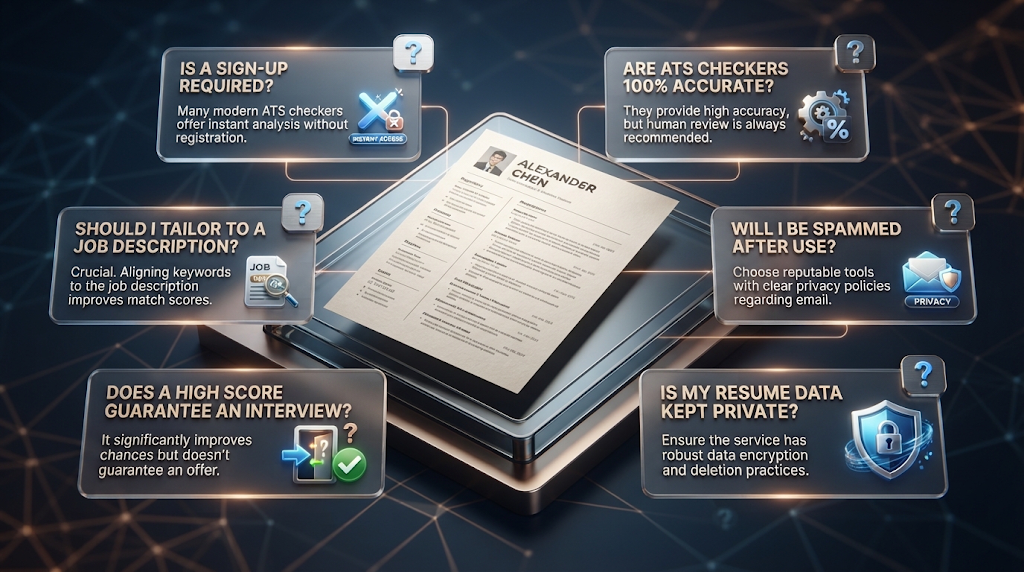
Is there really a free ATS resume checker with no sign up?
Yes, Roast My Resume currently offers free, direct feedback without requiring an account.
How accurate are free ATS checkers compared to a real hiring system?
They aim to mimic real ATS parsing behavior closely, though no free tool can guarantee a perfect match to every one of the hundreds of ATS platforms in actual use.
Do I need to upload a specific job description, or just my resume?
For the most useful feedback, yes — comparing your resume against one real job posting gives far more specific results than a generic scan.
Why do so many free checkers ask for my email first?
This is common across the category, often used to deliver the full report or to build an email list, so weigh whether the detail you’ll get is worth sharing your email.
Can an ATS checker guarantee I’ll get an interview?
No. It can help your resume get past the initial software filter, but the final decision still comes down to a human reviewer.
Is it safe to upload my resume to these tools? Check each tool’s privacy policy first, since some store uploaded resumes to improve their own systems.
Why did my resume score differently on two different checkers?
Each tool simulates ATS behavior in its own way, and with over 300 ATS platforms in real use, no single checker perfectly represents all of them.
Should I change my whole resume based on one checker’s score?
Treat the score as a guide rather than a final verdict, and focus on the specific, explainable feedback rather than chasing a perfect number.
🎓 In Short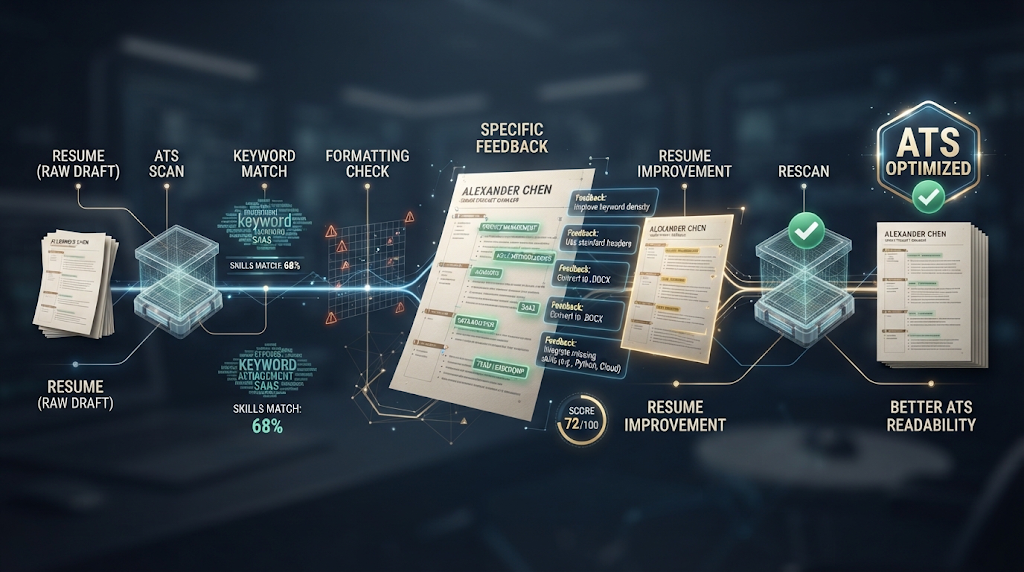
With over 97 percent of Fortune 500 companies now using some form of applicant tracking software, a free ATS resume checker is no longer an optional extra step for most job seekers. Roast My Resume is the simplest starting point if you’d rather not sign up for anything, while Jobscan’s free tier offers an unusually deep, job-specific analysis for a tool that normally charges. Whichever you choose, pay attention to the specific keywords and formatting issues behind your score, not just the number itself, since that detail is what actually gets your resume past the filter. 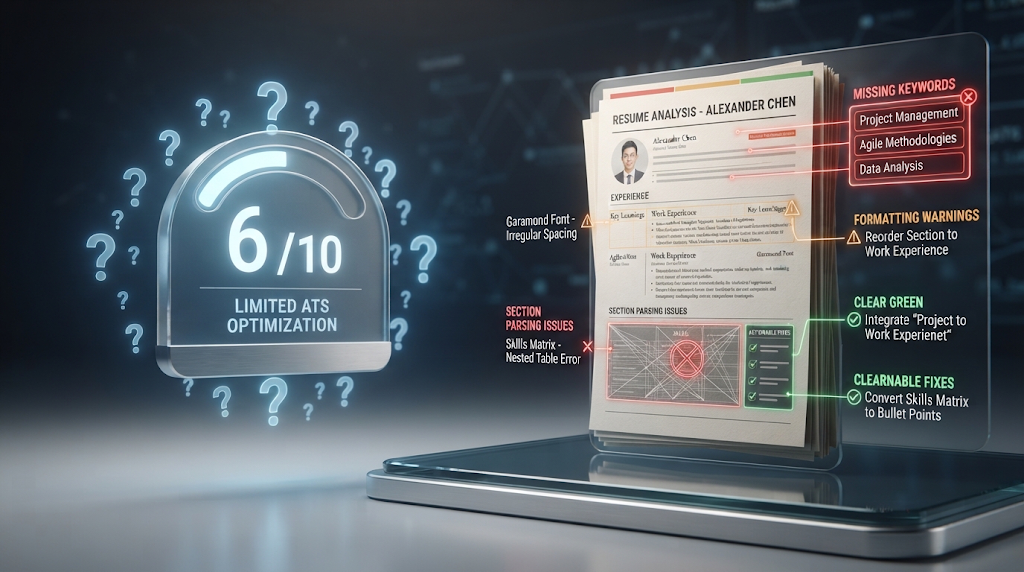
Reviewed by the BrainxoAI Editorial Team, which researches and compares free AI tools for job seekers, students, and career changers.